
QR Code Menu for Restaurant: Faster Service, Fewer Mistakes
A QR code menu lets diners scan, browse and order from their own phone. Here is how table QR ordering cuts wait times and mistakes, and how to set it up so every table opens the right menu.
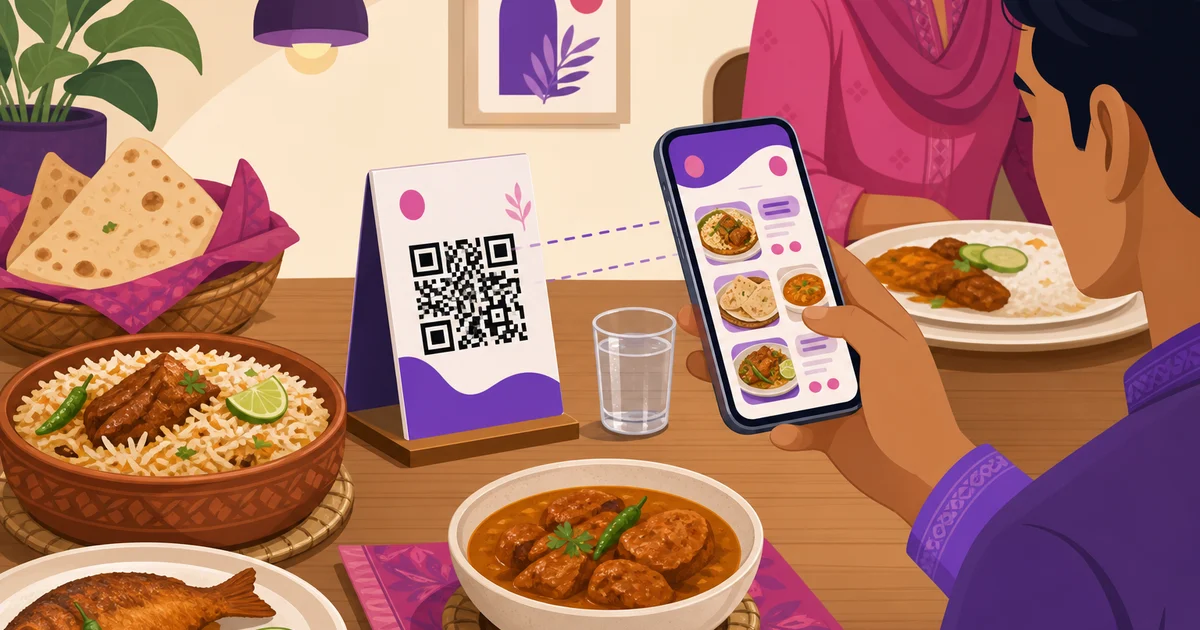
A QR code menu for restaurant tables turns a guest's own phone into the ordering screen. Instead of waving for a waiter, flipping through a sticky laminated card, then waiting again to place the order, the diner scans a small code on the table, sees your full menu with photos, and sends the order straight to your kitchen. For busy cafes and restaurants in Dhaka, that small square removes two of the slowest moments in a meal: getting the menu and getting someone to take the order. This guide covers the real benefits, how to set up table QR ordering step by step, and how a per-table code keeps every order tied to the right seat.
Why a QR code menu for restaurant tables beats paper
A printed menu looks simple, but it costs you in ways that pile up across a busy service. A QR code menu fixes most of them at once.
- No reprinting. Prices change, a dish sells out, you add a new item. With paper you reprint and replace every copy. With a digital menu you update once and every table sees the new version instantly.
- Photos sell. A laminated card rarely has good pictures. A digital menu shows each dish with a photo, which lifts orders of the items you want to push.
- Bangla and English together. Your menu can carry both scripts, so every guest reads it comfortably.
- Cleaner tables. No greasy, worn cards passed hand to hand. The menu lives on the guest's own phone.
- Fewer mistakes. When the guest taps their own choices, there is no mishearing "no onion" or the wrong variation across a noisy room.
How a QR code menu cuts wait times
Most of a guest's waiting is not cooking time. It is the gaps before and around the order: waiting for a menu, waiting to catch a waiter's eye, waiting while the waiter walks the order to the counter. A QR code menu collapses those gaps. The guest scans the moment they sit down, reads at their own pace, and sends the order when ready. The kitchen receives it without a waiter relaying anything.
That speed shows up in two numbers you care about. Tables turn faster, because the slow start of every meal shrinks, so you serve more guests in the same evening. And your floor staff cover more tables, because they spend less time taking and carrying orders and more time on service that guests actually notice, like clearing plates and topping up water.
Contactless ordering and how it works for the guest
From the guest's side, the flow is short and familiar:
- They sit down and scan the QR code on the table with their phone camera. No app to install.
- The menu opens in the browser, already tied to their table. They browse by category, see photos, prices, variations and add-ons.
- They build their order, add notes like less spicy, and place it.
- The order reaches your kitchen, and they can track it by order number from the same screen.
Because the menu opens in a normal browser, there is nothing to download and it works on any modern phone. That matters in a real dining room, where asking every guest to install an app would kill the idea before it started.
How Rosuii's per-table QR ordering works
Rosuii builds QR ordering on top of your branded online storefront, so the menu a guest scans is the same menu, with the same prices and the same kitchen flow, as your online ordering page. The difference is that a table QR carries the table number with it.
Each table on your floor has its own QR code. When a guest scans the code at table seven, the storefront menu opens already stamped with table seven. They order, and the order arrives in your system as a dine-in order for that exact table, no waiter needed to key it in or guess the seat. From there it behaves like any other order: it fires to the kitchen display, routes each item to the right station, and shows up in your orders list and reports. Pricing runs on the server in the usual fixed order, discount, then coupon, then loyalty, then service charge, then VAT, so a QR order is priced exactly as carefully as one rung up at the counter.
The per-table stamp is the part that makes it reliable. The kitchen and the floor always know which seat an order belongs to, so food reaches the right table even on a full evening. It also means a guest can order in rounds from their phone, starters first and mains later, and each new order attaches to the same table without a waiter restarting anything. Your day reports still tag every QR order as dine-in for that table, so your sales, item-sales and waiter figures stay accurate whether the order came from a phone or the counter. For the wider floor view, including the visual table board and how QR fits table management, see our guide to restaurant table management and QR ordering.
How to set up table QR ordering
Getting QR ordering live is a short project, not a rebuild. A practical order of steps:
- Get your menu right first. Add your items with clean names in Bangla and English, correct prices, photos, and any variations or add-ons. The QR menu is only as good as the menu behind it, so this is where to spend your time.
- Generate a QR code per table. Each table gets its own code that opens the storefront menu stamped with that table number.
- Print and place the codes. Put each code on a small stand or a sticker on the table. Keep it clean, upright and well-lit so phones scan it on the first try.
- Brief your staff. Tell waiters how the flow works so they can help a guest who is unsure, and so they watch the incoming orders rather than wait to be called.
- Decide your payment flow. Many restaurants let guests order by QR and still pay at the counter or by calling a waiter, while others take payment on the order. Pick what suits your service and your space.
QR ordering and your own delivery, one menu
The same storefront that powers table QR ordering also takes your online delivery and takeaway orders, which is a quiet advantage. You maintain one menu, set prices once, and it serves dine-in QR, takeaway and direct delivery alike. Every one of those orders comes to you without a marketplace commission, because they land on your own page rather than a platform. That connection between QR ordering and a commission-free channel is worth understanding fully, and we cover it in commission-free online ordering.
Common worries, answered
Two concerns come up whenever a restaurant considers QR menus. First, older guests or those uneasy with phones. Keep a few printed menus at the counter for anyone who prefers paper, and brief staff to take an order the normal way on request. QR ordering should add a fast option, not remove the human one. Second, the personal touch. Scanning to order does not replace your service; it frees your staff from being order-takers so they can greet, recommend and look after the room. Used well, a QR menu makes service feel more attentive, not less.
The takeaway
A QR code menu for restaurant tables is a small change with an outsized effect on a busy night. Guests get the menu and place orders the moment they want to, the kitchen receives clean tickets tied to the right table, and your staff spend their time on service instead of relaying orders. With Rosuii, table QR ordering runs on the same branded storefront and menu as your online ordering, so one setup covers dine-in, takeaway and direct delivery together. Browse what it includes on our features page.
Want guests to scan and order in seconds? Create your free Rosuii account, set up your menu, and put a QR code on every table today.
Updated:
Frequently asked questions
Do guests need to install an app to use a QR code menu?
How does the kitchen know which table a QR order is from?
Can I still keep paper menus and waiter service?
Is the QR menu the same as my online ordering page?
How do I set up QR ordering for my restaurant?
Run your restaurant on Rosuii
POS, menu, inventory, payroll and more — built for Bangladeshi restaurants.
Start free

