
Restaurant Table Management System with QR Ordering
A restaurant table management system maps your floor, tracks which tables are free or occupied, handles reservations, and adds contactless QR ordering. Here is how it works and why it speeds up service.
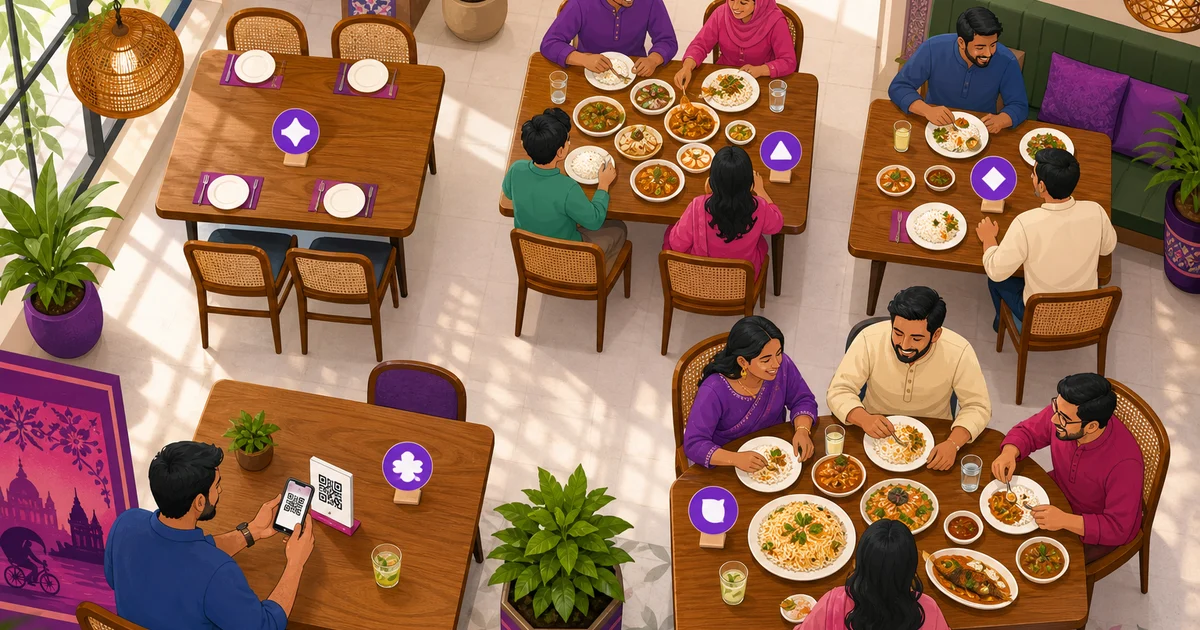
A restaurant table management system is the part of your software that turns a noisy dining room into something you can see at a glance. It maps your floor, shows which tables are free, taken, booked or out of action, links each table to the order on it, and can let guests order by scanning a QR code at their seat. Done well, it stops the awkward dance of a host walking the floor to find a free seat while customers wait at the door.
This guide explains what a table management system does, the table statuses that matter, how reservations fit in, and how contactless QR ordering works. We use Rosuii as the running example, with its visual table board and per-table QR that opens your storefront menu already tagged to the right table.
What a restaurant table management system does
At its simplest, a restaurant table management system is a live map of your seating. Instead of keeping the floor plan in a host's head, the software draws it on screen: your floors or sections, the tables on each, their capacity, and what is happening at every one right now. A manager glances at the board and instantly knows the room.
That single view solves several daily problems at once. The host seats walk-ins faster because free tables are obvious. The kitchen and floor stay in sync because each order is tied to a table number. Reservations do not collide with walk-ins because booked tables are flagged ahead of time. And at the end of service you can see how each table performed, not just the total for the night.
Floors and table maps
Most restaurants have more than one area: a ground floor, a first floor, a rooftop, an AC section, an outdoor patio. A good table management system lets you build each as its own floor with its own tables, so the layout on screen matches the room your staff actually walk. Each table carries a number and a capacity, so a host knows a four-seater from a two-seater without guessing.
Table statuses: knowing your floor at a glance
The heart of table management is status: a colour or label on each table that says what is going on. When the whole floor is colour-coded, anyone can read the room in a second. A typical system tracks four core states.
- Available. The table is clean, empty and ready to seat. This is what a host scans for first.
- Occupied. Guests are seated and an order is open. The table is busy until the bill is settled and it is cleared.
- Reserved. The table is booked for a coming time, so it should not be given to a walk-in even if it looks empty now.
- Maintenance. The table is out of service, maybe a wobbly leg, a spill being cleaned, or a section closed for the shift. It is held back from seating until fixed.
Rosuii uses exactly these four states on a visual table board, each in its own colour, so a manager standing at the door or a cashier at the counter can see the whole floor without walking it. As orders open and close, the board updates, so the picture is always current.
| Status | What it means | What the host does |
|---|---|---|
| Available | Clean and empty | Seat the next guest here |
| Occupied | Guests seated, order open | Leave until the bill is paid |
| Reserved | Booked for a coming time | Hold for the booking |
| Maintenance | Out of service | Skip until it is fixed |
Reservations and table bookings
For restaurants that take bookings, reservations turn a guessing game into a plan. A guest calls or messages to book a table for eight at 8pm; the manager records it, and that table shows as reserved on the board so no walk-in is seated there by mistake. On a busy Thursday night in Dhaka, this is the difference between a smooth handover and a double-booked table with two annoyed families.
Rosuii includes reservations and table bookings as part of its tables feature, available on the Growth plan and above. A booking ties a customer to a table and a time, and the table board reflects it, so your front desk and your floor staff work from the same plan.
Contactless QR ordering at the table
The newer half of table management is letting guests order themselves. A small QR code sits on each table. A diner scans it with their phone camera, the menu opens in their browser, they add what they want, and the order comes straight through, no app to download, no waiting to catch a waiter's eye.
The detail that makes this genuinely useful is that the QR knows which table it is on. When a guest at table 7 scans, the menu that opens already carries table 7, so the order arrives tagged to the right seat. Staff are not left guessing who ordered the extra naan. We cover the customer side of this in our guide to a QR code menu and contactless ordering.
Why QR ordering helps a busy restaurant
QR ordering is not just a gimmick. It earns its place in a few concrete ways:
- Faster turns at peak. Guests order the moment they are ready instead of waiting for a free waiter, so the kitchen starts sooner.
- Fewer wrong orders. The guest taps exactly what they want, so there is no mishearing across a loud room.
- Less pressure on staff. Waiters spend more time running food and looking after guests, less time standing at tables writing.
- An always-current menu. If an item sells out or a price changes, the QR menu shows the update immediately, with no reprinting.
How Rosuii ties tables and QR together
In Rosuii, tables and QR ordering are two sides of the same feature. You build your floors and tables once, set each table's number and capacity, and the visual table board shows them in four colours for available, occupied, reserved and maintenance. From the POS, a waiter assigns a dine-in order to a table, so the board, the kitchen ticket and the bill all carry the same table number.
Each table also gets its own QR code. When a guest scans it, your branded storefront menu opens with that table already attached, so a self-ordered dish lands on the right table without anyone typing the number. The order flows into the same system as a counter order: it becomes a kitchen ticket, prices itself on the server with any discount, service charge and VAT, and shows up in your reports. Because Rosuii is a browser-based platform, the menu the guest sees is just a web page on their phone, with nothing to install. To see how tables sit inside the wider counter workflow, read our guide to the restaurant POS system, and explore the full set on our features page.
Choosing a table management system in Bangladesh
If you run a sit-down restaurant in Bangladesh, a few things matter when you pick a table system. You want a visual board you can read fast during a rush, not a list. You want clear statuses so reserved tables are never given away. You want QR ordering that tags the table automatically, in both Bangla and English so every guest can use it. And you want it tied to the same POS that handles your bill, your kitchen and your reports, so tables are not a separate island of data.
Rosuii brings all of this together with its visual table board, four-state statuses, reservations and per-table QR ordering, fully bilingual and built for taka pricing with bKash and Nagad at checkout. For plan details and what comes with tables and reservations, see our pricing page.
Ready to see your whole floor at a glance and let guests order by QR? Create your free Rosuii account and set up your floors, tables and QR menu today.
Last updated:
Frequently asked questions
What is a restaurant table management system?
What do the table statuses mean?
How does QR ordering at a table work?
Does Rosuii support reservations and table bookings?
Can guests order by QR in Bangla?
Run your restaurant on Rosuii
POS, menu, inventory, payroll and more — built for Bangladeshi restaurants.
Start free

