Excel vs POS Software for Restaurants: When a Spreadsheet Stops Working
Excel is useful for a small restaurant, but billing, kitchen coordination and stock control soon expose its limits. Learn when it is time to switch.
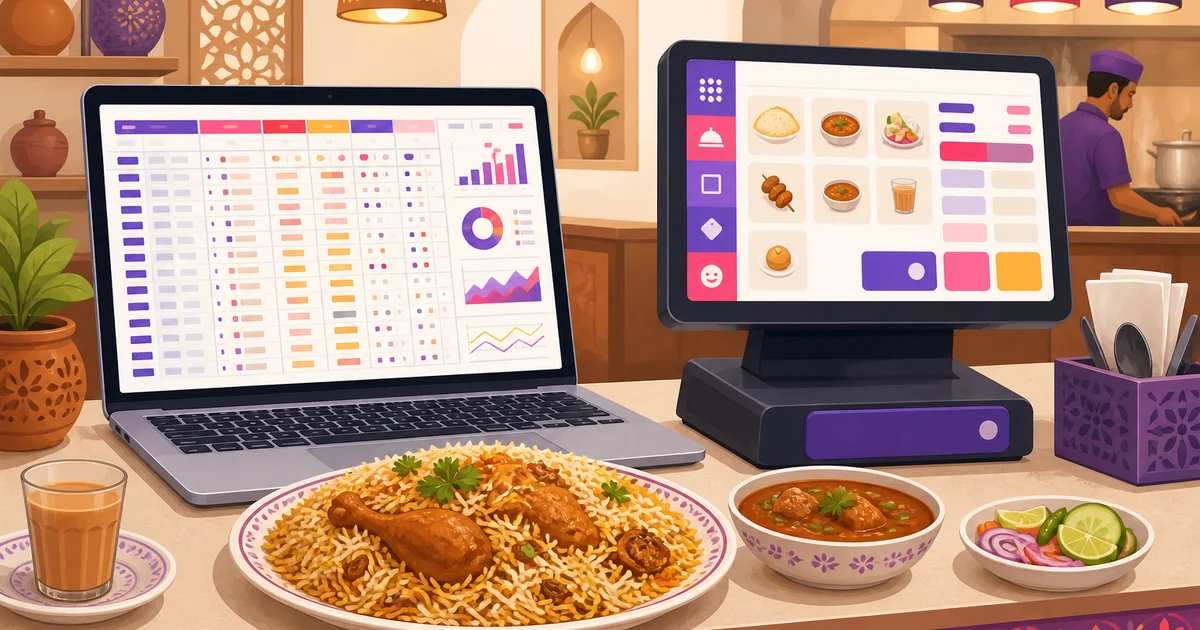
For a new restaurant, café or cloud kitchen, Excel can feel like the sensible starting point. It is familiar, flexible and usually already available. But the excel vs pos software decision changes once orders increase, more staff touch the records, and the kitchen needs information immediately. A spreadsheet can store numbers. It was not designed to run billing, kitchen tickets, tables, customers, payments and stock as one restaurant operation.
This guide gives spreadsheets a fair hearing, explains where they usually fail, and offers a practical threshold for moving to restaurant POS software without taking on unnecessary cost.
Why restaurants start with Excel
Excel is not a bad tool. Many Bangladeshi restaurant owners use it successfully for early planning, menu costing, supplier lists and monthly summaries. It has several genuine advantages:
- Low initial cost: You may already have Excel, or you can use another spreadsheet tool at no cost.
- Familiar layout: Most managers understand rows, columns, totals and basic formulas.
- Flexible structure: You can create sheets for daily sales, expenses, purchases, salaries and supplier dues.
- Easy exports: Accountants can receive a file without learning a new application.
- Useful for planning: Spreadsheets remain excellent for budgets, projections and one-off analysis.
A tiny takeaway counter with a short menu and a handful of daily orders may manage with a paper bill book and an end-of-day spreadsheet. Problems begin when the spreadsheet is expected to become a live operating system.
The same pattern happens with handwritten records. If you are comparing both approaches, read Khata vs restaurant software in Bangladesh.
Excel vs POS software: a practical comparison
| Restaurant task | Excel or spreadsheet | Restaurant POS software |
|---|---|---|
| Taking an order | Staff type items, quantities and prices into cells or a manual template. | Staff select menu items, variations, add-ons and order type from a billing screen. |
| Price calculation | Depends on formulas and correct manual entry. | Pricing rules are applied consistently by the system. |
| Kitchen communication | Requires verbal instructions, handwriting or a separate message. | Orders can be sent as kitchen order tickets or shown on a KDS. |
| Multiple staff | Shared files can create overwrites, duplicate versions and unclear ownership. | Users work through controlled screens, records and permissions. |
| Tables and waiters | Must be represented manually in columns. | Orders can be assigned to a table and waiter. |
| Stock records | Sales and stock usually sit in separate sheets with manual reconciliation. | Inventory, purchasing, suppliers and sales records can be kept within one platform, depending on the plan. |
| Corrections | A changed cell may be difficult to explain later. | Order records, statuses and role-based access provide stronger operational control. |
| Reports | Someone must maintain formulas, pivots and date ranges. | Sales, item, staff, expense and day-close reports are generated from recorded transactions. |
| Internet outage | A local file remains available, but it is not a restaurant billing workflow. | A POS with scoped offline billing can keep taking orders and sync them after the connection returns. |
Where a spreadsheet starts breaking
1. It does not provide real-time restaurant billing
A spreadsheet invoice can calculate a total, but the cashier still has to find or type every item correctly. Variations, add-ons, discounts, coupons, loyalty, service charge and VAT make the sheet more fragile. One deleted formula or pasted value can change the bill.
A restaurant POS uses the configured menu and applies pricing rules in a controlled order. In Rosuii, for example, the server-authoritative calculation handles discount, coupon, loyalty, service charge and VAT. Staff can save a draft, send the order to the kitchen, then bill and receive payment from the same workflow.
2. There is no proper kitchen ticket
The cashier can record an order in Excel, but the cook does not automatically receive a clear kitchen order ticket. Staff may shout the order, write it twice, send a chat message or carry a handwritten slip. That creates missed modifiers, duplicate dishes and uncertainty over preparation order.
A POS can send the order to the kitchen with its table, item details and add-ons. A kitchen display system adds status stages such as New and Preparing, order aging, station views and an audible chime. This becomes valuable during lunch, iftar or weekend rushes when verbal coordination stops being reliable.
3. Shared editing becomes an operational risk
Traditional spreadsheet files often become a practical one-person-at-a-time system. One cashier has the latest copy, while the manager has yesterday's version and the owner receives another file through a messaging app. Online spreadsheets allow co-authoring, but simultaneous editing does not turn the document into a transaction system. Staff can still sort the wrong range, overwrite cells or enter the same order twice.
Restaurant software gives each task a defined screen and record. Role-based access can limit what cashiers, managers and other employees are allowed to do. That is safer than giving every user access to formulas, price lists and totals.
4. Formula errors are easy to create and hard to notice
Spreadsheet errors are often quiet. A formula may exclude the final row, refer to the wrong sheet or be replaced by a fixed number. The daily total can still look reasonable, so the error may remain hidden until the accountant checks the month.
With POS software, each completed order contributes to reports from the underlying transaction record. This does not remove the need for good operating discipline, but it removes repeated copying and formula maintenance from routine billing.
5. Edits have weak operational traceability
Some cloud spreadsheets offer version history, but restaurant managers rarely have time to inspect cell-level revisions during a shift. A local file may provide even less visibility. If a quantity, discount or daily total changes, it can be difficult to establish who changed it and why.
A POS preserves orders as structured records and can control actions through staff roles. Owners should still define rules for voids, discounts, refunds and day-close checks. Do not assume that installing software replaces supervision. It gives supervisors clearer records to inspect.
6. Sales and stock remain disconnected
Many restaurants maintain one sheet for sales, another for purchases and a third for physical stock. Connecting them requires manual entry or a custom workbook. When the cashier sells 40 burgers, that information does not automatically make the stock sheet accurate. Purchases, production, transfers and wastage also need to be recorded.
Dedicated restaurant software can keep stock items, units, suppliers, purchase orders, per-branch balances, productions and wastage records in the same platform as operations. This reduces fragmented files and makes reconciliation easier. Be careful with expectations: Rosuii does not claim automatic per-ingredient deduction from every menu sale. Stock movements and production records still need correct operational entry.
The hidden cost of staying with Excel
The licence cost of a spreadsheet may be zero, but the operating cost is not. Consider how much time your team spends preparing bills, copying daily sales, checking duplicate entries, fixing formulas and matching purchases against stock. Then add the cost of one missed order, one incorrect discount or one unexplained cash difference.
The main issue is not whether Excel can be customised. A skilled person can build an advanced workbook. The question is whether the restaurant should depend on that person to maintain a custom system while orders are arriving. Purpose-built software standardises routine work so staff can focus on service.
When should a restaurant switch to POS software?
There is no single order count that applies to every business. A ten-table restaurant may need a POS earlier than a high-value catering business with fewer transactions. As a practical rule, switch when three or more of the following are true:
- You regularly process more than 20 to 30 orders a day.
- More than one person takes payments or updates sales records.
- The kitchen misses items, variations or handwritten instructions.
- You serve dine-in, takeaway and delivery from the same counter.
- You need to know which table and waiter belong to each order.
- Discounts, VAT or service charge calculations are becoming complicated.
- You operate more than one branch or plan to add another.
- Daily closing takes over 20 minutes because records must be reconciled.
- You cannot quickly identify best-selling items or compare sales with expenses.
- Stock, purchases, production and wastage are spread across separate files.
Do not wait for a serious cash mismatch or a failed spreadsheet before preparing. A quieter week is the best time to configure a menu, train cashiers and test receipt printing. For a wider view of available functions, see this guide to restaurant management software.
How to move from Excel without disrupting service
- Clean the menu first. Confirm item names, prices, categories, variations and add-ons. Remove duplicate or unavailable items.
- Set your billing rules. Decide how discounts, service charge and VAT should be applied. Confirm the correct VAT treatment with your accountant or VAT circle.
- Create staff access. Give employees only the permissions needed for their jobs.
- Set up tables and printers. Test dine-in, takeaway and delivery orders, along with 58mm, 80mm or A4 receipts as appropriate.
- Run sample orders. Check modifiers, discounts, kitchen tickets, payment methods and day-close reports before going live.
- Keep the old sheets read-only. Retain them for historical reference, but choose a clear date after which all new orders enter the POS.
- Check daily for the first week. Compare cash, digital payments, COD and completed orders at closing time.
A short parallel test is useful. Running two systems for weeks is not. Long parallel periods create another version-control problem because staff stop knowing which record is official.
A no-cost way to leave spreadsheets
Moving to a POS does not have to begin with a large software bill or dedicated hardware. Rosuii runs as a browser-based PWA on phones, tablets and laptops, so restaurants are not locked into a specific device brand.
The Rosuii Free plan costs ৳0, has no setup fee, and supports one branch with around 20 orders per day. It includes POS for dine-in, takeaway and delivery, menu and modifiers, tables and floor management, customers and basic reports. It does not include online ordering or inventory. Restaurants that need inventory, purchasing, reservations and an online storefront can consider the Starter plan at ৳500 per month.
Rosuii also supports scoped offline billing. After using the one-tap offline-data sync to save the menu and customers on the device, the POS can continue taking and billing orders during an internet outage. Orders queue locally and sync to the database when the connection returns. Online bKash or Nagad confirmation and real-time multi-device or KDS updates still require connectivity.
Each restaurant receives a branded subdomain and an isolated database. The interface supports English and Bangla, BDT pricing, VAT and service charge, plus real bKash, Nagad and COD payment workflows where applicable. You can compare the entry option in more detail in the guide to free restaurant POS software.
Keep Excel, but give it the right job
Switching to a POS does not mean deleting every spreadsheet. Keep Excel for forecasts, investor models, annual budgets and special analysis. Use the POS as the source for live orders, bills, kitchen communication, customer records and operational reports. Exported reports can still be analysed in a spreadsheet when needed.
The dividing line is simple: if a document is supporting analysis, Excel is suitable. If staff depend on it to coordinate a live order from counter to kitchen to payment, it has outgrown the job.
Ready to move off spreadsheets without paying upfront? Register for Rosuii, configure your menu and start with the Free plan.
Last updated:
Frequently asked questions
Is Excel enough for a very small restaurant?
At what order volume should I move from Excel to a POS?
Can I continue using Excel after installing restaurant POS software?
Does Rosuii's Free plan include inventory management?
Can Rosuii bill customers when the internet is down?
Run your restaurant on Rosuii
POS, menu, inventory, payroll and more — built for Bangladeshi restaurants.
Start free