Skip to content
RosuiiRosuii

What Is a Kitchen Display System (KDS)? A Guide for Restaurants

A practical guide to kitchen display systems, paperless kitchen tickets, order timers, station routing, and when Bangladeshi restaurants need KDS.

By Rosuii Team12 min read
Share
What Is a Kitchen Display System (KDS)? A Guide for Restaurants

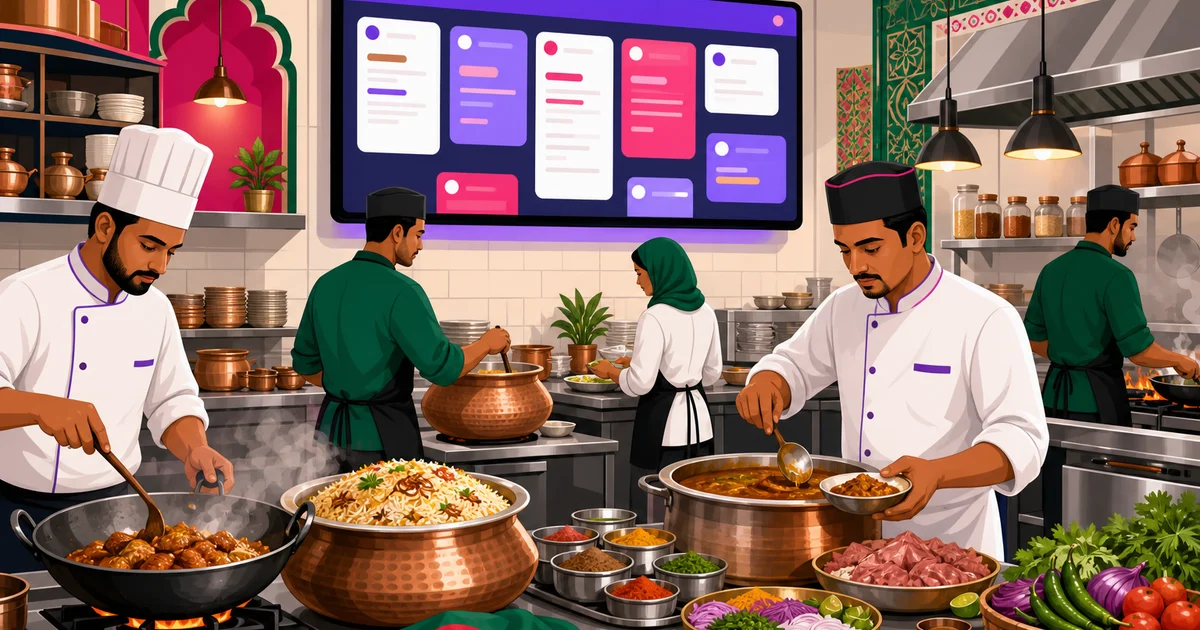
A kitchen display system, often called a KDS, is a digital screen used by restaurant kitchens to receive and manage orders from the POS. Instead of printing every kitchen ticket on paper, orders appear on a monitor or tablet where chefs can see what to prepare, when it arrived, and which station should handle it. For busy Bangladeshi restaurants, cafes, cloud kitchens, and fast food outlets, a KDS can reduce shouting, missed tickets, and confusion during lunch or dinner rush.

Many restaurants start with handwritten notes or printed KOTs. That works when order volume is low. But as dine-in, takeaway, delivery, online ordering, and marketplace orders grow together, the kitchen needs a clearer command center. A KDS gives the kitchen that command center.

What Is a Kitchen Display System?

A kitchen display system is software that shows restaurant orders on kitchen screens in real time. When a waiter, cashier, or online customer places an order, the items are sent to the kitchen display. Kitchen staff can then accept, prepare, and track each ticket from one place.

In a traditional restaurant flow, the POS prints a kitchen order ticket. The cook picks up the ticket, hangs it, prepares the food, and marks it mentally or verbally. In a KDS flow, the ticket is digital. It appears with the order number, table or delivery details, item names, modifiers, quantity, and special notes. Staff can update the ticket status as work moves forward.

A KDS is not just a screen. It is a kitchen workflow tool. It helps answer four important questions:

  • What should be cooked now?
  • How long has each order been waiting?
  • Which station should prepare which item?
  • Which orders are getting delayed?

If your restaurant already uses a POS, you can think of the KDS as the kitchen-side extension of that POS. For a fuller view of how POS and kitchen workflows connect, read our guide on restaurant POS systems.

How a KDS Replaces Paper Kitchen Tickets

Paper kitchen tickets are familiar. In Bangladesh, many restaurants use thermal printers at the cashier counter or kitchen pass. The ticket prints, someone tears it, then the kitchen follows it. This method is simple, but it creates common problems when orders pile up.

Tickets can get wet, lost, covered by another ticket, or sent to the wrong counter. A waiter may shout changes from the dining room. A cashier may reprint the same order. A cook may start preparing an item that was already cancelled. During a rush, these small errors become expensive. Food gets wasted, guests wait longer, and staff blame each other.

A kitchen display system reduces that dependency on paper. Orders appear in a digital queue. Staff can view them on a wall-mounted monitor, a tablet, or a browser screen. Updates are easier to see because tickets stay in one organized board.

Paper KOTKitchen Display System
Can be lost, torn, wet, or coveredOrders stay visible on screen
Hard to know exact waiting timeOrder aging timers show delay clearly
Requires reprinting when misplacedTickets remain in the queue until handled
Station separation depends on manual sortingItems can be routed to relevant stations
Kitchen status is often communicated verballyStatus is updated on the display

This does not mean every restaurant must remove printers immediately. Many restaurants use both. Printed KOTs may still be useful for packing counters, backup processes, or specific kitchen habits. To understand the paper ticket concept in more detail, see our article on what a KOT is.

Why Order Aging Timers Matter

One of the most valuable parts of a KDS is the order aging timer. It shows how long an order has been waiting since it entered the kitchen queue. This is a simple idea, but it changes kitchen behavior.

Without timers, staff usually judge delay by memory. A waiter says, “Bhai, table 5 er order onek time hoye geche.” The kitchen may disagree because they are handling many tickets. A timer removes the guesswork. Everyone can see which order is fresh, which one needs attention, and which one is becoming a service problem.

Rosuii’s KDS includes visible order aging with color changes. Newer orders stay in the normal state. When an order reaches 8 minutes, it turns amber to warn the kitchen. When it reaches 15 minutes, it turns red, making the delay hard to ignore. This helps managers and chefs focus on exceptions before guests become angry or delivery riders wait too long.

The right timing still depends on your menu. A burger shop, kacchi outlet, Chinese restaurant, coffee shop, and fine dining restaurant have different preparation standards. But visual aging gives every restaurant a practical base for control.

Kitchen Stations: Sending the Right Work to the Right Team

Most growing restaurants do not prepare all items at one counter. There may be a grill station, curry station, beverage station, fryer, dessert counter, or packing area. If every item goes to one printer or one screen, kitchen staff still need to sort the work manually.

A KDS becomes more useful when it supports station-based routing. For example:

  • Chicken fry, French fries, and nuggets can go to the fryer station.
  • Biryani, kacchi, and tehari items can go to the rice or hot food station.
  • Tea, coffee, lassi, and soft drinks can go to the beverage station.
  • Online delivery orders can be visible to the packing team.

Rosuii supports per-station routing in its KDS. That means a kitchen screen can show the tickets relevant to a station, instead of forcing everyone to read every order. For large kitchens, this keeps work cleaner. For cloud kitchens running multiple brands from one kitchen, station routing can reduce miscommunication between cooking and packing.

Station routing also helps new staff. They do not need to understand the full restaurant operation on day one. They can focus on the screen for their station and prepare what is assigned there.

How Rosuii’s Kitchen Display System Works

Rosuii’s kitchen display system is built for restaurant teams that need a clear, fast kitchen board connected with POS orders. It is part of Rosuii’s all-in-one restaurant management platform, so the KDS works alongside POS, menu, online ordering, branches, tables, and kitchen operations.

Kanban board from New to Preparing

Rosuii’s KDS uses a kanban-style board. New kitchen tickets appear in the New column. Kitchen staff can move tickets forward as work starts, such as into Preparing. This visual flow makes it easy to understand what has just arrived and what is already being worked on.

A kanban view is especially helpful during peak hours because tickets do not become one long confusing list. Staff can see the stage of each order at a glance.

Order aging with amber and red alerts

Each order shows how long it has been waiting in minutes and seconds. Rosuii displays aging as MM:SS. At 8 minutes, the order becomes amber. At 15 minutes, it becomes red. This gives the kitchen a practical early-warning system without needing a manager to constantly ask for updates.

Per-station kitchen routing

Rosuii can route kitchen work by station, helping the right team see the right tickets. This is useful for restaurants with separate preparation areas or multiple screens. It reduces noise and improves accountability.

Chime for new tickets

When a new ticket arrives, Rosuii’s KDS can play a chime. This is useful when the kitchen team is busy cutting, frying, plating, or packing and may not be watching the screen every second. A sound cue helps prevent fresh orders from sitting unnoticed.

Fullscreen mode for wall-mounted displays

Many restaurants prefer a large screen on the kitchen wall. Rosuii’s KDS includes fullscreen mode, making it suitable for wall-mounted monitors where staff need to read tickets from a distance. Because Rosuii runs in the browser as a PWA, restaurants can use common devices such as a laptop, tablet, or screen connected to a browser-capable setup. It is API-dependent, so a stable internet connection is important.

You can explore Rosuii’s restaurant management tools on the features page.

When Does a Restaurant Need a KDS?

Not every restaurant needs a kitchen display system on day one. A small tea stall or a very low-volume cafe may manage with handwritten notes or printed tickets. But once volume, menu complexity, or delivery channels increase, a KDS can become a serious advantage.

Your restaurant should consider a KDS if you face these situations:

  • Orders are often delayed during rush hours. If staff cannot tell which ticket came first, timers and queues help.
  • Kitchen tickets go missing. A digital board keeps active orders visible until they are handled.
  • You have multiple preparation stations. Station routing helps each team focus on its own work.
  • Delivery riders wait too long. Aging alerts help the kitchen prioritize delayed delivery orders.
  • Waiters repeatedly ask the kitchen for updates. A shared status board reduces shouting and interruptions.
  • You run online ordering with dine-in and takeaway. A KDS keeps mixed order types in a structured flow.
  • You are opening more branches. Standard kitchen processes become more important as the business grows.

Restaurants in Dhaka, Chattogram, Sylhet, Khulna, Rajshahi, and tourist areas like Cox’s Bazar often face mixed demand: walk-in guests, phone orders, delivery apps, and online orders. A KDS helps when all these channels hit the kitchen together.

KDS for Dine-in, Takeaway, Delivery, and Online Orders

A modern restaurant kitchen does not only serve tables. It may also prepare takeaway orders, direct online orders, COD orders, and marketplace-tagged orders from services like Foodpanda or Pathao. If these orders are not organized properly, dine-in guests and delivery customers both suffer.

With Rosuii, POS orders can cover dine-in, takeaway, and delivery from one workflow. Online ordering storefront orders can also enter the restaurant system. The KDS then gives the kitchen a focused preparation view. This makes the kitchen less dependent on verbal messages from the cashier or waiter.

For example, a dine-in table may order soup, fried rice, and beef chilli. At the same time, an online customer orders set meals for delivery. If both arrive as paper tickets at the same printer, the kitchen may not notice priority or aging clearly. On a KDS, the team can see the queue and identify delayed orders faster.

How to Set Up a KDS in a Bangladeshi Restaurant

A successful KDS setup is not only about buying a screen. It requires a simple process that kitchen staff can follow every day.

  1. Map your kitchen stations. Decide whether you need one shared kitchen screen or separate screens for grill, fryer, beverage, packing, and other areas.
  2. Clean up your menu items. Use clear item names, variations, add-ons, and modifiers. Kitchen staff should not need to guess what a ticket means.
  3. Decide ticket rules. Define when an order should move from New to Preparing, and who is responsible for updating it.
  4. Place the screen properly. A wall-mounted screen should be visible but safe from heat, oil, and water.
  5. Train staff for rush hour behavior. The screen should guide action. Staff should avoid leaving orders in the wrong status.
  6. Monitor delays for one week. Check which items or stations often turn amber or red. Use that information to adjust staffing, prep, or menu processes.

In many Bangladeshi kitchens, staff are used to verbal coordination. Do not change everything at once. Start with the main hot kitchen or packing counter, then expand station routing after the team becomes comfortable.

Common Mistakes to Avoid

A KDS can improve kitchen control, but only if the restaurant uses it consistently. Avoid these common mistakes:

  • Using unclear item names. If your menu says “Special 1” or “Combo A” but staff do not know the contents, the KDS will not fix that confusion.
  • Ignoring status updates. If staff never move tickets forward, the board becomes less useful.
  • Putting the screen in the wrong place. If cooks cannot see it clearly, they will return to shouting and paper notes.
  • Routing too many items to one station. Station routing should match your real kitchen layout.
  • Not reviewing red orders. Red tickets should lead to action: more prep, better staffing, or menu timing changes.

A KDS is strongest when managers use its signals to improve operations. If every Friday dinner rush creates red tickets for fried items, the issue may be staffing, fryer capacity, or prep planning. The screen shows the problem. Management still needs to solve it.

Is a KDS Better Than a Kitchen Printer?

The answer depends on your restaurant. A kitchen printer is simple, cheap, and familiar. It can work well for smaller outlets. A KDS gives more visibility, better order timing, and cleaner station control. Many restaurants use both during transition.

For example, a busy casual dining restaurant may use Rosuii POS to send orders to the KDS for cooking, while still printing receipts or specific tickets where needed. Rosuii also supports thermal receipt formats such as 58mm, 80mm, and A4 for billing and order documentation. The key is to design a workflow that your staff will actually follow.

If your main pain is lost KOTs, delayed orders, and kitchen confusion, a KDS is usually worth considering. If your order volume is very low, a printer may be enough for now.

Final Thoughts: Bring More Control to the Kitchen

A kitchen display system helps restaurants move from memory-based kitchen management to visible, trackable order flow. It replaces fragile paper tickets with a live kitchen board, shows order aging, supports station routing, and helps staff respond before delays damage the guest experience.

Rosuii’s KDS is designed for Bangladeshi restaurant operations, with a kanban board from New to Preparing, MM:SS order aging, amber alerts at 8 minutes, red alerts at 15 minutes, per-station routing, a chime for new tickets, and fullscreen mode for kitchen screens. It works as part of Rosuii’s broader restaurant platform with POS, online ordering, menu management, customers, inventory, reports, and multi-branch tools.

If your kitchen is getting busier and paper tickets are slowing you down, now is a good time to test a better workflow. Register for Rosuii and see how a connected POS and KDS can help your restaurant serve faster with fewer mistakes.

Updated:

Frequently asked questions

What is a kitchen display system in a restaurant?
A kitchen display system, or KDS, is a digital screen that shows incoming restaurant orders to kitchen staff. It replaces or reduces paper kitchen tickets by displaying items, quantities, notes, order status, and waiting time in one organized view.
Does a KDS completely replace KOT printers?
It can, but many restaurants use both. A KDS is better for live tracking, order aging, and station routing. Printers may still be useful for packing, backup, or teams that prefer printed slips for certain tasks.
How does Rosuii’s KDS show delayed orders?
Rosuii’s KDS shows order aging in MM:SS format. Orders turn amber at 8 minutes and red at 15 minutes, helping the kitchen identify delays quickly during busy service periods.
Can different kitchen stations see different orders in Rosuii?
Yes. Rosuii supports per-station routing, so a fryer, grill, beverage, or packing station can focus on the tickets relevant to that area instead of reading every order in the kitchen.
Do Bangladeshi restaurants need special hardware for a KDS?
Not necessarily. Rosuii runs in the browser as a PWA, so restaurants can use common devices such as tablets, laptops, or wall-mounted screens with a browser-capable setup. A stable internet connection is required because the system is API-dependent.

Run your restaurant on Rosuii

POS, menu, inventory, payroll and more — built for Bangladeshi restaurants.

Start free

Best Restaurant POS Software in Bangladesh: A Buyer's Guide (2026)

Best Restaurant POS Software in Bangladesh: A Buyer's Guide (2026)

The best restaurant POS software in Bangladesh takes bKash and Nagad, calculates VAT and service charge correctly, works in Bangla, and prints clean receipts. Here is the full checklist, plus where Rosuii fits and one honest caveat about offline use.

By Rosuii TeamJun 22, 20267 min read
Best Restaurant Software in Bangladesh: 7 Options Compared (2026)

Best Restaurant Software in Bangladesh: 7 Options Compared (2026)

The best restaurant software in Bangladesh is the one built for how you actually run, with real bKash and Nagad, full Bangla, and BDT pricing. Here are 7 options compared on the criteria that matter, plus a simple way to pick.

By Rosuii TeamJun 22, 20267 min read