Skip to content
RosuiiRosuii

What Is KOT in a Restaurant? Kitchen Order Ticket Explained

A KOT, or kitchen order ticket, is the order your kitchen cooks from. This guide explains what a KOT is, how it differs from the customer bill, and how a digital ticket flows from POS to kitchen.

By Rosuii Team7 min read
Share
What Is KOT in a Restaurant? Kitchen Order Ticket Explained

Ask any busy kitchen what is KOT in a restaurant and the answer is short: it is the ticket the cooks actually work from. KOT stands for kitchen order ticket, the slip or screen that tells the line exactly what to make, in what quantity, with what notes. It is not the bill the customer pays. The two carry different jobs, and mixing them up is how a kitchen ends up cooking the wrong order or a guest gets charged for a dish that never left the pass.

This guide explains what a KOT is, why it stays separate from the customer bill, and how a digital KOT moves from the POS to the kitchen in seconds. We use Rosuii as the running example, with its Send to Kitchen action feeding a live kitchen display.

What is KOT in a restaurant?

A KOT, or kitchen order ticket, is a record of what a table or customer has ordered, written specifically for the kitchen. In the old paper system, a waiter wrote the order on a duplicate pad: one copy went to the kitchen, one stayed at the counter for billing. The kitchen copy was the KOT. It listed the items and quantities, any special instructions (no chilli, extra gravy, well done), and usually the table or token number so the food could be matched back to the right guest.

The point of a KOT is communication, not money. It tells the cook what to fire and when, in the order tickets arrive, so the line stays fair and nothing gets forgotten. A clear KOT means fewer remakes, fewer arguments between floor and kitchen, and faster tables. A messy or missing KOT is where most kitchen chaos starts.

A KOT carries kitchen information

Look at a good KOT and you will see only what the kitchen needs:

  • Item names and quantities (2 chicken biryani, 1 borhani).
  • Variations and add-ons (large, extra raita).
  • Per-item notes (less spicy, no onion).
  • The station or section, so the grill, curry and drinks sections each see their part.
  • The table or token number and the time the order was placed.

What it does not carry is price. The cook does not need to know the bill total to make the food, and putting money on a kitchen ticket only clutters it.

KOT vs the customer bill: the key difference

This is the part people mix up most, so it is worth being precise. A KOT and a bill describe the same order but serve two different people.

AspectKOT (kitchen order ticket)Customer bill / invoice
Who reads itCooks and kitchen staffThe customer and cashier
Main purposeTell the kitchen what to cookShow what the customer owes
Shows prices?NoYes, with line totals
Shows VAT and service charge?NoYes, broken out
Shows cooking notes?Yes (less spicy, no onion)Usually no
When it is madeThe moment the order is firedWhen the guest asks to pay
Where it goesKitchen line or displayCounter and printed receipt

One order can produce several KOTs but one final bill. If a table orders starters first, then mains ten minutes later, the kitchen gets two KOTs at two different times, while the guest gets a single bill at the end that adds everything up with VAT and service charge. Keeping the two separate is what lets the kitchen start cooking immediately without waiting for the customer to decide they are done ordering.

From paper KOT to digital KOT

The paper KOT worked, but it had real problems. Handwriting gets misread. Slips get lost, soaked or stuck under a pan. During a rush, the order they arrive in is not always the order they get cooked. And nothing about a paper KOT feeds your reports, so you learn nothing from it.

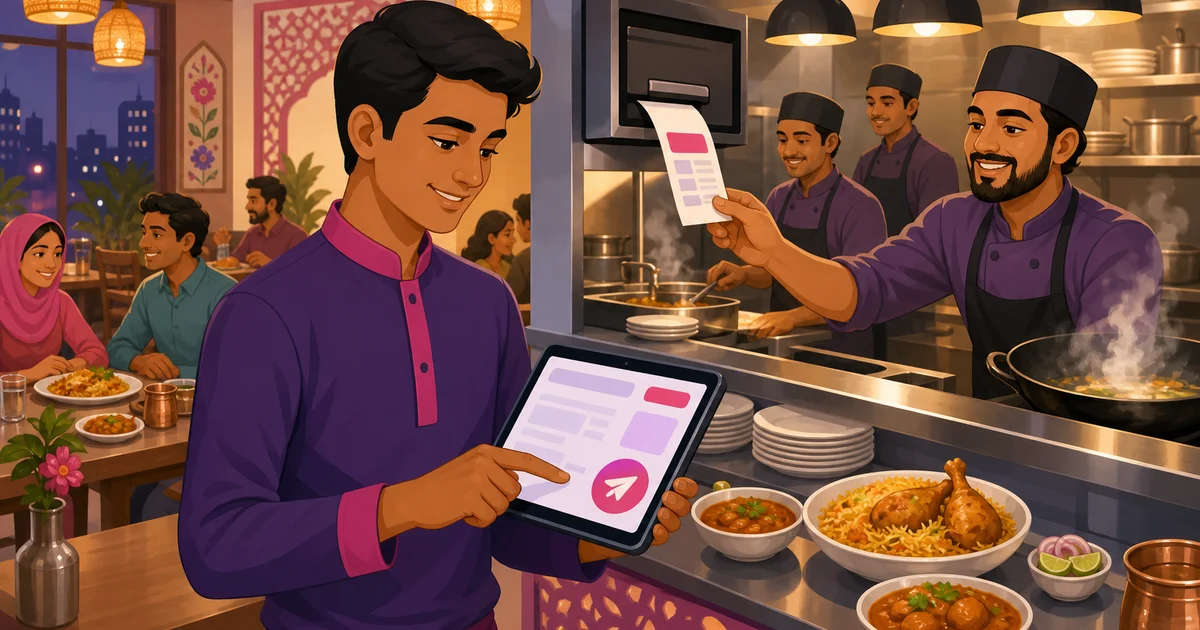
A digital KOT fixes all of this. Instead of writing on a pad, the waiter or cashier builds the order on the POS and sends it straight to the kitchen with one tap. There is no second handwriting step, no walking the slip over, and no question about what was ordered. The ticket appears on a screen at the line, legible, time-stamped and in sequence.

How a digital KOT flows from POS to kitchen

The flow is simple once you see it laid out:

  1. Staff build the order on the POS: pick items, set variations and add-ons, add notes like less spicy, and attach the table or customer.
  2. They tap Send to Kitchen. The POS turns that order into a kitchen ticket.
  3. The ticket is routed to the right station and shown on the kitchen display, with items, quantities, notes, table number and a running timer.
  4. Cooks work the ticket and tap it forward as it moves from new to preparing to ready.
  5. The bill stays separate at the counter and is only finalised, with VAT and service charge, when the guest asks to pay.

The order information is entered once and reused everywhere. The same items that became the KOT also feed the bill, the sales report and the customer's history, so nobody copies anything twice.

How Rosuii handles the KOT with Send to Kitchen

In Rosuii, the KOT lives inside the POS as a clear action. While building an order, a waiter can Save Draft to hold it, or tap Send to Kitchen to fire the kitchen order ticket. That action does three things at once. It locks in what the kitchen will cook, it routes each item to its assigned station (grill items to the grill, drinks to the drinks station), and it pushes the ticket to the kitchen display.

On the kitchen display system (KDS), that ticket shows up as a card with the items, any add-ons and per-line notes, the table or token number, and a timer counting up. Rosuii ages each ticket from amber at around eight minutes to red at fifteen, so a cook can see at a glance which order has waited too long. Tickets move across a simple board from new to preparing, and big touch buttons mean staff with wet or busy hands can still tap them forward. When the food is ready, a customer-facing display can call the token number so the guest knows to collect.

Because the same order also drives billing, the cashier never re-enters anything. When the table is done, the bill is calculated on the server with discount, coupon, loyalty, service charge and VAT applied in a fixed order, and the receipt prints with the full breakdown. The kitchen got a clean KOT with no prices; the customer gets a correct bill. To see how the ticket fits into the wider system, read our guide to the restaurant POS system.

Why a good KOT workflow matters for your restaurant

A reliable KOT process is one of those quiet things that decides whether a busy night runs smoothly or falls apart. Tickets that are clear and in order mean food comes out in the right sequence and remakes drop. Notes that travel with the order mean fewer wrong dishes and fewer comps. And keeping the KOT separate from the bill means your kitchen never waits on the cashier and your cashier never has to decode a cook's handwriting.

For a restaurant in Bangladesh juggling dine-in, takeaway and delivery at once, a digital KOT also keeps every channel in one place. A foodpanda order, a phone order and a walk-in all become tickets on the same kitchen display, so the line works one queue instead of three.

There is a reporting payoff too. Because every KOT is a digital record, you can later see which items the kitchen made most, how long tickets took at peak, and where the line slows down. A paper slip in the bin tells you none of that. Over a few weeks, those patterns help you adjust prep, staffing and the menu itself, so a small habit at the counter quietly improves the whole operation.

Want kitchen tickets that go from POS to the line with one tap, no paper, no shouting? Create your free Rosuii account and set up your menu, stations and kitchen display today.

Updated:

Frequently asked questions

What does KOT mean in a restaurant?
KOT stands for kitchen order ticket. It is the order written or shown specifically for the kitchen, listing items, quantities and cooking notes so cooks know exactly what to make. A KOT is for the kitchen, not the customer, so it does not show prices, VAT or service charge.
What is the difference between a KOT and a bill?
A KOT tells the kitchen what to cook and shows items, quantities and notes with no prices. A bill tells the customer what they owe and shows line prices, VAT and service charge. One order can create several KOTs at different times but produces a single final bill when the guest pays.
How does a digital KOT work?
Staff build the order on the POS, then tap a send action to fire a kitchen ticket. In Rosuii this is Send to Kitchen, which routes each item to its station and shows the ticket on the kitchen display with notes, table number and a timer. The bill stays separate at the counter.
Does Rosuii print paper KOTs or show them on a screen?
Rosuii sends the kitchen order ticket to a digital kitchen display by default, where it appears as a card with items, notes, table number and an aging timer. Restaurants that prefer paper can also use thermal printing for kitchen and counter, with per-branch printer settings.
Can a single order have more than one KOT?
Yes. If a table orders starters first and mains later, the kitchen receives a separate KOT each time an order is fired, so cooking can start straight away. The customer still gets one combined bill at the end. You can try this flow free on the Rosuii pricing plans.

Run your restaurant on Rosuii

POS, menu, inventory, payroll and more — built for Bangladeshi restaurants.

Start free


Best Restaurant POS Software in Bangladesh: A Buyer's Guide (2026)

Best Restaurant POS Software in Bangladesh: A Buyer's Guide (2026)

The best restaurant POS software in Bangladesh takes bKash and Nagad, calculates VAT and service charge correctly, works in Bangla, and prints clean receipts. Here is the full checklist, plus where Rosuii fits and one honest caveat about offline use.

By Rosuii TeamJun 22, 20267 min read
Best Restaurant Software in Bangladesh: 7 Options Compared (2026)

Best Restaurant Software in Bangladesh: 7 Options Compared (2026)

The best restaurant software in Bangladesh is the one built for how you actually run, with real bKash and Nagad, full Bangla, and BDT pricing. Here are 7 options compared on the criteria that matter, plus a simple way to pick.

By Rosuii TeamJun 22, 20267 min read