
What Is a Restaurant Management System? A Clear Guide
A restaurant management system connects your POS, kitchen, inventory and reports so one order updates everything at once. This guide explains the components, the benefits over copybooks and spreadsheets, and how the pieces tie together.
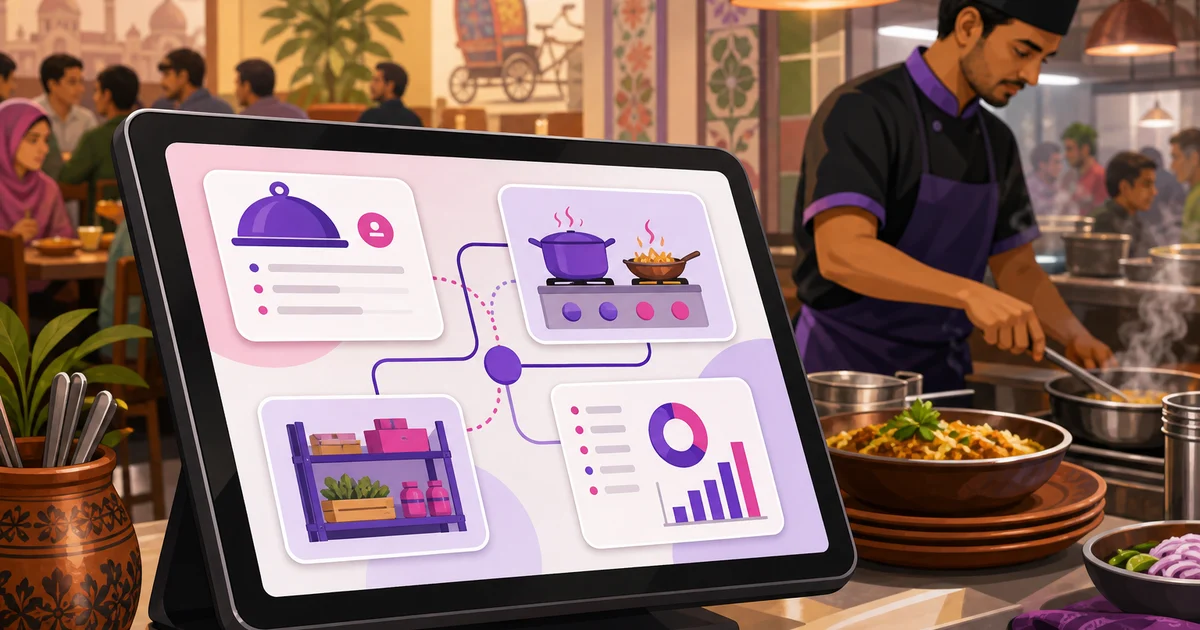
A restaurant management system is the connected setup that runs a restaurant end to end, from the order a waiter punches in to the profit figure you check at midnight. It links the POS, the kitchen, your menu, your stock and your reports so a single order moves through all of them automatically. Punch in a kacchi, and the kitchen sees it, the stock adjusts, the sale is recorded, and the day total updates without a second entry anywhere. That single connection is the whole point. People often use the words system and software to mean the same thing, and that is fine; the system is the joined-up way of working, the software is what makes it run.
This guide explains what a restaurant management system includes, the components it is built from, how those pieces tie together, and why it beats the paper copybook and the spreadsheet most restaurants start with. We use Rosuii as the running example, described honestly as a cloud platform that runs in your browser. If you want the wider buying view, our guide to restaurant management software covers modules and how to choose; this page focuses on what an RMS is and how it connects.
What a restaurant management system is
Think of everything that happens between an order and a paid bill. A waiter takes it, the kitchen cooks it, ingredients leave the store, a discount applies, VAT and service charge get added, a customer pays by bKash, and a receipt prints. In a restaurant without a system, each of those lives somewhere different: an order pad, a shout to the kitchen, a stock register updated once a week, a calculator at the till, and a cash box. Nothing reconciles, because nothing is connected.
A restaurant management system replaces that scatter with one chain of events. The order is the trigger, and the system carries it through every step in real time. You stop entering the same number three times, and you stop discovering at month-end that three of those entries disagree. An RMS, short for restaurant management system, is simply the software that holds this chain together.
The components of a restaurant management system
An RMS is built from a handful of parts. You do not need to switch them all on at once, but a real system has them available and connected.
Point of sale
The POS is the front door. It is where staff build orders for dine-in, takeaway and delivery, assign tables and waiters, apply discounts and coupons, and take payment. Everything else in the system reacts to what happens here. Rosuii prices each order on the server in a fixed order, so the bill is never guesswork at the counter. For the billing layer on its own, see our guide to the restaurant POS system.
Kitchen display
When the POS confirms an order, the kitchen display shows it as a ticket with items, notes and a timer, replacing the paper slip that gets lost or smudged. Rosuii routes each item to the right station and ages tickets from amber to red, so the line stays on top of what is waiting.
Inventory
The inventory component tracks stock items, units, costs and suppliers, warns you before something runs low, and records purchases, productions and wastage. Tied to the POS, it turns sales into a clear picture of what you are using and what it costs. We cover this in depth in restaurant inventory management.
Customers and loyalty
A customer directory keyed to phone numbers stores order history and loyalty points, and lets you run coupons with limits and expiry. It is how a one-time visitor becomes a regular.
Staff and finance
This covers employees, shifts, salaries and advance salary, expenses with approval, and role-based permissions so each person sees only what their job needs. It keeps the back office honest.
Reporting
Reporting is where the connected data pays off. Sales, item sales, staff performance, expenses, a profit-and-loss view and a day-close or Z-report turn the day into numbers you can act on. Because every other component feeds it, the reports are right by default rather than rebuilt by hand.
How the pieces tie together
The connection is what separates a system from a pile of tools. Here is a single order moving through a real RMS:
- A waiter takes a dine-in order at table 6 and sends it.
- The kitchen display shows the ticket, routed to the right stations, with a timer running.
- Inventory deducts the linked stock as items are produced, and flags anything low.
- The customer pays by bKash; the POS applies the discount, then service charge, then VAT, in that order.
- A receipt prints with your logo and the tax breakdown.
- The sale lands in the sales report, the item count, the customer's loyalty balance, and the day total, all at once.
No one re-keys anything. The order entered once does the work everywhere. That is the difference a system makes, and it is why the reports actually match the cash drawer at close.
Why a system beats copybooks and spreadsheets
Most restaurants in Bangladesh start with a paper copybook and maybe a spreadsheet. It costs nothing upfront, which is the appeal, but the hidden cost is steep.
| Task | Copybook or spreadsheet | Restaurant management system |
|---|---|---|
| Recording a sale | Written by hand, often after the rush | Captured the moment it happens |
| Kitchen orders | Shouted or scribbled, easily lost | On a screen with items, notes and a timer |
| Stock | Updated late, rarely accurate | Deducted against sales, low-stock alerts |
| VAT and service charge | Worked out by hand, error-prone | Applied automatically on every bill |
| Daily totals | Reconciled at midnight, often wrong | A day close that totals cleanly |
| Multiple branches | Separate books, no shared view | One dashboard across outlets |
The spreadsheet improves on paper but still relies on someone typing every figure correctly, every day. A system removes the re-typing and the disagreement that follows. The numbers are right because they were never entered twice.
There is a second benefit that owners notice only after the switch: time. The hours once spent reconciling the copybook at midnight, chasing why stock does not match sales, and rebuilding a monthly report by hand simply disappear, because the system did the recording as the day ran. That recovered time is often what convinces an owner the move was worth it, more than any single feature on the list.
What a Bangladeshi restaurant should expect from an RMS
A system built abroad will miss things that matter here every shift. Insist on these:
- Real bKash and Nagad at the till. Rosuii has working bKash and Nagad integrations alongside cash and cash on delivery; card is a placeholder, so the rails your customers use are the live ones.
- Full Bangla and English. Your cashier, waiter and kitchen staff each work in the language they read fastest. Rosuii is bilingual across the panel, kitchen display, storefront and reports.
- BDT pricing with built-in VAT and service charge, native to taka rather than bolted on.
- Room to grow. A second branch should be a setting, not a new system. See multi-branch restaurant management for how this works.
- Affordable taka pricing. Rosuii is free to start, then ৳500 to ৳2,500 a month with no setup fee.
Rosuii as a restaurant management system
Rosuii connects every component above in one platform. The POS handles dine-in, takeaway and delivery with table and waiter assignment and server-controlled pricing, and feeds a kitchen display and an order-ready customer display. Inventory, customers and loyalty, staff and payroll, your own online ordering page and full reporting all draw on the same data, each restaurant on its own isolated database and branded subdomain. It runs in the browser on hardware you already own, so there is nothing proprietary to buy, and it holds up when the line drops: the POS caches your menu on the device and keeps taking orders during an outage, queuing each one locally and syncing it automatically when the connection returns. Online-payment confirmation and live multi-device sync still need a connection, so it is not a full offline system, but a dropped line no longer stops order-taking. See the full module list on the features page.
Ready to replace the copybook? Create your free Rosuii account, set up your menu and POS, and watch one order update your kitchen, stock and reports at once.
Last updated:
Frequently asked questions
What is a restaurant management system?
What is the difference between a restaurant management system and POS software?
Why is a restaurant management system better than a spreadsheet?
Does a restaurant management system work for multiple branches?
How much does a restaurant management system cost in Bangladesh?
Run your restaurant on Rosuii
POS, menu, inventory, payroll and more — built for Bangladeshi restaurants.
Start free

