
Best POS Printer in Bangladesh: 2026 Restaurant Shortlist
There is no universal winner. This shortlist matches current Bangladesh options to real counter, kitchen and portable workflows.
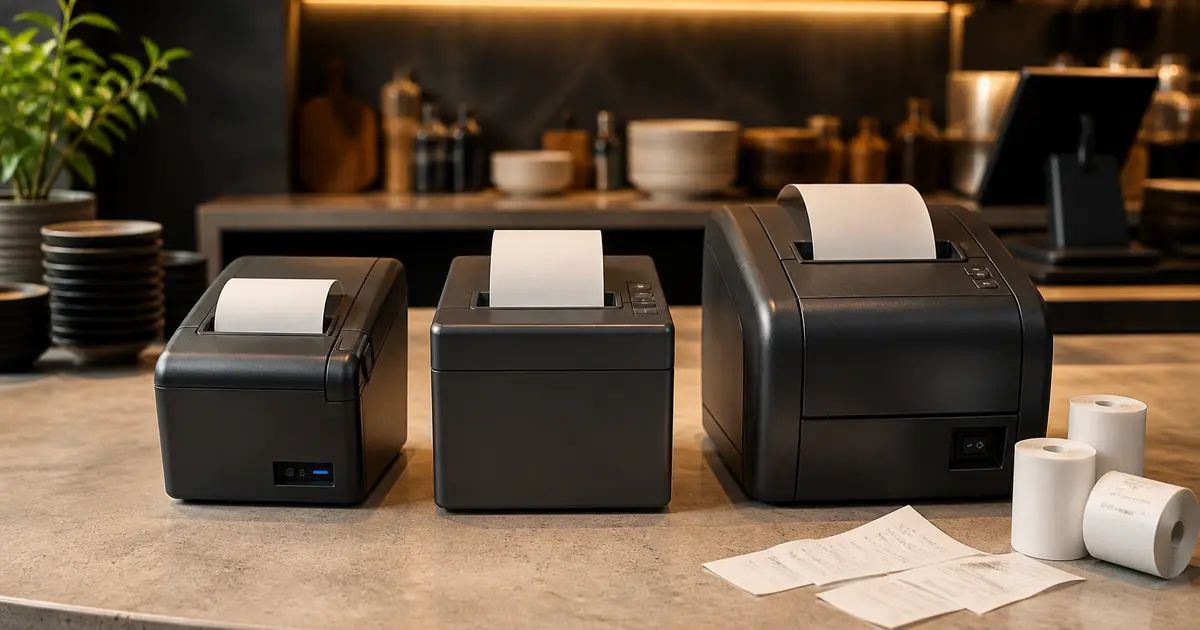
The best POS printer in Bangladesh is not automatically the fastest or most expensive model. It is the printer that fits your paper width, daily receipt volume, device, network and service access without creating downtime.
This shortlist uses manufacturer specifications and public Bangladesh prices checked in August 2026. Rosuii does not sell the hardware and we did not conduct a laboratory durability test, so the categories are recommendations to test, not paid rankings or performance guarantees.
Best POS printers by use case
| Use case | Models to compare | Why shortlist them | Watch for |
|---|---|---|---|
| Lowest-cost fixed counter | Rongta RP582 | 58mm, USB, about ৳3,500 | Manual cutter and narrow receipt |
| Portable phone or tablet | Rongta RPP02C / Xprinter XP-P502A | Bluetooth options around ৳3,700–৳5,000 | Battery, Android driver and roll size |
| Value 80mm counter | Rongta RP336-U / RP335 family | Wider receipt at mid-budget | Exact speed and suffix |
| Flexible busy counter | Rongta RP328 variants | Official 250mm/s, 80/58mm support | Interface varies by SKU |
| Network kitchen | Rongta RP850-USE | Ethernet-oriented 80mm option | Heat, grease and service plan |
| Established premium counter | Epson TM-T81III / TM-T82III | Documented drivers and reliability ratings | Higher price and exact interface |
Best budget printer
For a light-use counter, a Rongta RP582 near ৳3,500 is an easy benchmark: 58mm, USB and simple. Choose it when the receipt is short and one computer always prints. It is not the best choice for a long restaurant bill or a kitchen ticket packed with modifiers.
A portable Bluetooth unit costs slightly more and makes sense for a food cart or mobile billing setup. Confirm the battery warranty, Android version, driver or SDK and whether the printer can handle your Bangla font output.
Best value 80mm printer
An 80mm Rongta model in roughly the ৳6,000–৳9,000 band is the value centre of the Bangladesh market. The RP328 family is worth comparing because the official specification lists 250mm/s, 203dpi and 80mm/58mm compatibility.
The suffix decides the interface. A USB-only unit is fine for one terminal; Ethernet is better when the printer sits in the kitchen or several devices need access. Bluetooth should be tested with the actual POS device.
When Epson is worth the premium
Epson becomes attractive when documented driver support, published reliability metrics, service confidence and standardised deployments matter more than the lowest purchase price. The official TM-T82III specification lists up to 250mm/s, 203dpi, a 150km print-head rating and 1.5 million cutter operations.
Those figures do not mean every Epson listing in Bangladesh is the same model or interface. A TM-T81III listing around ৳13,500–৳13,800 and a TM-T82III quote are not interchangeable. Record the full product code and included cables.
Kitchen needs change the answer
A kitchen printer needs a stable network, audible output or visible placement, fast paper loading and protection from steam and oil. Ethernet often matters more than Bluetooth. If the kitchen is very hot or wet, place the printer outside the direct cooking line and route the ticket to a pass station.
Consider a KDS before buying several printers. Rosuii can route orders to a kitchen display with timers and station filters. Live multi-device KDS updates need internet, while printed tickets remain useful as a physical fallback.
Seven checks before declaring a winner
- Run your longest customer receipt
- Print a modifier-heavy KOT
- Verify Bangla and English text
- Scan the printed QR code
- Cut 20 tickets quickly
- Disconnect and reconnect the cable or network
- Get warranty coverage in writing
Best choice by restaurant size
A tea shop or takeaway can begin with one 58mm printer. A dine-in restaurant should usually start with an 80mm counter printer and decide separately between a kitchen printer and KDS. A multi-branch group should standardise one or two exact SKUs, keep a spare and document the driver and IP settings.
Standardisation is more valuable than owning five different discounted models. It simplifies rolls, adapters, staff training, troubleshooting and replacement.
Turn the use case into a requirement sheet
List the print stations, receipt or KOT width, device and operating system, connection type, expected peak workflow, Bangla and English text, QR or logo requirement, cutter need, kitchen environment and recovery time your outlet can tolerate. Mark each item must-have, preferred or not required.
Do not choose from a marketplace title alone. Record the full model code and suffix because interfaces and regional bundles can differ. Match every claimed feature to the manufacturer page, manual or a dated written seller response.
Use one controlled sample pack
Test every candidate with the same customer receipt, modifier-heavy KOT, Bangla line, English line, long item name, discount, tax or service treatment, QR and footer. Save the source file and the printed result. Staff should judge readability at counter and kitchen distance, not only a showroom demo.
Repeat the test after reconnecting and after changing a roll. If a seller cannot test your real workflow, agree in writing on return or replacement conditions before purchase.
Evaluate interface and recovery
USB can be simple for one fixed counter; Ethernet can suit shared or kitchen printing when the network is managed; Bluetooth or Wi-Fi adds mobility but also pairing and connectivity variables. The label alone does not prove compatibility with your browser, device, driver or POS path.
Ask staff to power-cycle, reconnect, select the correct destination, run a self-test and print from Rosuii. Document the driver, port or reserved IP, paper width and fallback. A printer that only one technician can recover is an operational risk.
Verify seller, warranty and total cost
Request the invoice name, exact model and serial, warranty provider, coverage period, exclusions, service location, turnaround process, dead-on-arrival rule and replacement path in writing. Confirm whether adapter, cable, driver access and any mounting or network work are included.
Compare paper, spare adapter or cable, setup, staff time, service travel and downtime exposure alongside purchase price. Do not invent a lifetime-cost number: use your outlet's verified usage and seller terms, dated at the time of decision.
Complete an installation sign-off
Record outlet, station, full model, serial, connection, device, driver or browser path, paper specification, test receipt version, installer and date. Run normal, long, Bangla/English, QR, reconnect and rapid-ticket tests before accepting the setup.
Log failures with evidence and owner. Do not sign off a temporary workaround as complete. Review the setup after the first comparable busy shift and keep the approved configuration for replacement or a new branch.
Shortlist by workflow, then test. For most Bangladesh restaurants, an 80mm auto-cutter model with the required USB or Ethernet interface is the practical centre; local warranty and a proven driver can matter more than another 50mm/s on a listing.
Related guides
See this workflow in Rosuii: Review Rosuii POS and receipt features
Sources checked
Last updated:
Frequently asked questions
What is the best POS printer in Bangladesh for restaurants?
Which is the best cheap POS printer?
Is Epson better than Rongta?
Should a kitchen use Bluetooth?
Can one printer serve several branches?
Run your restaurant on Rosuii
POS, menu, inventory, payroll and more — built for Bangladeshi restaurants.
Start free

