Customer Display System: Order-Ready Boards That Cut Counter Chaos
A customer display system puts order numbers on a screen so guests can see when their food is ready. This guide explains what a CDS is, how it cuts counter confusion, and how Rosuii's TV board works.
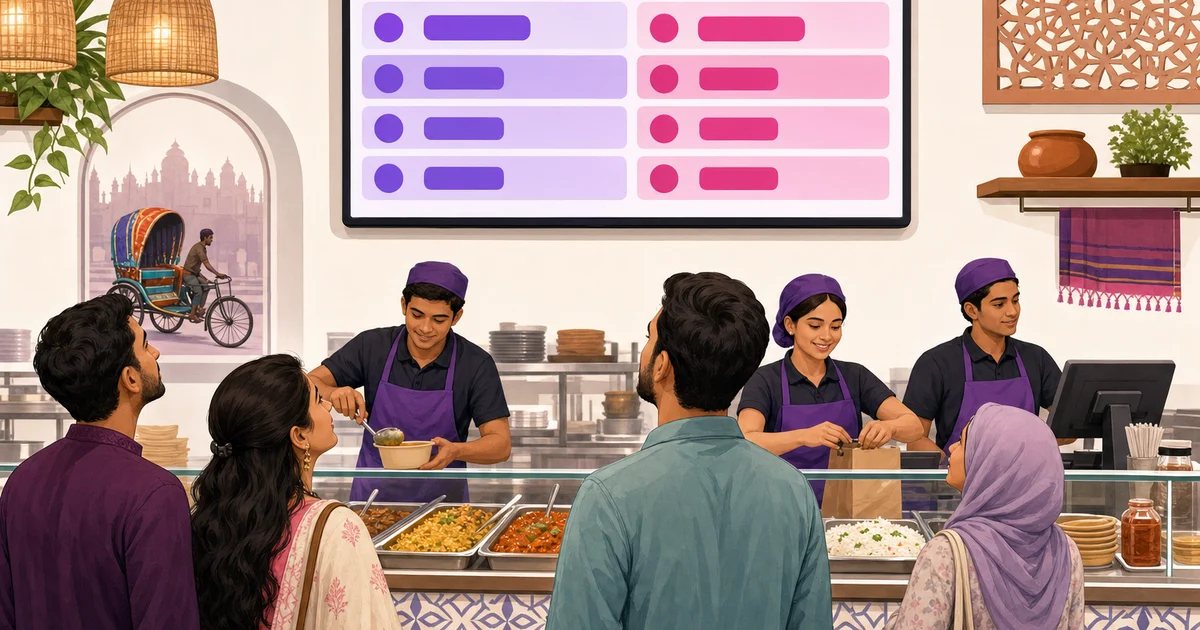
A customer display system is a screen that shows guests the status of their order, usually as a board of order numbers split into what is being prepared and what is ready to collect. Instead of crowding the counter and asking "is mine done yet," people glance at the board, see their number light up under Ready, and step forward. It is a small change that removes a lot of noise from a busy counter.
Fast-casual restaurants, food courts, cafés, and cloud kitchens in Bangladesh deal with the same scene every rush: a cluster of customers waiting near the pickup point, staff calling numbers over the din, and the occasional wrong order handed to the wrong person. A customer display system fixes most of that with one screen. This guide explains what a CDS is, why it cuts confusion and lifts accuracy, and how Rosuii's order-ready board works.
What a customer display system is
A customer display system, or CDS, is a customer-facing screen connected to your POS that shows order status in real time. When the kitchen starts an order, its number appears in a Preparing area. When the food is done, the number moves to a Ready area so the guest knows to collect it. The whole thing updates automatically as orders move through the kitchen, with no one needing to shout or hand-write a list.
People sometimes confuse a CDS with two other things, so it helps to be clear. A customer display is not a kitchen display. A kitchen display system (KDS) faces the cooks and shows them what to prepare; a CDS faces the guests and shows them when to collect. They are two ends of the same order. A CDS is also not a small cashier-side pole display that just repeats the price; that confirms the bill, while a CDS tracks the whole order through to pickup.
The token-number idea is familiar to anyone who has waited at a busy takeaway or a hospital pharmacy. A CDS brings that same calm, numbered queue to your restaurant counter, tied directly to the orders your POS already knows about.
How a CDS cuts counter confusion
The pickup point is where a lot of small problems pile up. A customer display system quietly removes most of them.
No more crowding and asking
Without a board, guests have no way to know if their order is two minutes away or ten, so they hover near the counter and ask. That blocks the pickup area and pulls staff away from work to answer the same question over and over. With a board, the answer is on the wall. People can sit, watch their number, and come up only when it is ready.
Fewer wrong handoffs
When staff call orders by name over a noisy room, mishearing is common, and food gets handed to the wrong person. Numbers on a screen are unambiguous. The guest matches the number on their receipt to the number on the board, which cuts mix-ups and the waste of remaking an order that walked out the door with someone else.
A calmer, fairer queue
A visible board makes the order of service obvious. Customers can see that numbers are moving and that theirs is coming, which reduces the sense of being forgotten. Staff stop fielding "how long" questions and can focus on packing and serving. The counter feels organised even when it is full.
A better wait, even when it is the same wait
A wait you can see feels shorter than a wait in the dark. Watching the Preparing column shrink and the Ready column fill gives guests a sense of progress. The actual cooking time may not change, but the experience of waiting improves, and that shapes whether people come back.
How a CDS improves order accuracy
Accuracy is not just about the kitchen making the right dish; it is also about the right dish reaching the right guest. A customer display system helps on the second half. Because every order is tracked by a single number from the kitchen to the board to the guest's receipt, there is one shared reference everyone uses. The cook works ticket number 42, the board shows 42 moving to Ready, and the guest holding receipt 42 steps up. That single thread is harder to break than names called across a room.
It also tightens timing. Staff can see at a glance how many orders are in Preparing versus Ready, which helps them pace the counter and notice when something is sitting too long. Fewer orders go cold on the pass because nobody realised they were done. For the kitchen side of this accuracy story, our restaurant POS system guide shows how orders flow from the POS to the kitchen and back.
Rosuii's customer display system
Rosuii includes a customer-facing order-ready board built to run on a TV at your counter. It connects to the same orders your POS and kitchen are already handling, so there is no extra data entry; numbers appear and move on their own as the kitchen works.
Glowing Ready token numbers
The board shows order token numbers, with Ready numbers highlighted so they stand out from across the room. When an order is done, its number lights up under Ready, giving the guest a clear, unmistakable signal to collect. From a few metres away, a customer can spot their number without squinting or asking.
A Preparing column for orders in progress
Orders that the kitchen is still working on sit in a Preparing area, so guests can see their order has been received and is on its way. Watching a number move from Preparing to Ready gives a natural sense of progress and sets expectations without a word from staff.
Fullscreen TV board
Rosuii's CDS runs fullscreen, so it fits a wall-mounted TV or monitor at the counter and reads cleanly from a distance. Because Rosuii runs in the browser as a PWA, you can drive the board from a common device connected to a screen, such as a laptop, a TV with a browser, or a small media stick. It is API-dependent, so a stable internet connection keeps the board live. There is no proprietary display hardware to buy; you reuse a screen you can already get locally.
The CDS sits alongside Rosuii's POS, kitchen display, online ordering, menu, inventory, and reporting, each restaurant on its own isolated database and branded subdomain. You can see the full set on our features page.
Which restaurants benefit most from a CDS
A customer display system is not essential for every shop, but it earns its place fast in certain setups.
- Fast-casual and counter-service restaurants. Where guests order at a counter and collect their own food, a board is the natural way to call orders without shouting.
- Food courts and shared pickup areas. When several outlets share a busy collection zone, numbered boards keep each brand's orders clear.
- Cafés and dessert shops with peak rushes. A line of waiting customers at lunch or after iftar is much calmer with a visible queue.
- Cloud kitchens and takeaway-heavy outlets. When most orders are picked up rather than served at a table, the board becomes the main point of contact with the customer.
- Branches that want a consistent, branded counter experience. A clean order board looks professional and signals that the kitchen is organised.
A small table-service restaurant where waiters carry food to seated guests may not need a CDS, since there is no self-collection step. Even then, a board near a takeaway window can help with the off-premise orders.
Setting up a customer display in your restaurant
Getting a CDS running is straightforward, and most of the work is placement rather than technology.
- Pick a screen and a spot. Mount a TV or monitor where waiting guests can see it clearly, above or beside the pickup point, away from glare.
- Connect it to your POS. With Rosuii, open the order-ready board in a browser on a device connected to the screen and run it fullscreen. The board pulls live order status automatically.
- Use clear order numbers. Make sure the number on the receipt matches the number on the board so guests can match them at a glance.
- Keep your internet steady. Because the board is live, pair your line with a backup so it does not freeze during a rush.
- Tell guests how it works. A small printed note or a quick word from staff during the first week helps customers learn to watch the board instead of crowding the counter.
Once it is up, the board mostly runs itself. The kitchen works orders as usual through the KDS, and the CDS reflects that progress to the guest without any extra steps for your staff.
A small screen that changes the counter
A customer display system does one job and does it well: it tells guests, clearly and fairly, when their food is ready. That single screen thins the crowd at the pickup point, cuts wrong handoffs, gives customers a sense of progress, and lets staff focus on serving instead of answering "is mine done." For any restaurant where people collect their own orders, it is one of the simplest upgrades to the customer experience you can make.
Want an order-ready board on your counter without buying special hardware? Create your free Rosuii account and run the CDS, POS, and kitchen display together from day one.
Updated:
Frequently asked questions
What is a customer display system in a restaurant?
What is the difference between a CDS and a KDS?
Does a customer display reduce wrong orders?
What hardware do I need for Rosuii's CDS?
Which restaurants should use a customer display system?
Run your restaurant on Rosuii
POS, menu, inventory, payroll and more — built for Bangladeshi restaurants.
Start free