
Android POS Software: Run a Full Restaurant POS on a Cheap Tablet
Android POS software turns an ordinary phone or tablet into a full restaurant point of sale, so you skip the costly proprietary terminal. Here is how it works, what you save, and how it keeps taking orders when the internet drops.
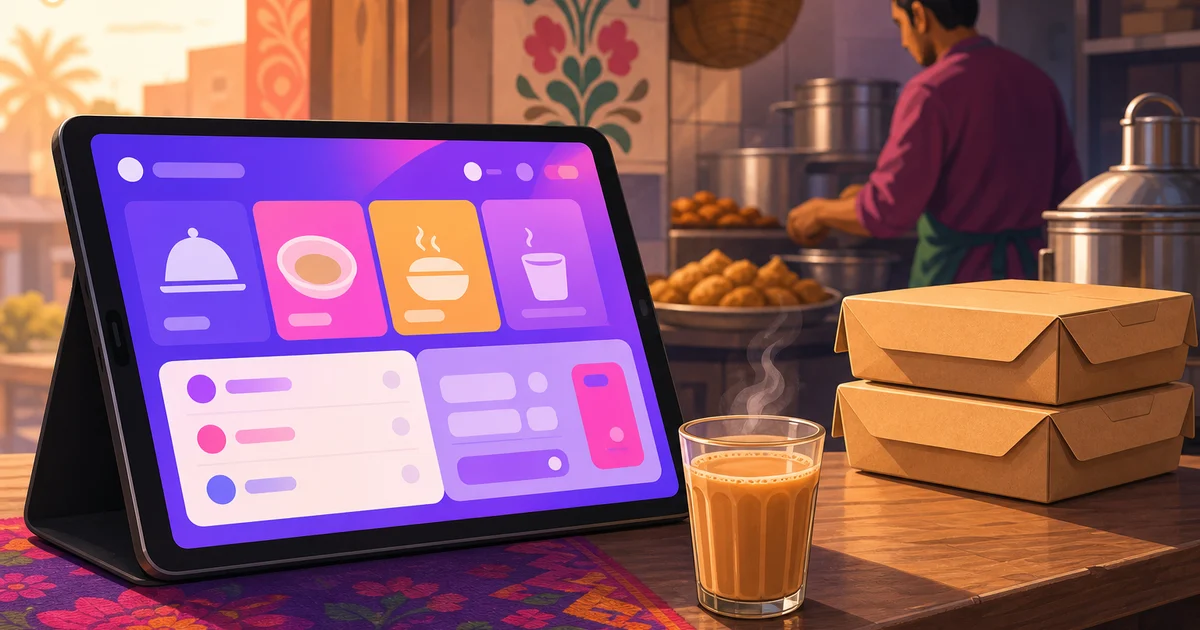
Android POS software lets you run a full restaurant point of sale on a device you can buy at any electronics shop in Dhaka for a few thousand taka. No locked-down terminal from a single vendor, no four-figure hardware bill before you have sold a single plate. You take an Android phone or tablet, open the POS, and start ringing orders. For a new café or a street-side outlet watching every taka, that difference decides whether a proper system is affordable at all.
This guide explains what Android POS software is, why it works on cheap hardware, what it saves you, and where the honest limits are. We use Rosuii as the running example, described for exactly what it is: a cloud platform that runs in the browser on the Android device you already own.
What Android POS software means
Two different things go by this name, and the difference matters before you spend money.
The first is a native Android app you install from the Play Store, built only for Android. The second, and the one most modern restaurant systems use, is a web POS that opens in the Android browser. You visit a web address, log in, and the full point of sale loads on the screen. Rosuii works this second way. It is a browser PWA, a progressive web app, so you can add it to your home screen and it opens like a normal app, full screen, with its own icon, but underneath it is a website running on Android.
The practical upside of the browser approach is that the same system runs on an Android phone, an Android tablet, an iPad, or a laptop with no separate version to download for each. Your cashier can take orders on a tablet at the counter while you check the day's sales on your phone in the back, both looking at the same live data.
Why a cheap Android device is enough
A common worry is that budget hardware will choke on a real POS. For a browser-based system it does not, because the heavy lifting happens on the server, not the device. The Android tablet draws the screen and sends taps; pricing, kitchen routing, reports and storage all run in the cloud. That means a mid-range Android tablet with a few gigabytes of RAM handles a busy counter without lag.
Here is what a workable setup looks like for a small restaurant:
- An Android tablet (about 10 inches) on a simple stand at the counter as your main till. A 10-inch screen gives the cashier room to see the menu and the order side by side.
- An Android phone as a backup till or a roaming order-taker a waiter carries to the table.
- A cheap thermal printer if you print receipts or kitchen tickets, which most restaurants do. You do not need a printer to start, but it is the one piece of hardware worth adding early.
None of that is proprietary. You can buy it anywhere, replace it anywhere, and add a second device whenever you open another counter. We cover the tablet side in detail in our guide to tablet POS for restaurants.
A few small choices make a cheap setup last. Keep the till tablet plugged into power on its stand so the battery never runs flat in the middle of dinner. Pick a tablet with enough storage that the browser stays quick. And put a simple case on any device a waiter carries, because a kitchen floor is unforgiving. None of this adds real cost, and it turns budget hardware into a till you can trust through a long, busy shift.
What you actually save
The money argument is the whole point. A traditional POS often arrives as a bundle: a dedicated terminal, a cash drawer, a card reader, and a software licence tied to that one machine. The hardware alone can run well past what a small restaurant wants to spend before opening day, and replacing a failed terminal means buying another locked unit.
With Android POS software you split the two. The software is a monthly subscription you can stop anytime, and the hardware is ordinary Android gear you may already own or can buy cheaply. If a tablet breaks, you log in on another one and keep serving. There is no machine that holds your business hostage. We dig into the full cost picture in our restaurant POS pricing in Bangladesh guide, and into the hardware question itself in our piece on whether you need a POS machine for your restaurant.
What a good Android restaurant POS does
Running on cheap hardware is no use if the software is thin. A real restaurant POS on Android should handle the whole shift, not just totting up a bill.
Dine-in, takeaway and delivery on one screen
Your cashier should start any order type from the same place: seat a dine-in order at a table with a waiter, mark a takeaway, or tag a delivery to your own rider or a marketplace. Rosuii puts all three side by side, with variations and add-ons, per-line notes for the kitchen, and a walk-in or named-customer picker so regulars build an order history.
Kitchen tickets and a kitchen display
When an order is confirmed, the kitchen needs it at once. The POS sends a kitchen order ticket, and on a second Android screen in the kitchen it can show a kitchen display that ages each order with a timer so nothing sits forgotten. One Android tablet at the counter, one mounted in the kitchen, and the line stays in sync.
bKash, Nagad and cash
Payment is where a Bangladesh-ready POS earns its place. Rosuii handles cash with automatic change, plus real bKash and Nagad integrations and cash on delivery. VAT and service charge apply automatically before payment. Card is a placeholder for now, so the rails your customers actually reach for are the ones that genuinely work.
Receipts on a thermal printer
An Android POS should print a clean receipt with your logo and an itemised bill on the printer sizes restaurants use. Rosuii supports 58mm, 80mm and A4 with per-branch printer settings, so the counter and the kitchen each print what they need.
Reports you can read on a phone
Because it is cloud based, the same login that takes orders on a tablet shows you sales, item performance and a day-close report on your phone from anywhere. You do not have to stand at the till to know how the day went.
What happens when the internet drops
Here is the part many POS pages skip. A browser-based Android POS does not have to stop the moment your line drops, and Rosuii does not. It caches your menu on the tablet and keeps loading the order screen offline, queues each sale on the device, then syncs every order automatically when the connection returns, mark-paid included. A dropped line no longer pauses billing, so the counter keeps moving through an outage instead of grinding to a halt.
What still needs a connection is online-payment confirmation through bKash or Nagad and live updates across other devices, so it is fair to say Rosuii keeps taking orders offline and catches up when you are back online, not that everything runs fully offline. For most urban restaurants a basic broadband line with a mobile-data backup on the tablet or a phone hotspot keeps those parts smooth through a typical day. If you operate somewhere the connection fails for long stretches, the offline queue carries the orders, and you confirm any mobile-money payments once the line is back.
Getting started on Android
Setting up is quick because there is nothing to install beyond your browser. Open Rosuii on your Android device, add it to the home screen so it opens full screen, build your menu, set your VAT and service charge, and connect bKash and Nagad. Ring a test order, print it to your thermal printer, and you have a working till. Add a second tablet for the kitchen display whenever you are ready. See the full feature set on our features page and compare what each plan includes on the pricing page.
Want to turn the Android tablet on your counter into a full restaurant POS? Create your free Rosuii account and set up your menu, POS and online ordering today. No setup fee, cancel anytime.
Last updated:
Frequently asked questions
What is Android POS software?
Can a cheap Android tablet really run a restaurant POS?
Does Rosuii's Android POS work offline?
Do I need to install an app from the Play Store?
How much does Android restaurant POS cost in Bangladesh?
Run your restaurant on Rosuii
POS, menu, inventory, payroll and more — built for Bangladeshi restaurants.
Start free

