
POS Machine for Restaurant: Do You Really Need One?
A POS machine for a restaurant can cost more than a month of rent, but you may not need one at all. Here is the difference between a POS machine and POS software, plus the cheap hardware that actually helps.
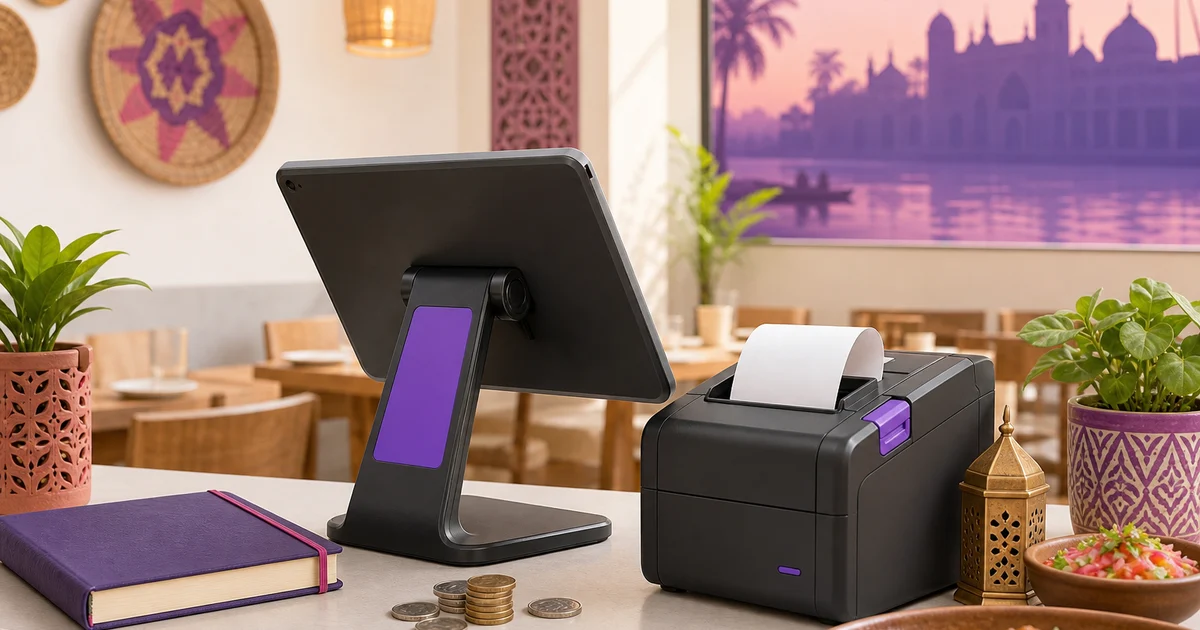
When most owners shop for a POS machine for restaurant counters, they picture one thing: a chunky terminal behind the till with a built-in screen, a cash drawer, and a price tag that stings before opening day. That picture is out of date. The thing that runs your restaurant is the software, not the box it sits in, and these days the software runs on a phone, tablet or laptop you may already own. So before you spend on hardware, it is worth asking whether you need the machine at all.
This guide separates the two ideas, a POS machine and POS software, shows what you genuinely need to start, and lists the cheap hardware worth adding when you grow. We use Rosuii as the running example, which is software that runs in your browser with no proprietary terminal required.
Do you need a POS machine for restaurant billing?
The honest answer for most small and mid-sized restaurants is no, not as a separate piece of kit. You need point-of-sale software and a screen to run it on. Whether that screen is a dedicated terminal or a tablet you bought down the road makes no difference to the order, the receipt or the report. The terminal is one option, not a requirement, and treating it as optional is what keeps your opening budget sane.
POS machine versus POS software
The confusion is understandable because for years they came bundled together. A POS machine is the physical hardware: an all-in-one terminal, often with a touch screen, a receipt printer, and a cash drawer built into one unit. POS software is the program that takes the order, prices it, sends it to the kitchen, collects payment and records the sale. The machine is just one place the software can run.
The old way locked the two together. You bought a terminal from a vendor, and the software only ran on that machine. If the terminal failed, your billing stopped until it was repaired or replaced, and the replacement was another costly locked unit. Opening a second branch meant buying the whole bundle again.
Modern cloud software splits them apart. The software runs in a web browser, so any device with a screen can be your till. Rosuii works this way: it is a browser PWA that runs on an Android tablet, an iPad, a Windows laptop or a phone, with nothing proprietary to buy. The hardware becomes a cheap, replaceable commodity, and the software is a monthly subscription you control.
What you actually need to start
Here is the short version: to start taking orders, you need one device and an internet connection. That is it.
A single Android tablet on a stand, or even a phone, runs the whole point of sale. Your cashier builds orders, applies discounts, takes a bKash or Nagad payment, and records the sale, all on a device that costs a small fraction of a dedicated terminal. For a new café or a takeaway counter, this is the leanest possible start. We walk through it in detail in our guide to Android POS software and our piece on tablet POS for restaurants.
You do not need a cash drawer to begin, a card reader, or any branded box. You add hardware only when a real need shows up, which keeps your opening cost low and your money in stock and staff where it belongs.
Optional hardware worth adding
As you grow, a few cheap pieces of hardware genuinely earn their place. None of them lock you in, and you buy each one only when you need it.
A thermal printer
This is the first thing most restaurants add, and often the only hardware they ever need beyond the device itself. A thermal printer prints customer receipts and kitchen tickets fast and cheaply on rolls of heat-sensitive paper, with no ink. A small 58mm printer suits a takeaway counter; an 80mm printer gives a wider, clearer receipt for a sit-down restaurant; A4 suits a full invoice. Rosuii supports all three sizes with your logo and a QR code, and lets each branch set its own printer. For how to pick and connect one, see our restaurant thermal printer setup guide.
A cash drawer
If you take a lot of cash, a lockable cash drawer keeps notes secure and your float organised. Most cash drawers connect to a thermal printer and pop open automatically when a cash sale is rung, so the cashier's hands stay on the order. It is a low-cost add that tightens cash handling without tying you to any vendor.
A stand or mount
A simple tablet stand at the counter turns a handheld device into a stable till, angled for the cashier and easy for a customer to see. A wall mount in the kitchen holds a second screen for the kitchen display. These cost very little and make a borrowed-feeling setup look and work like a permanent one.
A second screen for the kitchen
As order volume climbs, paper tickets get lost. A second tablet or monitor in the kitchen shows a kitchen display, so cooks see orders on screen with a timer instead of chasing slips. Rosuii routes each item to the right station and ages orders from amber to red as they wait, and the screen can be any device you already have.
When a dedicated POS machine still makes sense
To be fair, an all-in-one terminal is not always wrong. A very high-volume restaurant with a fixed counter may prefer the solid feel and tidy cabling of a purpose-built unit, and some owners simply like dedicated hardware that does one job. That is a reasonable choice.
The point is that it should be a choice, not a forced purchase. If you buy a terminal, buy one that runs open, browser-based software so you are not locked to one vendor's machine. With Rosuii you can put the same software on a smart all-in-one terminal that runs Android or a browser, and still log in on a phone or laptop as a backup. You get the feel of a machine without the lock-in.
A simple starting kit by restaurant type
Here is a practical shortlist to match common setups:
- Small takeaway or café: one Android tablet or phone, plus a 58mm thermal printer. Add a tablet stand. That covers ordering, payment and receipts.
- Sit-down restaurant: a tablet at the counter, an 80mm thermal printer, a cash drawer, and a second screen in the kitchen for the kitchen display.
- Multi-branch: the same kit per branch, each device logging into the same cloud account, with per-branch printer settings so every outlet prints its own receipts.
Every item on those lists is ordinary hardware you can buy locally and replace cheaply. The software ties it all together. The advantage of building up this way is that you spend on each piece only when the restaurant has grown into it, instead of paying for a loaded terminal on day one and using a fraction of it. Your money stays in stock, staff and the dining room, where it earns its keep, until a real need pulls a piece of hardware onto the counter. Compare what each plan includes on our pricing page, and explore the full feature set on the features page.
What happens when the internet drops
One thing to know before you decide: a cloud POS like Rosuii keeps taking orders when the line drops. It caches your menu on the device and queues each sale locally, then syncs every order automatically when the connection returns, mark-paid included, so a dropped line does not stop billing. Online-payment confirmation through bKash or Nagad and live updates across other devices still need a connection, so it keeps taking orders offline and catches up when you are back online, rather than running fully offline. For most urban restaurants a broadband line with a mobile-data backup keeps those parts smooth through a normal day.
Want to skip the expensive machine and start with what you already have? Create your free Rosuii account, set up your menu and POS, and ring a test order on your own phone or tablet today. No setup fee, cancel anytime.
Last updated:
Frequently asked questions
Do I need a POS machine for my restaurant?
What is the difference between a POS machine and POS software?
What hardware do I need for a small restaurant POS?
Can I use a regular tablet instead of a POS machine?
How much does a restaurant POS cost without a dedicated machine?
Run your restaurant on Rosuii
POS, menu, inventory, payroll and more — built for Bangladeshi restaurants.
Start free

