
Restaurant Thermal Printer Setup: Receipt and Kitchen Printing
A restaurant thermal printer setup guide: 58mm vs 80mm vs A4, kitchen vs receipt printing, adding a logo or QR to receipts, and Rosuii's per-branch settings.
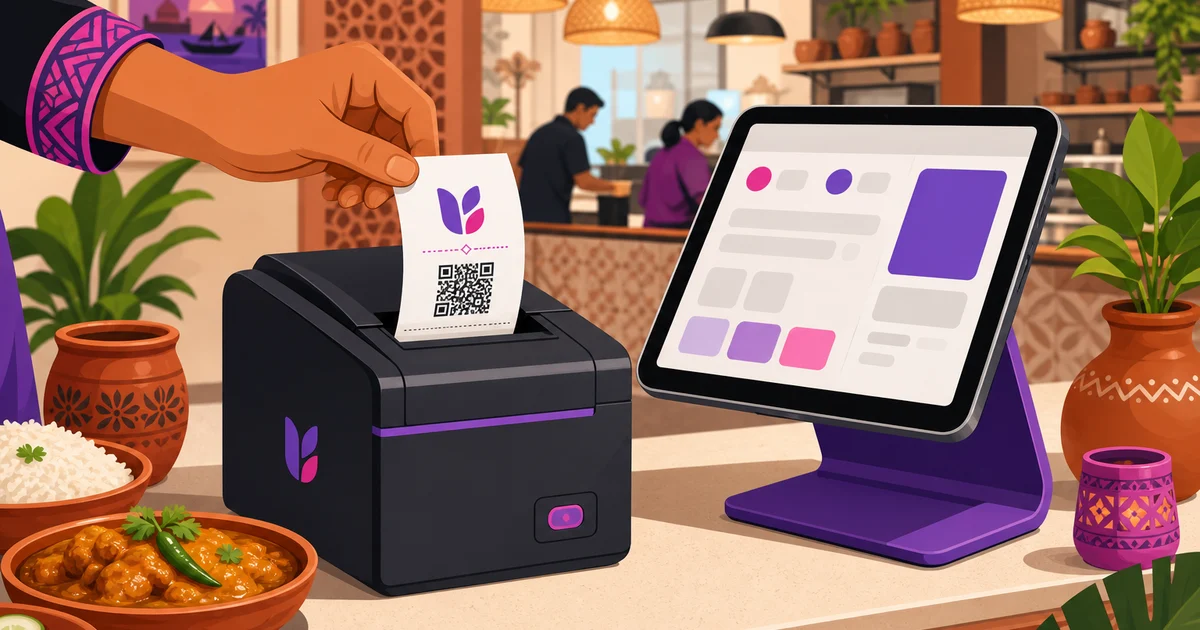
A good restaurant thermal printer setup is one of those small details that makes service feel smooth. The receipt prints fast and clean, the kitchen ticket lands the moment an order is fired, and your logo and a QR code sit on every slip without a second thought. Get it wrong and you get jams, faded text, the wrong paper size, and tickets that never reach the line. This guide walks through printer types, paper sizes, kitchen versus receipt printing, and how to put a logo or QR on your receipts, with Rosuii's per-branch settings as the working example.
Most restaurants in Bangladesh already use a thermal printer at the counter. The questions are usually which size to buy, whether the kitchen needs its own, and how to make the receipt look professional. Let us take those in order.
Why thermal printers, not inkjet or laser
Thermal printers use heat on special paper to make the print, so there is no ink or toner to replace. That is why almost every restaurant counter uses one. They are fast, quiet, cheap to run, and the rolls are easy to find in any market. For receipts and kitchen tickets, where you print all day and do not need colour, thermal is the obvious choice.
There are two main thermal sizes, plus the occasional need for a full A4 page. Picking the right one for each job is the first step in a clean restaurant thermal printer setup.
58mm vs 80mm vs A4: which size for which job
The number refers to the width of the paper roll in millimetres. Each size suits a different job.
58mm: compact and cheap
A 58mm printer prints a narrow receipt, about the width of two fingers. The printer and rolls are the cheapest, and many 58mm units are small enough to sit in your palm or pair with a tablet over Bluetooth. The trade-off is space: a narrow slip fits fewer characters per line, so long item names wrap and a detailed kitchen ticket can run long. It suits small takeaways, tea shops, and tight counters where a short receipt is all you need.
80mm: the restaurant standard
An 80mm printer prints a wider receipt and is the most common choice in restaurants. The extra width fits item names, quantities, modifiers, taxes, and a logo or QR without crowding, and it reads more easily for both staff and guests. Kitchen tickets are clearer too, because more of each line is visible at a glance. For most dine-in and mixed-service restaurants, 80mm is the safe default.
A4: for full invoices
A4 is a standard full-page printout from a normal printer, not a thermal roll. You reach for it when a customer needs a proper invoice, for a company expense claim, a large catering order, or a corporate bill. You would not print every receipt on A4, but having the option matters for the occasional formal document.
A practical setup for many restaurants is an 80mm printer at the counter for receipts and the kitchen, with the ability to produce an A4 invoice when a customer asks. Rosuii supports 58mm, 80mm, and A4, so you are not boxed into one format. Choosing your sizes is part of the wider job of setting up your restaurant POS.
Kitchen printing vs receipt printing
These are two different jobs, and confusing them causes a lot of avoidable mess. A receipt and a kitchen ticket carry different information, go to different people, and often come from different printers.
The receipt
The receipt is for the customer. It shows your restaurant name and logo, the itemised order with prices, any discount, the service charge and VAT, the total, the payment method, and often a QR code or a thank-you line. It is a clean record of the sale, printed at the counter when the guest pays.
The kitchen ticket (KOT)
The kitchen ticket, or KOT, is for the cooks. It strips out prices and taxes, which the kitchen does not need, and focuses on what to make: item names, quantities, variations, add-ons, and per-line notes like "extra spicy" or "no onion," plus the order or table number. It prints in the kitchen, or these days appears on a screen, the moment the order is sent.
Many restaurants run two printers: an 80mm at the counter for receipts and a second printer in the kitchen for tickets, so cooks are not waiting for someone to walk a slip back. A growing alternative is to skip the kitchen printer and send tickets to a screen instead. A kitchen display system shows the same ticket information with order timers and station routing, which avoids paper jams and lost slips. Some kitchens use both during a transition.
The point is to keep the two streams separate and correct. A cook should never get a price-heavy customer receipt, and a customer should never get a bare kitchen ticket. A proper POS routes each to the right place automatically.
Adding a logo and a QR code to your receipts
A receipt is a tiny piece of branding that every paying customer holds. A little polish here is cheap and worth it.
Your logo
Printing your restaurant logo at the top of the receipt makes it look professional and reinforces your brand on every visit. On an 80mm roll there is enough width for a clear logo; on 58mm, keep it simple and high-contrast so it stays legible in the narrow space. A clean black-and-white version of your logo prints best on thermal paper.
A QR code
A QR code on the receipt is a quiet, useful tool. Point it at your online ordering page so a happy dine-in guest can reorder for delivery later, at a feedback form, at your social pages, or at a digital menu. It costs nothing extra to print and turns a paper slip into a link back to your restaurant. For table-side ordering, a QR can also let guests pull up the menu and order from their phone.
Rosuii lets you add your logo and a QR code to receipts, so the printed slip carries your brand and a way back to you, not just a list of numbers.
Rosuii's per-branch printer settings
Printer needs change from one branch to the next. A flagship dine-in location might run an 80mm counter printer and a kitchen printer, while a small takeaway outlet uses a single 58mm unit. That is why Rosuii keeps printer settings per branch rather than forcing one configuration on the whole business.
Each branch can be set to print the receipt size it actually uses, 58mm, 80mm, or A4, with its own logo and QR on the receipt. The counter prints customer receipts, the kitchen gets its tickets, and an A4 invoice is available when a customer needs a formal bill. Because the receipt content, taxes, and totals are built by the POS, every slip shows the discount, service charge, and VAT breakdown correctly, no matter which printer it lands on.
This sits inside Rosuii's wider platform. The POS handles dine-in, takeaway, and delivery, fires tickets to a kitchen display or printer, takes cash, bKash, and Nagad, and records every sale, with each restaurant on its own isolated database and branded subdomain. For the full picture of how the POS and printing fit together, see our restaurant POS system guide, or browse the features page.
A note on connecting your printer
Thermal printers connect in a few common ways, and the right one depends on your counter. Bluetooth printers pair with a phone or tablet and suit a mobile or tight setup with no cables. Wi-Fi or network printers connect over your shop's internet and can be shared, which is handy when the counter and kitchen both print. USB printers plug straight into a laptop or terminal. Whichever you choose, keep the printer near a power point, load the correct roll width, and test a receipt and a kitchen ticket before the first rush so you catch any size or pairing issue early.
Making the kitchen printer print on its own
Connecting a printer is one job; getting a ticket out of it with nobody pressing print is another. Rosuii can do the second for a network printer. Give each station its own ESC/POS printer with its own IP address on the shop network, usually on port 9100, map the station to that printer, and the moment an order is fired the grill's items print at the grill and the drinks print at the bar. Nobody carries a slip and nobody has to remember.
The catch is that a browser cannot open a printer socket. A page sitting open in Chrome will never talk to a printer at 192.168.0.50 by itself, so something at the venue has to do the talking: the Rosuii Windows or Android app on a machine that stays switched on, or the Rosuii print agent, which a restaurant gets from Rosuii rather than downloading from a public page. If that machine is off, the tickets wait.
Two warnings worth taking seriously. Give every printer a fixed address, either a static IP set on the printer or a DHCP reservation in the router, or it will pick up a different address after the next power cut and quietly stop printing. And Bengali only comes out if the printer itself carries a Bengali font; on a printer without one, Bengali item names print as blanks or boxes, so send a Bengali test ticket before you trust the line to it. The printers are bought separately from the software. When a ticket does fail, the panel names the station and the reason, such as the printer refusing the connection, so you know which machine to check. See kitchen ticket printing for how it is set up.
Getting your restaurant thermal printer setup right
A clean restaurant thermal printer setup comes down to a few clear choices: pick 80mm as your default for most restaurants, drop to 58mm for the smallest counters, keep A4 ready for formal invoices, separate kitchen tickets from customer receipts, and put your logo and a QR on every receipt. Match each branch to what it actually needs rather than forcing one setup everywhere. Done right, printing becomes one of those things you stop thinking about because it just works.
Want printing, kitchen tickets, and per-branch settings handled in one place? Create your free Rosuii account and set up your receipts and kitchen printing today.
KOT did not print: check before sending again
| Symptom | First check | Safe next step |
|---|---|---|
| Nothing printed | Order saved/sent, printer power, paper and network | Find the existing ticket before retrying |
| Wrong station | Item mapping, selected branch and printer destination | Correct the mapping and test one sample |
| Garbled Bangla | Exact printer, font/raster path and app | Print a Bangla sample with modifiers |
| Two copies | Retry, reprint and original ticket reference | Confirm whether food has already been started |
Check the software separately from this example
The layouts and cancellation controls here are operational templates, not a promise that every POS automates every field or approval. Rosuii KDS starts on Starter; core POS and KOT printing are available on Free within limits. Automatic network printing needs a supported configured setup. Test Bangla text, added items, reprints and cancellations before service. Live kitchen updates need connectivity.
Editorial and product-source review: 2026-09-27
Continue with the right guide
- KOT meaning and full form
- Ticket format and samples
- Order-to-kitchen workflow
- KDS setup checklist
- Restaurant POS explained
Sources and limits
Try your own order in a free POS account. KDS, online ordering and inventory start on Starter; plan limits apply.
Updated:
Frequently asked questions
What is the difference between a 58mm and an 80mm thermal printer?
Do I need a separate printer for the kitchen?
Can kitchen tickets print automatically, with nobody pressing print?
Can I add my logo and a QR code to receipts?
When should a restaurant print an A4 invoice instead of a receipt?
Does Rosuii support different printer settings for each branch?
Run your restaurant on Rosuii
POS, menu, inventory, payroll and more — built for Bangladeshi restaurants.
Start free

