POS Software With Inventory Management: Control Your Food Cost
POS software with inventory management puts your sales and your stock on one platform so food cost stops leaking. Here is how Rosuii pairs a full POS with stock items, purchase orders, productions and wastage, described honestly.
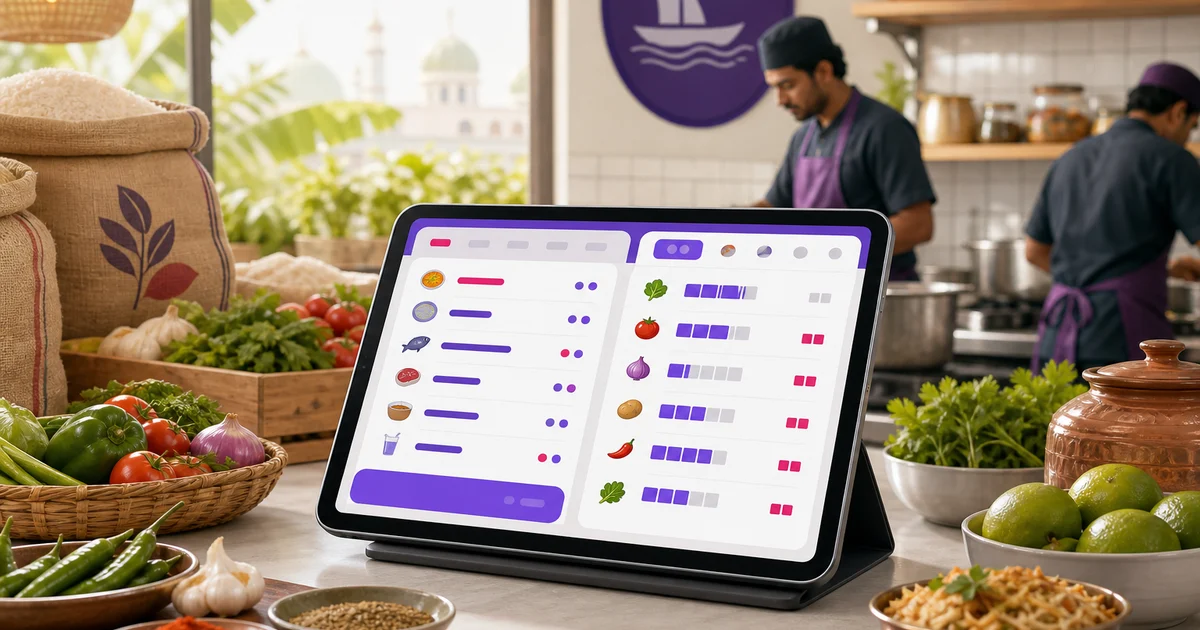
POS software with inventory management answers a question every restaurant owner asks at some point: where did the money go? You sold plenty of food, the till looks busy, and yet the profit is thinner than it should be. The gap usually hides in the kitchen, in stock that was over-ordered, spoiled, given away, or quietly walked out the back door. A POS that only rings sales never shows you that gap. A platform that pairs the POS with proper stock management does, and that is where food cost finally comes under control.
This guide explains how a POS and inventory work together, what Rosuii actually does, and one important thing it does not do, so you can plan around the truth rather than a brochure. We will be precise here because vague inventory promises cost restaurants real money.
Why POS software with inventory management matters
Your POS knows what you sold. Your inventory knows what you bought and what you have left. Kept in separate tools, or worse, in a paper copybook, those two halves never meet, and the space between them is exactly where food cost goes wrong.
Put both on one platform and the picture joins up. Sales reports tell you which dishes move and which sit. Stock records tell you what those dishes consume and what you are paying for ingredients. Read together, they let you set menu prices that hold a healthy margin, spot the items quietly losing money, and catch waste before it becomes a habit. Food cost is the single largest controllable expense in most restaurants, so even a small, steady improvement here outweighs almost anything you do at the counter. We explain the maths in our guide to food cost percentage.
What Rosuii's POS does
The sales side is a full restaurant POS, not a bolt-on. It handles dine-in, takeaway and delivery on one screen with table and waiter assignment, variations and add-ons, per-line notes, and server-controlled pricing that applies discount, coupon, loyalty, service charge and VAT in a fixed order. It takes cash, real bKash and Nagad, and cash on delivery, and prints receipts on 58mm, 80mm or A4. Item-level sales reports show you exactly which dishes sell and in what quantity, which is the demand signal you need to order stock sensibly. For the full picture of the POS itself, see our restaurant POS system guide.
What Rosuii's inventory does
On the same platform, the inventory side gives you real control over what comes in, what gets used, and what gets lost. It is built around a few clear pieces.
Stock items
Every ingredient and supply is a stock item with its own SKU, unit, cost, supplier, and per-branch quantity on hand. This is your single record of what you actually have, branch by branch, in taka and in units, instead of a guess or a fading note in a notebook.
Low-stock alerts
Each stock item carries a minimum-stock level. When the quantity drops to that line, Rosuii flags it, so you reorder rice or cooking oil before you run out mid-service rather than after a dish has already gone off the menu. Fewer surprise shortages means fewer rushed, overpriced top-up purchases.
Purchase orders
When you buy from a supplier, you raise a purchase order with quantities and costs, route it for approval, and track its payment status. That turns buying from a loose, cash-in-hand habit into a record you can audit, so you see what each supplier charges over time and can negotiate from real numbers.
Productions
When your kitchen turns raw materials into prepared items, a sauce, a marinade, a batch of dough, you record it as a production. This draws down the raw stock you used and creates the finished item as its own tracked stock, so your prep kitchen is part of the inventory picture, not a black hole between purchase and plate.
Wastage
Spoilage, breakage and mistakes are logged as wastage with a reason. This is the entry most restaurants never make, and the one that reveals the most. Once you can see what you throw away and why, you can act on it: adjust order sizes, fix storage, retrain on portions. We go deeper on all of this in our restaurant inventory management guide.
The honest part: no automatic per-sale deduction
Here is the line many vendors blur, and we will not. Rosuii does not automatically deduct ingredients from stock each time a menu item sells. Selling one chicken biryani does not, on its own, subtract a portion of rice, a quantity of chicken and a measure of spice from your stock counts. The POS and inventory live on one platform and inform each other, but the ingredient draw-down is not wired to fire automatically on every sale.
So how do you keep stock accurate? You manage it through the tools above: purchase orders bring stock in, productions move raw materials into prepared goods, and wastage records what is lost, with periodic stock counts to true up the numbers. It is a managed process, not a fully automatic one. For many restaurants this is actually clearer, because a hard count beats a theoretical number that drifts when recipes change or staff over-portion. The point is to know what is true, not to trust an automatic figure that quietly goes wrong. We would rather you set this up correctly than expect magic that is not there.
How it comes together for food cost
Even without per-sale deduction, the two sides working on one platform give you real control. Here is the practical loop:
- Read item sales from the POS to see what is actually selling and how much.
- Set order sizes against that demand, raising purchase orders so you buy enough without overbuying perishables.
- Record productions and wastage so prep and spoilage are visible, not assumed.
- Run periodic stock counts and compare what you bought, used and have left against what you sold.
- Adjust prices and portions where the numbers show a dish is too cheap or too generous to hold its margin.
That cycle, repeated, is how a restaurant moves from guessing its food cost to managing it. The POS supplies the demand side, the inventory supplies the cost side, and one platform keeps them in the same place so you actually do the comparison instead of meaning to.
How often you run a stock count depends on the item. Fast-moving, high-value or perishable stock, your meats, your cooking oil, your fresh produce, rewards a weekly count, because that is where shrinkage and spoilage bite hardest and where a week of drift is still small enough to fix. Stable dry goods like spices or packaging can go a month between counts. The aim is not to count everything constantly but to count the things that move money often enough that a problem shows up while it is still small.
Who needs POS software with inventory
Not every business needs deep stock control on day one. A tiny takeaway with a short menu may run fine on the POS alone at first. But the moment your ingredient spend climbs, your menu grows, or you open a second branch, the inventory side starts paying for itself. In Rosuii, inventory and purchasing come in from the Starter plan up, with payroll, CRM and analytics on the Growth plan, so you can start with the POS and add stock control as you grow. Compare what each tier includes on our pricing page and see the full feature set on the features page.
One practical point worth knowing: Rosuii is a browser platform, but a dropped line no longer stops order-taking. The POS caches your menu on the device and queues orders during an outage, then syncs them automatically when the connection returns. Online payment confirmation with bKash and Nagad and live multi-device sync still need a connection, so a broadband line with a mobile-data backup is still sensible for most restaurants.
Ready to put your sales and your stock on one platform and get a real grip on food cost? Create your free Rosuii account and set up your menu, POS and inventory today. No setup fee, cancel anytime.
Last updated:
Frequently asked questions
What is POS software with inventory management?
Does Rosuii automatically deduct ingredients from stock when an item sells?
How does pairing POS and inventory help my food cost?
What inventory features does Rosuii include?
Which Rosuii plan includes inventory management?
Run your restaurant on Rosuii
POS, menu, inventory, payroll and more — built for Bangladeshi restaurants.
Start free