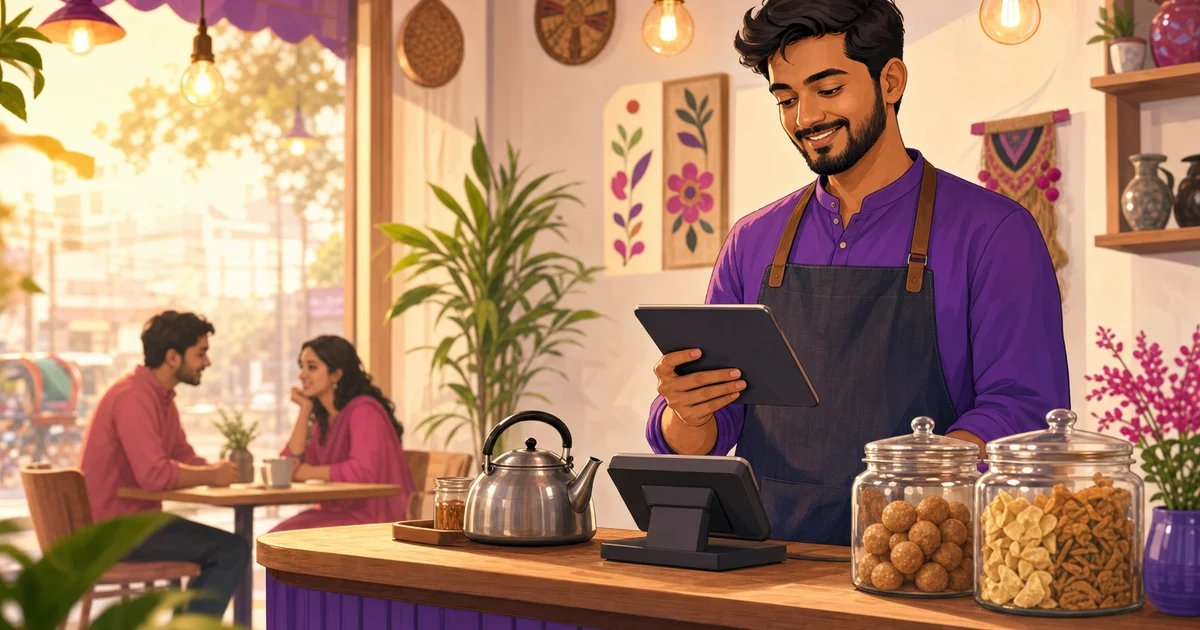
POS app for restaurant: Why a browser PWA beats hardware POS
A practical guide for Bangladeshi restaurants on using Rosuii’s browser PWA POS instead of costly dedicated POS hardware.
A POS app for restaurant work does not have to come from the App Store or Play Store. It also does not have to run on an expensive imported POS terminal. Rosuii works as a browser-based PWA, which means your restaurant team can open it from a web browser, install it on a phone, tablet or laptop, and use it much like a normal app. It launches fullscreen, updates instantly, supports thermal receipt printing from the browser, and can keep billing during an internet outage after you sync offline data.
For many restaurants in Bangladesh, that changes the buying decision. Instead of spending heavily on locked hardware, you can start with the devices you already have: the owner’s phone, a counter tablet, a cashier laptop, or a low-cost Android tablet. The goal is simple. Take orders faster, print bills properly, keep records clean, and avoid paying for hardware before the business is ready.
What is a browser PWA POS app for restaurant operations?
PWA stands for Progressive Web App. In normal restaurant language, it means the software runs from the browser but can behave like an installed app. Your cashier opens Rosuii in Chrome or another supported browser, signs in, and can add it to the home screen. After that, it opens with an app-like icon, often in fullscreen, without the browser address bar getting in the way.
This is different from the old idea of web software where every click feels like a website. A well-built PWA keeps the main app shell on the device, so opening it is fast. Rosuii also lets you sync offline data, such as the menu and customer directory, to the device. That matters in Bangladesh because broadband and mobile data can drop at the worst time: Friday lunch, Eid orders, rain, load-shedding, or a busy delivery rush.
The practical result is that your team does not need to wait for app-store approval, app updates, or device-specific installation files. When Rosuii improves the POS, your restaurant gets the update from the cloud. Open the POS, refresh when needed, and continue work.
Why no App Store installation is a real advantage
Restaurant teams are busy. Cashiers change shifts, waiters use shared devices, and owners often need to check sales from outside the shop. App-store installation sounds simple until you run into common problems: forgotten Google accounts, old tablets with no storage, unsupported operating systems, pending updates, or staff installing the wrong app.
With Rosuii’s PWA approach, your restaurant gets a branded subdomain such as yourname.rosuii.com. The staff sign in from the browser. If a device is suitable, the POS can be installed to the home screen like an app. If the device changes, you sign in again. No app-store search. No APK sharing. No dependence on one vendor’s terminal.
This is especially useful for Bangladeshi restaurants that grow gradually. A small cafe may begin with one Android tablet at the counter. Later, the owner may add a laptop for accounts, a phone for checking orders, and a second tablet for another branch. The same cloud POS can support that growth without forcing a full hardware replacement.
Hardware cost in Bangladesh: tablet PWA vs dedicated POS terminal
Dedicated POS machines can look professional. Some include a built-in printer, customer display, barcode scanner, or cash drawer connection. But many restaurants do not need all of that on day one. A biryani shop, fast-food outlet, small cafe, cloud kitchen, or casual dine-in restaurant can often run very well with a tablet, a browser POS, and a thermal printer.
In Bangladesh, a usable Android tablet may cost around ৳15,000 to ৳20,000 depending on brand, display size, RAM, warranty and availability. Imported POS terminals can cost much more, especially when bundled with software, printer, accessories, servicing, or vendor lock-in. Prices change often, so always compare current market rates before buying.
| Option | Typical setup | Best for | Cost impact |
|---|---|---|---|
| Android tablet plus Rosuii PWA | Tablet, browser, optional thermal printer | Small to mid-size restaurants, cafes, takeaways | Lower starting cost, easy to replace device |
| Laptop plus Rosuii PWA | Existing laptop or desktop, browser, printer | Counter billing, admin work, reports | Good if you already own the device |
| Imported POS terminal | Dedicated POS hardware, often vendor-specific | High-volume counters needing fixed hardware | Higher upfront cost, check support and lock-in |
The right choice depends on your operation. If your restaurant has constant counter traffic and needs a rugged device, a dedicated terminal may still make sense. But if you want to control cost, avoid hardware lock-in, and use multiple device types, a browser PWA POS gives more flexibility. For a deeper buying comparison, read our guide to choosing a POS machine for restaurants in Bangladesh.
How Rosuii keeps billing when the internet drops
Internet outages are not a rare edge case. They are part of daily planning for many restaurants. Rosuii handles this with scoped offline billing. From the dashboard, your team can use a one-tap offline-data sync to save the menu and customer data on that device. Once this is done, the POS can open and continue taking bills during an internet drop.
During an outage, orders are queued locally on the device. When the connection returns, Rosuii syncs those orders back to the restaurant database automatically. If needed, the POS shows a sync banner so the team can trigger sync when the connection is back. This protects the lunch rush from stopping just because the line is unstable.
There are honest limits. Online payment confirmation through bKash or Nagad needs an internet connection. Live multi-device updates, such as another device instantly seeing a newly placed order, also need a connection. KDS and real-time coordination depend on the network. So the promise is not that everything works offline. The real promise is more practical: billing can continue, orders can queue, and sales data can sync when the internet returns.
If offline continuity is one of your top concerns, see our detailed article on offline POS billing in Bangladesh.
Printing thermal receipts from the browser
Many owners worry that browser POS means no proper receipt printing. In practice, Rosuii supports receipt printing from the browser with common formats such as 58mm, 80mm and A4, depending on your printer setup. You can print bills with order details, VAT and service-charge breakdowns, logo or QR where configured, and customer-facing information.
For restaurants, 80mm thermal printing is usually the most comfortable format because it gives more space for item names, modifiers, quantities and totals. Smaller 58mm printers can work for simple menus, tea stalls, fast food counters or takeaway bills, but long item names may wrap more often. A4 is useful for formal invoices or back-office use.
Printer reliability still depends on the device, browser, cable or network connection, paper quality and printer driver support. Before buying printers in bulk, test your exact device and printer combination. For example, a Windows laptop with a USB thermal printer may behave differently from an Android tablet connected to a Bluetooth printer. Rosuii also supports per-branch printer settings, which helps when one branch uses a different printer model from another.
One POS, many devices: owner phone plus counter tablet
A browser PWA fits the way Bangladeshi restaurants actually operate. The cashier may use a tablet at the counter. The manager may use a laptop for reports and inventory. The owner may log in from a phone to check sales. With Rosuii, all of this can happen under the same restaurant account, with branch and role-based access control.
For example, a typical day could look like this:
- Counter tablet: cashier takes dine-in, takeaway and delivery orders from one POS screen.
- Owner’s phone: owner checks reports or monitors order flow while away from the restaurant.
- Kitchen display: kitchen staff view new orders and move them through New to Preparing stages when online.
- Manager laptop: manager reviews expenses, inventory, purchase orders, payroll or day-close reports.
This multi-device model is useful, but it should be used responsibly. Give each staff member the right access only. A waiter does not need payroll access. A cashier may not need to edit menu prices. A branch manager may need branch reports, while the owner needs all branches. Rosuii includes role-based access control to support this kind of setup.
Why server-authoritative pricing matters even on a tablet
A cheap billing app can create expensive mistakes if discounts, coupons, VAT, service charge and loyalty points are calculated loosely. Rosuii’s POS uses server-authoritative pricing logic when connected, following the correct sequence: discount, coupon, loyalty, service charge, then VAT. That helps reduce disputes at the counter and keeps receipts clearer.
For Bangladeshi restaurants, VAT and service charge should not be treated casually. Your applicable VAT treatment can depend on registration, location, business type and current NBR rules. Confirm your VAT rate and compliance process with your VAT circle or tax adviser. The POS should help you calculate and show the breakdown, but your restaurant is still responsible for using the right settings.
Rosuii works in BDT and supports VAT and service-charge configuration, which is a big difference from generic foreign POS tools that need awkward local adjustments. You also get Bangladesh-native payment options such as real bKash Tokenized Checkout, Nagad Online Payment API and COD, subject to your gateway setup.
PWA POS and online ordering can work together
The PWA POS is only one part of the restaurant workflow. Rosuii also includes an online ordering storefront on paid plans, table QR ordering, menu management, modifiers, add-ons, combos, inventory, purchase orders, customer loyalty, reservations and reports. This matters because many restaurants first buy a POS, then later discover they need separate software for delivery orders, inventory, loyalty or online menu.
With table QR ordering, every table can have its own printable QR. Guests scan, browse the bilingual menu on their phone, and place an order without downloading an app. The order lands in the POS or KDS tagged to that table when connected. For busy cafes and casual restaurants, this can reduce waiter pressure during peak hours.
If you want to see the full feature set before deciding, visit Rosuii features.
When a PWA POS is the better choice
A PWA POS is usually a strong fit when you want flexibility, lower upfront cost, and fast rollout. It works well for new restaurants that do not want to invest in heavy hardware before testing demand. It also works for established restaurants that already own tablets or laptops and want to modernize billing without changing every device.
It is also a good fit for multi-branch operators. Rosuii gives each restaurant its own isolated database and branded subdomain. Branches can be managed under the same system, while data stays separated by restaurant tenant. This setup is useful for privacy, control and cleaner SaaS operations.
However, if your counter is extremely high volume and staff are rough with devices, consider a rugged tablet or commercial-grade terminal. The PWA can still run in the browser, but the physical device must survive your environment. Good Wi-Fi, charging discipline, printer testing and staff training are still important.
Practical buying checklist for Bangladeshi restaurants
Before you buy hardware or switch POS systems, use this checklist:
- Device: choose a tablet or laptop with enough RAM, good battery life and reliable Wi-Fi.
- Screen size: 10-inch tablets are more comfortable for POS than small phones, though phones are useful for owners.
- Printer: test 58mm or 80mm thermal printing with your exact device and browser.
- Internet backup: keep mobile data or a backup router if online payments and KDS are critical.
- Offline sync habit: train cashiers to sync offline data before service starts.
- User roles: set permissions properly for cashiers, waiters, managers and owners.
- VAT settings: confirm the correct VAT and service-charge setup for your restaurant.
- Growth plan: check whether you may need online ordering, inventory, KDS, loyalty or multi-branch features later.
Rosuii is free to start for one branch with POS for dine-in, takeaway and delivery, menu and modifiers, tables and floor, customers and basic reports. Paid plans begin at ৳500 per month and add features such as online ordering, inventory, reservations, KDS, loyalty, payroll, exports, marketplaces and payment gateways depending on plan.
Final thought: buy flexibility before buying hardware
Restaurant technology should not force you to buy more hardware than you need. A modern POS app can run from the browser, install like an app, print receipts, work across phones, tablets and laptops, and protect billing during internet drops with local queueing and automatic sync. That is exactly why a PWA approach makes sense for many Bangladeshi restaurants.
If you are opening a new restaurant, upgrading from paper bills, or replacing an old terminal, test the workflow before making a large hardware purchase. Start with a device you already own, connect a printer, set up your menu, and see how your team handles a real service period.
Ready to try Rosuii on your own phone, tablet or laptop? Register for Rosuii and start your restaurant POS setup today.
Last updated:
Frequently asked questions
Can Rosuii’s POS app run without installing from the Play Store or App Store?
Will billing continue if my restaurant internet goes down?
Do I need an expensive POS terminal to use Rosuii?
Can I print thermal receipts from a browser POS?
Can the owner use a phone while the cashier uses a counter tablet?
Run your restaurant on Rosuii
POS, menu, inventory, payroll and more — built for Bangladeshi restaurants.
Start free