Restaurant Reporting Software: Numbers You Can Act On
Restaurant reporting software should answer what sold, what was spent and what the day made. Use this guide to test reports, filters, exports and branch comparisons.
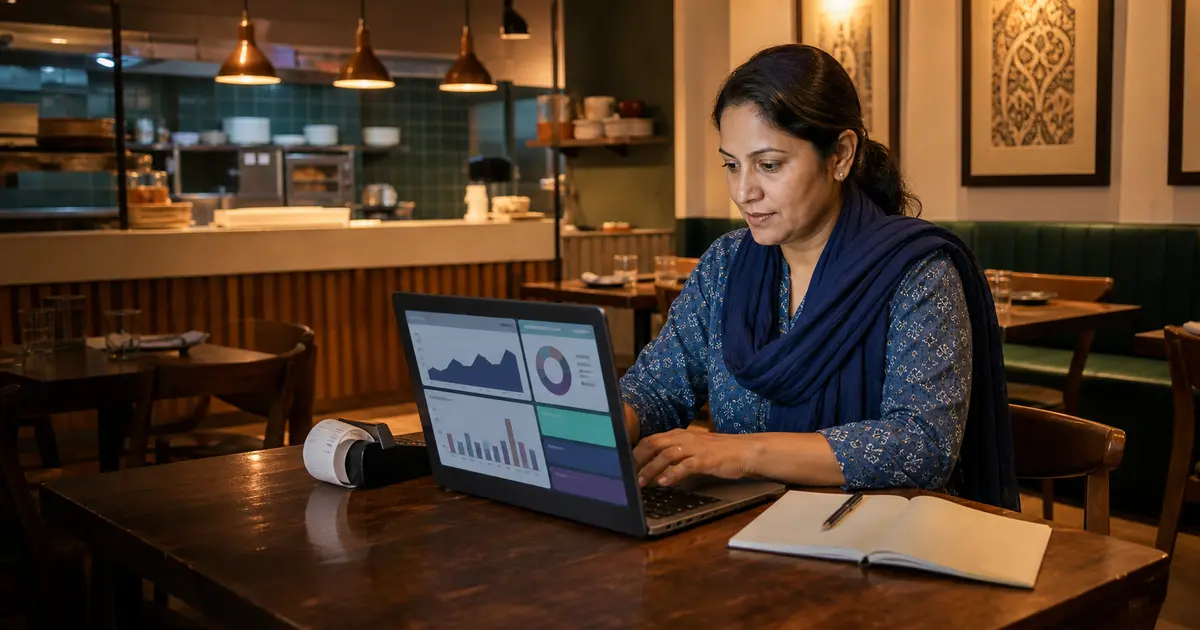
Restaurant reporting software turns orders, payments and expenses into sales, item, staff, P&L and day-close reports. Its job is not to decorate a dashboard. It should answer a manager's question and let the owner trace the answer back to real transactions.
The most important test is reconciliation. The sales summary, payment totals, order list and Z-report should describe the same day without unexplained gaps. A beautiful chart is a liability when no one can verify the number.
This buyer guide covers the report set, filters and demo checks that matter for a restaurant in Bangladesh.
The core report set
Start with reports that support daily decisions. Sales total alone is not enough. You need item and category detail, payment mix, order type, expenses and a clean close for the shift or day.
Growing restaurants also need staff or waiter performance and branch comparisons. CSV export matters when an accountant, partner or investor needs the underlying rows.
- Sales summary by date, branch and order type
- Item and category sales with quantity and revenue
- Payment breakdown for cash, mobile payments and COD
- Waiter or staff performance
- Expense report with categories and receipt references
- Operational profit-and-loss view
- Day-close or Z-report
- CSV export for selected date ranges
Dashboard versus auditable detail
A dashboard is useful for a quick pulse: today's sales, order count and top items. It should not be the only layer. Owners need to click or navigate from the total to the orders and expenses that produced it.
Ask the vendor to explain one number from top to bottom. If the dashboard says sales were ৳50,000, open the order list for the same branch and date, exclude cancelled orders correctly, and reconcile the payment mix.
Filters decide whether a report is useful
Restaurant questions are specific. Which branch sold the most biryani after 6 p.m.? Which waiter handled the highest value of completed dine-in orders? How did takeaway compare with delivery last month?
The system should at least filter by date range and branch, with relevant status, staff, item or order-type filters in the detailed reports. Confirm that exported rows keep the same filter rather than silently exporting everything.
P&L is not the same as accounting
An operational P&L combines recorded sales and expenses to show whether the restaurant made money in the selected period. It helps an owner manage the business, but it is not automatically a full double-entry ledger or statutory account.
Rosuii provides sales, expenses and a P&L view, but it does not file VAT returns or replace an accountant. Use the operational reports to control the restaurant, then give accurate exports and records to the accountant for formal books and filings.
Multi-branch reporting without mixed data
A chain needs a consolidated view and the ability to inspect one outlet. Totals should never merge branches without a visible filter. Each manager may need access to their own branch while the owner sees the group.
Rosuii separates each restaurant in an isolated database and keeps branch records inside that tenant. Test a branch switch, compare the same date range and confirm that permissions match the staff role.
The report demo checklist
Use yesterday, not an empty demo day. Ask the vendor to create a few sample orders, one discount and one expense, then run these checks.
- Sales total matches completed, non-cancelled orders
- Cash and digital totals match recorded payments
- Item quantity matches the order lines
- Expense categories appear in P&L
- Date and branch filters stay applied
- Day close has a clear period and status
- CSV export opens with readable columns
Build a reporting rhythm
Reports create value only when someone reviews them on a schedule and owns the next action. A cashier can reconcile payments at close, a manager can inspect weekly item and staff patterns, and the owner can review monthly revenue, expenses and branch movement.
Keep the routine short enough to survive a busy month. Define the acceptable range for cancellations, discounts and cash differences so the reviewer knows when to investigate instead of merely downloading a CSV.
- Daily: completed sales, payment mix, cash difference and day close
- Weekly: item mix, discounts, cancellations, staff and order source
- Monthly: expenses, operational P&L and branch comparison
- Assign one owner and one action threshold to every report
Where Rosuii fits
Rosuii includes basic reports on Free and expands reporting as plans add modules. The platform covers sales, item sales, waiter or staff performance, expenses, P&L and day close, with date presets and CSV export on eligible plans.
It fits owners who want reports connected directly to the POS and expense records rather than a separate analytics tool. Start by reconciling one real shift, then decide which weekly and monthly reports your manager must review.
Create an exception-to-action register
A report creates value only when an exception has a reviewer and a follow-up. Record the report and filter used, transaction references, the question being tested, responsible owner, agreed correction and due date. Do not convert a first anomaly into an accusation: a cash difference can come from opening float, split payment, refund or handover, while an item mismatch can come from cancellation or unit mapping.
Review the register at the next meeting. If the same issue returns, inspect the underlying entry or approval workflow instead of downloading another chart. A small restaurant usually benefits more from a short set of reconciled reports and completed actions than from dozens of dashboards no one owns.
Close an exception only after the source record or process has been corrected and a comparable report confirms the result. Retain the original reference and correction timestamp. This creates a compact audit trail for the operator without pretending that an operational dashboard replaces statutory books, tax records or an accountant's review. Name the person who verified closure and the reporting period used. Keep unresolved items visible in the next review agenda.
Choose restaurant reporting software that can prove every total. The best report is not the one with the brightest chart; it is the one a manager understands and an owner can reconcile.
Define the questions you ask each day, week and month. Then test whether the software answers them from real orders and expenses without another spreadsheet.
Related guides
- Restaurant Sales Report, P&L and Z-Report
- Restaurant KPIs That Owners Should Track
- Restaurant Day Close and Z-Report Guide
See this workflow in Rosuii: Explore Rosuii restaurant reports
Last updated:
Frequently asked questions
What is restaurant reporting software?
Which restaurant reports are most important?
How do I test whether restaurant reports are accurate?
Can restaurant reporting software replace an accountant?
Does Rosuii export reports?
Run your restaurant on Rosuii
POS, menu, inventory, payroll and more — built for Bangladeshi restaurants.
Start free