Digital Menu for Restaurant Use vs Printed Menu: What Actually Works in Bangladesh
Printed menus remain useful, but QR menus make price updates, bilingual content and table ordering easier. Here is how to choose the right mix.
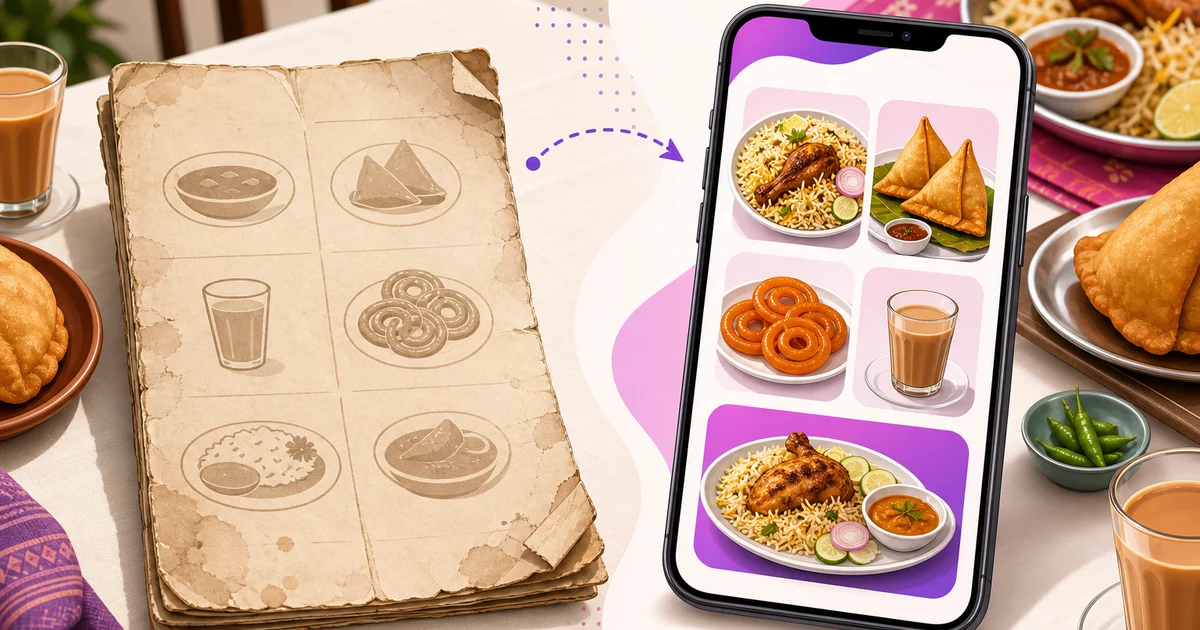
A digital menu for restaurant use can solve several everyday problems for Bangladeshi operators: changing prices, marking unavailable items, showing Bangla and English names, and taking table orders without waiting for a waiter. Printed menus still have real advantages, however. They are familiar, quick to scan and do not depend on a guest having a smartphone.
For most restaurants, the right answer is not to remove printed menus completely. A practical hybrid works better: keep a short printed menu or one-page bestseller list on the table, then place a QR code beside it for the full live menu and self-ordering.
Here is a fair comparison based on how restaurants, cafes, bakeries and cloud kitchens actually operate in Bangladesh.
Digital Menu for Restaurant Use: The Quick Comparison
Printed menus work best when
- Your menu is short and prices rarely change.
- Many customers prefer not to use a phone at the table.
- You want guests to see the core offering immediately.
- Your restaurant has limited internet coverage or serves customers who may not have mobile data.
QR digital menus work best when
- Food costs and selling prices change regularly.
- You frequently add seasonal items or mark dishes as unavailable.
- You need both Bangla and English descriptions.
- Photos are important for selling unfamiliar dishes, combos or add-ons.
- You want guests to place orders directly from the table.
The format should fit your operation. A busy biryani shop with eight main items has different needs from a cafe with coffee sizes, milk choices, extra shots, desserts and seasonal offers.
Where Printed Menus Still Win
Printed menus require no explanation. A guest sits down, opens the menu and starts reading. There is no scanning step, no browser to load and no concern about battery life. This remains important for family restaurants, highway restaurants and outlets serving a wide range of age groups.
Print also gives the restaurant control over the first impression. A well-designed menu can guide attention to signature dishes, combos and profitable categories. Customers can compare several items on one page without scrolling. For a small menu, that physical overview is often faster than a phone screen.
Printed menus can also support the service experience. A waiter can point to a set menu, explain portion sizes and recommend alternatives while the whole table looks at the same page.
The weakness is maintenance. Laminated menus become scratched, stained or faded. Paper inserts get lost. If chicken, beef, cooking oil or imported ingredient costs rise, every printed copy may become outdated at once. Reprinting 20 or 50 menus after each price adjustment is expensive and inconvenient.
Space is another limitation. Adding a good photo for every dish can make a printed menu thick, crowded and costly. Restaurants often show only a few hero images, leaving customers to guess what less familiar items look like.
What a QR Digital Menu Does Better
A live QR menu separates menu information from the printed card. The restaurant prints the QR code once, while item names, prices, descriptions, photos and availability remain editable online. A manager can update the menu without replacing every table card.
This matters when supplier prices move quickly. If the cost of beef, cheese, coffee beans or edible oil jumps, management can review the selling price and publish an approved change immediately. There is less risk of staff quoting one price while the printed menu shows another.
Out-of-stock control is equally useful. Instead of letting customers order an unavailable item and then apologising, the restaurant can hide it or mark it unavailable. When stock returns, the item can be made visible again. This reduces disappointment and saves waiters from repeating the same explanation at every table.
A digital menu also gives you room for useful detail:
- Bangla and English item names and descriptions
- Multiple food photos without increasing printing costs
- Variations such as regular, large or family size
- Add-ons such as cheese, extra sauce or additional protein
- Combo contents and serving information
- Clear VAT and service-charge notes
The important distinction is that not every QR code provides these capabilities. Some QR menus open a PDF file. That avoids printing extra copies but still requires the PDF to be redesigned and uploaded after a change. A live menu connected to restaurant software is more useful because items can be edited individually.
For more detail on the formats available, read this guide to QR code menus and contactless ordering.
Digital Self-Ordering Changes the Value of the Menu
A basic digital menu only displays information. A self-ordering menu lets the guest select items, choose variations or add-ons, review the cart and submit the order. That turns the menu into an ordering channel rather than an online brochure.
At a dine-in restaurant, each table can have its own QR code. When guests scan it, the system already knows which table they are sitting at. Their submitted order reaches the restaurant tagged to that table. Staff do not need to ask for a table number or enter the same items again.
This can help during lunch rushes, iftar service or busy weekend evenings. Guests who are ready can order without trying to get a waiter's attention. Waiters can spend more time delivering food, helping customers and checking table satisfaction.
Self-ordering does not mean service staff become unnecessary. Some guests will still want recommendations or prefer to order verbally. Restaurants should keep that option available. The goal is to reduce avoidable order-taking work, not force every customer into one process. See the practical workflow in Rosuii's guide to table self-ordering for restaurants.
VAT-Inclusive Prices and Customer Expectations in Bangladesh
Many Bangladeshi diners expect the menu price to be close to the amount they will pay. An unexpected VAT or service-charge addition at checkout can cause arguments, especially when the extra amount was not displayed clearly.
For that reason, many operators prefer VAT-inclusive menu prices or place a prominent note explaining how VAT and service charge will be applied. Whichever method you use, keep it consistent across the printed menu, digital menu, POS and receipt. Confirm the applicable VAT rate, price-display requirement and invoice format with your accountant or VAT circle.
A live menu makes price communication easier. If management decides to move from ৳280 to ৳300 after a supplier increase, the approved amount can be updated across the digital menu immediately. There is no handwritten sticker covering the old price and less chance of an outdated copy remaining on one table.
Do not treat instant editing as permission to change prices carelessly. Review food cost, competitor pricing, portion size, VAT treatment and customer impact first. Keep menu-editing access limited to authorised managers so an accidental change does not reach customers.
Why the Hybrid Menu Usually Works Best
A hybrid setup gives guests a choice while keeping the restaurant flexible. Place a clean printed one-pager on each table with your bestsellers, signature dishes, key combos and basic ordering instructions. Add a clear QR code that opens the full live menu.
The printed page handles the first 30 seconds. It helps guests understand the restaurant and gives phone-shy customers something useful immediately. The QR menu then provides full categories, photos, bilingual descriptions, current prices and item availability.
A practical table card might include:
- Your restaurant name and logo
- Six to twelve popular items or combos
- A large QR code with the instruction “Scan to view the full menu and order”
- A short Bangla instruction for customers who prefer Bangla
- A note explaining whether prices include VAT and service charge
- A reminder that guests can also order through a waiter
Keep the design uncluttered. The QR code should be large enough to scan under normal restaurant lighting and should not be placed on a highly reflective surface. Test it with both budget Android phones and iPhones before printing a full batch. More presentation ideas are available in these restaurant menu design tips.
How Rosuii Handles Table QR Menus
Rosuii includes the digital menu as part of its online ordering storefront, without requiring a separate QR-menu add-on. Every table can have its own printable QR code. A guest scans it, opens the restaurant's branded bilingual menu in the phone browser and orders without downloading an app.
The order lands in Rosuii POS tagged to the correct table. If the restaurant uses the Kitchen Display System, the kitchen can also receive the order through its normal workflow. This avoids copying a customer's selections from a messaging app or a separate form into the POS.
Managers can maintain categories, item prices, variations, add-ons, combos and photos from the same restaurant platform. The menu can serve Bangla and English customers, while the POS handles dine-in, takeaway and delivery orders on one screen.
Rosuii is a browser-based PWA, so restaurants can use existing phones, tablets or laptops without being locked into special hardware. The online storefront and table ordering require an internet connection. Rosuii's POS can continue billing during an outage after offline menu and customer data have been synced to the device, but table self-ordering, real-time kitchen updates and online payment confirmation still need connectivity.
How to Choose the Right Setup
Start by reviewing how often your menu changes and who your customers are. If prices stay stable for six months and most orders come from a short list, a strong printed menu may remain the main tool. Add a QR code for photos and occasional updates.
If you run a cafe, casual dining restaurant or multi-branch operation with frequent menu changes, the digital version should become the source of truth. Keep a printed one-pager as a fallback and sales aid.
Before launching, follow this checklist:
- Remove duplicate, outdated and rarely available items.
- Write short Bangla and English descriptions that explain the dish clearly.
- Use honest photos of the portion customers will receive.
- Check prices, VAT notes, service charges, variations and add-ons.
- Assign the correct QR code to each table and test the resulting table tag.
- Train waiters to explain scanning without pressuring guests.
- Review submitted orders during the first week and fix confusing item names or choices.
The best menu is not simply printed or digital. It is accurate, easy to understand and connected to how your restaurant actually takes orders. For many Bangladeshi restaurants, a printed shortlist plus a live table QR menu offers the strongest balance.
Want to add a bilingual digital menu, table QR ordering and connected POS to your restaurant? Register for Rosuii to get started. Rosuii is free to start, while the online ordering storefront and table QR features are available on plans that include online ordering.
Updated:
Frequently asked questions
Should a restaurant completely replace printed menus with a QR menu?
Can customers order directly from a Rosuii digital menu?
Does a QR digital menu work without internet access?
Should restaurant menu prices in Bangladesh include VAT?
How often should a restaurant update its digital menu?
Run your restaurant on Rosuii
POS, menu, inventory, payroll and more — built for Bangladeshi restaurants.
Start free