Restaurant Rider Management System: Complete Guide
How to run a visible, accountable in-house delivery operation from order assignment to completion.
Last verified: 2026-08-28
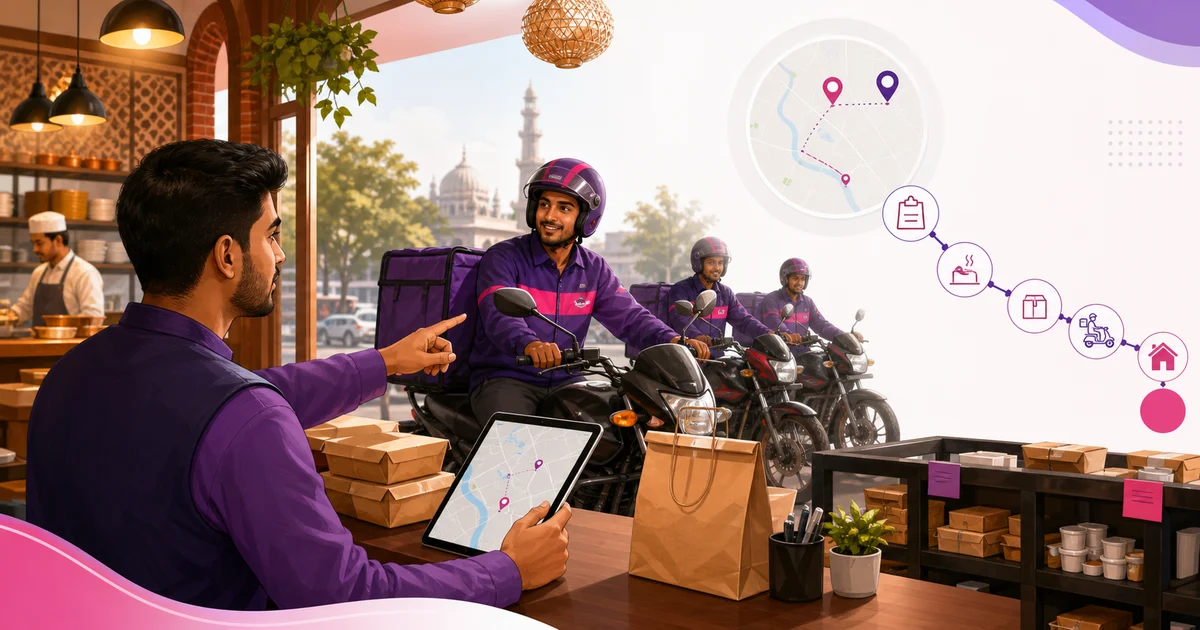
Owning the customer relationship is valuable, but in-house delivery needs discipline. A rider management system gives dispatchers and riders one shared source of truth.
Separate dispatch and rider views
The restaurant assigns and reassigns orders; the rider sees only assigned work and necessary customer details. This protects admin data and keeps the mobile screen focused.
Control the delivery lifecycle
Use a fixed sequence from assigned to picked up, on the way and delivered. Prevent skipped or reversed states so reports reflect reality.
- Active queue
- Rejection with reason
- Completed delivery history
Use the record to improve
Review rejection causes, waiting time and completion trends. Fix kitchen handoff or delivery zones before blaming individual riders.
What a restaurant rider system must control
The system should connect a confirmed delivery order to an eligible rider, a clear status sequence, customer handover evidence, payment or cash-on-delivery handling where used and an exception record. It also needs individual access, branch scope, availability and a history that support can investigate without reconstructing the trip from calls.
Separate restaurant-owned delivery from a marketplace rider service. The restaurant may control its own rider assignment and proof, while a marketplace can control rider allocation in its partner flow. Do not present a manual restaurant record as direct marketplace integration or access to a third party's private rider data.
Core rider-management records
Use one order identity from sale through delivery. Duplicate delivery records make cash, customer support and rider performance unreliable. If an order is reassigned, keep the prior assignment and reason rather than replacing the rider name.
Limit customer address and phone visibility to the assigned delivery and authorised support users. After completion, the rider should not need a general customer export.
| Record | Minimum fields | Control |
|---|---|---|
| Rider | Employee/account, branch, active status | Individual login and access removal |
| Availability | On shift, unavailable or paused | Manager/rider update rule |
| Order | Order ID, address, contact, payment state | Minimum data exposure |
| Assignment | Rider, assigner, time and reason | One active owner |
| Status | Accepted, picked up, out and delivered/failed | Valid transition |
| Proof | Time, recipient note or approved evidence | Restricted access |
| Cash | Expected, collected and deposited | Separate reconciliation |
| Exception | Type, note, action and owner | No silent status override |
Define rider eligibility and availability
An active employee is not automatically available for every delivery. Check branch, current shift, role, vehicle or delivery type where relevant, open assignments and paused status. A manager may need an override for an emergency, but the system should record who used it and why.
Publish how riders start and end availability, report a device or vehicle problem and take an approved break. Avoid assigning new work after checkout or deactivation. If a rider transfers branch, use an effective date and preserve prior trip history.
Assignment and reassignment workflow
Before assignment, confirm the order is accepted, prepared enough for the restaurant's dispatch rule, address/contact is usable and payment state is understood. Assign one rider and send only the information needed. The rider accepts or the manager resolves the assignment rather than leaving the order in an ambiguous notified state.
Reassignment needs a reason such as unavailable rider, failed acceptance, vehicle issue, incorrect branch or combined route decision. Preserve the old rider and timestamps. Customer communication and kitchen/dispatch view should reflect the current owner without deleting the audit history.
Use a controlled delivery status sequence
Names may differ by product, but transitions should prevent impossible sequences and show the accountable actor. A delivered status should not be used to clear an order that is still with the rider, and a failed order needs the next action for food, payment and customer support.
| Status | Meaning | Who normally updates |
|---|---|---|
| Ready/dispatchable | Restaurant has completed the dispatch condition | Kitchen/dispatch |
| Assigned | One rider owns the next action | Dispatcher/manager |
| Accepted | Rider acknowledged the job | Rider |
| Picked up | Order left the handover point | Rider/dispatch |
| Out for delivery | Trip is active | Rider/system workflow |
| Delivered | Approved handover completed | Rider |
| Failed/returned | Delivery did not complete | Rider with manager follow-up |
Proof of delivery and failed-delivery evidence
Choose evidence appropriate to the restaurant's process and privacy obligations: timestamp, recipient confirmation, a limited note or another approved method. Do not collect intrusive images or identification by default. Inform staff how evidence is used, who can access it and what to do when the customer refuses or the method fails.
For a failed attempt, record category, contact attempts under policy, location or address issue where relevant, order condition and manager instruction. Support should decide reattempt, return, cancellation or other action through the authorised process; the rider should not invent a financial outcome.
Cash-on-delivery reconciliation
Where riders collect cash, keep expected amount, collection confirmation, change/shortage note, deposit handover and receiver acknowledgement. Do not mix rider cash with tips, reimbursements or marketplace settlement. The order payment state changes only through the authorised cash procedure.
Reconcile per rider or shift before closing: opening responsibility plus collected cash minus approved refunds or returns should match deposited amount and unresolved difference. A difference needs a case and owner, not an edited delivered total.
- Expected COD by completed order
- Collected amount and payment status
- Deposit reference and receiving cashier
- Short/over amount and factual reason
- Returned or failed order treatment
- Manager review and close time
Manage delivery exceptions
Create categories for rider unavailable, wrong address, customer unreachable, item damage, delay, payment issue, safety concern, device/network failure and return. Categories make trends visible, while a factual note explains the specific order. Keep safety escalation separate from routine lateness.
Name the owner for customer contact, food decision, payment correction and rider support. A delivery can be operationally failed while the sales/refund outcome remains pending; preserve both states instead of forcing one status to mean everything.
Measure the system without unsafe targets
Track acceptance, completion, failed-delivery categories, handover wait, reconciliation exceptions and data completeness. Review distance, restaurant preparation, traffic, weather, order complexity and assignment policy before attributing elapsed time to a rider. Do not publish one universal delivery-time target for every location.
Use measurement to improve zones, staffing, packaging, preparation and dispatch. Never reward speeding or skipping proof and cash controls. Safety, customer privacy and accurate status are guardrails, not metrics to trade away for a faster average.
Rider-system rollout checklist
- Issue individual rider accounts and branch scope
- Publish availability and assignment ownership
- Test every valid and blocked status transition
- Run delivered, failed, return and reassignment cases
- Test COD deposit and difference handling
- Verify access removal and active-session revocation
- Train dispatch, kitchen, cashier and support together
- Pilot one delivery zone before wider rollout
- Review exceptions after each early shift
Good rider management reduces phone calls and uncertainty. Everyone sees the current owner and status of each delivery.
Related guides
- Rider Assignment Workflow
- Delivery Status Workflow
- Restaurant Delivery Management
- Compare Restaurant Management Software
See this workflow in Rosuii: Explore rider management
Updated:
Frequently asked questions
Does a rider need full restaurant panel access?
Can a rejected delivery be reassigned?
What does restaurant rider management software do?
Should a rider see every customer and delivery?
Can a restaurant manage marketplace riders in the same way?
Which rider KPI matters most?
Run your restaurant on Rosuii
POS, menu, inventory, payroll and more — built for Bangladeshi restaurants.
Start free