
Google Business Profile for Restaurant: Bangladesh Setup Guide
A practical Bangladesh-focused guide to creating, verifying and improving your restaurant's Google listing, map location, photos, menu and reviews.
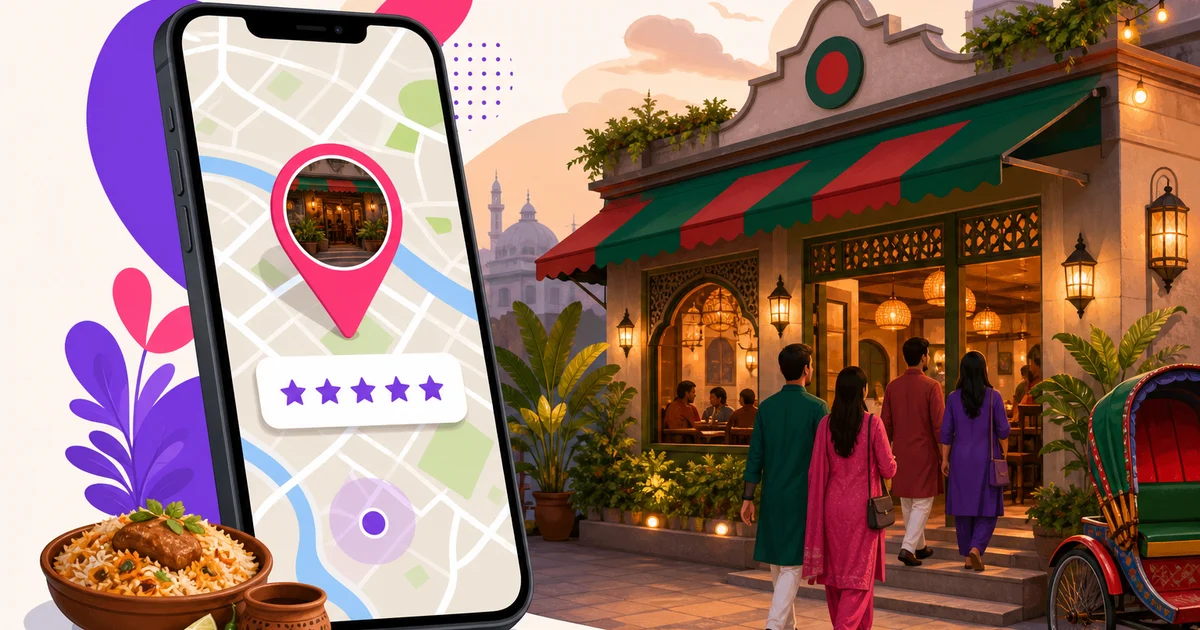
Setting up a Google Business Profile for restaurant discovery is one of the highest-value free marketing tasks you can complete. It helps nearby customers find your restaurant on Google Search and Maps, check opening hours, call your team, view food photos, read reviews and visit your ordering page. For a restaurant in Bangladesh, an accurate profile also helps delivery riders and first-time guests reach the correct entrance without repeated phone calls.
This guide walks through the complete setup, from choosing the owner account to building a steady review process. Google changes parts of its interface from time to time, but the information and principles below remain useful.
Why your Google profile matters so much
Someone searching for “biryani near me,” “cafe in Dhanmondi” or your restaurant's name is often close to making a decision. Your Google profile appears at that critical moment. A complete listing gives the customer the information needed to visit, call or order.
The profile is free, and it works for independent restaurants, cafes, bakeries, cloud kitchens with eligible customer-facing operations and multi-branch chains. It should be treated as an operating asset, not as a listing that a junior employee creates and forgets. Keep ownership with the business owner or a trusted director, then give access to managers as needed.
Your Google profile should also support your wider brand. Before uploading photos or writing descriptions, review this restaurant branding guide for Bangladesh so your signboard, menu, packaging and online presence use a consistent name and identity.
Prepare these details before starting
Collect the information first. This prevents spelling differences and rushed choices during setup:
- The restaurant name exactly as customers see it on the signboard
- A Gmail account controlled by the owner
- The complete branch address and correct map location
- The main customer phone number
- Normal opening and closing hours
- Your menu and online-ordering URLs
- At least 10 clear photos of the exterior, entrance, interior and food
- A short, factual description in English, Bangla or both
For multiple branches, prepare a separate address, phone number, hours and photo set for each location. Each genuine branch should have its own profile rather than forcing several locations into one listing.
How to set up a Google Business Profile for restaurant discovery
Step 1: Start with the owner's Gmail account
Go to business.google.com and sign in with a Gmail account controlled by the restaurant owner or company leadership. Do not make a waiter, cashier, agency or temporary marketing employee the sole owner. Staff change, agencies change and passwords get lost.
Managers can be added later without sharing the owner's password. Keep recovery information current and turn on two-step verification for the owner's Google account.
Step 2: Enter the real business name
Enter the restaurant name exactly as it appears on the signboard and in the real world. If the sign says “Rahim's Kitchen,” that should be the profile name.
Do not change it to “Rahim's Kitchen Best Biryani Dhaka Family Restaurant” just to target search terms. Adding keywords, areas, phone numbers or services that are not part of the genuine business name violates Google's naming rules. This practice can trigger edits or profile suspension, causing the restaurant to disappear from Maps while the issue is reviewed.
If your branding uses both Bangla and English, follow the name customers consistently see on your signboard, receipts and menu. Consistency is more useful than stuffing both versions with extra keywords.
Step 3: Choose accurate primary and secondary categories
Your primary category tells Google what the business mainly is. Choose the most specific accurate option available. A traditional Bangladeshi food outlet may use Bangladeshi restaurant as its primary category. A broader establishment may use Restaurant. A coffee-led business may be better represented by Cafe.
Add secondary categories only when they describe services you genuinely provide. Relevant options may include:
- Restaurant
- Bangladeshi restaurant
- Cafe
- Takeout restaurant
Do not select every food-related category. A small set of accurate categories gives Google and customers a clearer picture of the business. You can update categories if the restaurant's main format changes.
Step 4: Set the address and map pin precisely
Enter the complete branch address using the format local customers and riders understand. Include the building, road, area and city where applicable. Then zoom in and place the map pin at the actual customer entrance, not merely at the centre of the road or building.
This detail matters in shopping complexes, side streets and buildings with several entrances. A wrong pin means lost Foodpanda or Pathao riders, frustrated customers and avoidable calls to your counter during busy periods. Test the pin by opening directions from another phone.
Step 5: Add the phone and website fields
Use a phone number answered by the restaurant during business hours. Avoid an owner's personal number if calls will frequently go unanswered. For each branch, use the most relevant branch contact where possible.
For the website field, link to your own branded page rather than sending every customer to a social network or marketplace. If you accept direct online orders, point the field to that ordering page. Customers can then see your menu and place an order without first searching through another platform.
Rosuii gives every plan a branded storefront URL that can be placed in this field. Direct online ordering is available on eligible paid plans, starting with Starter. For more context on owning this sales channel, read the guide to online food ordering in Bangladesh.
Step 6: Complete Google's verification
Google must confirm that you represent the restaurant. The methods offered can vary by business and may include phone, email or video verification. You normally cannot choose a method that Google has not made available for that profile.
For phone or email verification, make sure the listed contact can receive the code. For video verification, be ready to show evidence that connects the business, location and your authority to manage it. This may include the road and surrounding area, permanent signboard, customer entrance, dining space, kitchen or point-of-sale equipment, and access to staff-only areas.
Do not create duplicate profiles if verification takes time. Check the status, correct any requested information and follow Google's verification instructions. Repeated duplicates can make the situation harder to resolve.
Complete every customer-facing section
Set normal and special hours
Add accurate opening hours for every day. If the kitchen stops accepting orders before the doors close, communicate that clearly through the menu, ordering page or business description where appropriate.
Use special hours for Eid, Ramadan schedule changes, public holidays, maintenance closures and private events. Customers are especially likely to check Google during holidays. An incorrect “Open” label can produce a negative review before anyone tastes the food.
Upload at least 10 useful photos
Start with a practical set of 10 or more recent, well-lit images. Include the signboard, street-facing exterior, exact entrance, dining area, counter and several popular dishes. Add packaging if takeaway and delivery are important services.
Use real photos from the actual branch. Avoid misleading stock images, excessive filters and menu posters that are unreadable on a phone. Add new photos regularly as dishes, decor or seasonal offers change. Customers want to know what they will actually receive.
Add service attributes, menu and ordering links
Select the service options that are currently available, such as dine-in, takeaway and delivery. Do not mark delivery if customers cannot reliably request it. Add a menu link that opens a mobile-friendly menu with current items and prices.
If your website supports direct ordering, use the appropriate ordering link as well as the main website field where Google provides it. Test every link from a phone using mobile data. A broken menu or checkout wastes high-intent traffic.
Write a factual business description
Explain the restaurant's food, format, location and useful points of difference without exaggerated claims. Mention facts such as Bangladeshi cuisine, family dining, takeaway or signature categories. Rosuii's Branding hub provides a ready bilingual description that can be adapted before publishing.
Build a steady restaurant review loop
Once the profile is complete, create the Google review link from your profile manager. Put it where satisfied customers can easily find it: on receipts, takeaway packaging, table cards or a post-meal message sent through a channel the customer already uses with your business.
Ask for an honest review rather than demanding five stars. Do not offer discounts, free items or rewards in exchange for positive reviews. A steady pattern of genuine feedback is more credible than a sudden burst of reviews from people who have never visited.
Reply to every review, including short comments. Thank positive reviewers without using the same copied response each time. For a complaint, stay calm, acknowledge the specific issue and invite the customer to contact the restaurant directly when personal order details are needed. Never publish a phone number, delivery address or other private customer information in a public reply.
Reviews also provide operational clues. If several guests mention slow service, missing items or confusing directions, investigate the process instead of treating each comment as an isolated marketing problem. For more ways to turn local visibility into sales, see these restaurant marketing ideas for Bangladesh.
Use Rosuii to finish the listing faster
Rosuii's Branding hub puts this setup checklist inside the restaurant dashboard. It pre-fills your restaurant name, phone number, address and branded storefront URL so you can copy the correct information into each Google field. It also prepares a bilingual business description, reducing spelling differences between your POS, storefront and public listing.
Every Rosuii plan includes a branded subdomain and an isolated restaurant database. The platform is bilingual in English and Bangla and runs in a browser on phones, tablets and laptops. When direct online ordering is enabled, the storefront can accept online or cash-on-delivery orders and send them into the restaurant workflow. Live bKash and Nagad payment confirmation requires an internet connection.
Final publishing checklist
- Owner-controlled Gmail is the primary owner
- Name matches the permanent signboard without added keywords
- Primary and secondary categories are accurate
- Address and entrance pin have been tested
- Phone number is answered during opening hours
- Website, menu and ordering links work on mobile
- Normal, Eid and holiday hours are maintained
- At least 10 genuine branch photos are uploaded
- Dine-in, takeaway and delivery attributes are correct
- A review link is used consistently and every review receives a reply
A Google profile works best when someone owns the weekly upkeep. Assign a manager to check hours, photos, links, reviews and Google-suggested edits. Fifteen minutes a week can prevent months of inaccurate information.
Ready to organise your restaurant's brand, storefront and daily operations? Register for Rosuii and start with a branded restaurant workspace.
Updated:
Frequently asked questions
Is a Google Business Profile free for restaurants in Bangladesh?
What should I use as my restaurant's Google profile name?
Which category should a Bangladeshi restaurant choose?
Does each restaurant branch need a separate Google Business Profile?
Can I use my Rosuii page as the website on Google Business Profile?
Run your restaurant on Rosuii
POS, menu, inventory, payroll and more — built for Bangladeshi restaurants.
Start free

