
Integrate foodpanda With Restaurant Orders: Manage foodpanda and Pathao in One Place
Running foodpanda on one tablet, Pathao on another, and your own orders on a third is how mistakes happen. Here is how to integrate foodpanda with restaurant operations, tag every channel, and see all your delivery orders in one place.
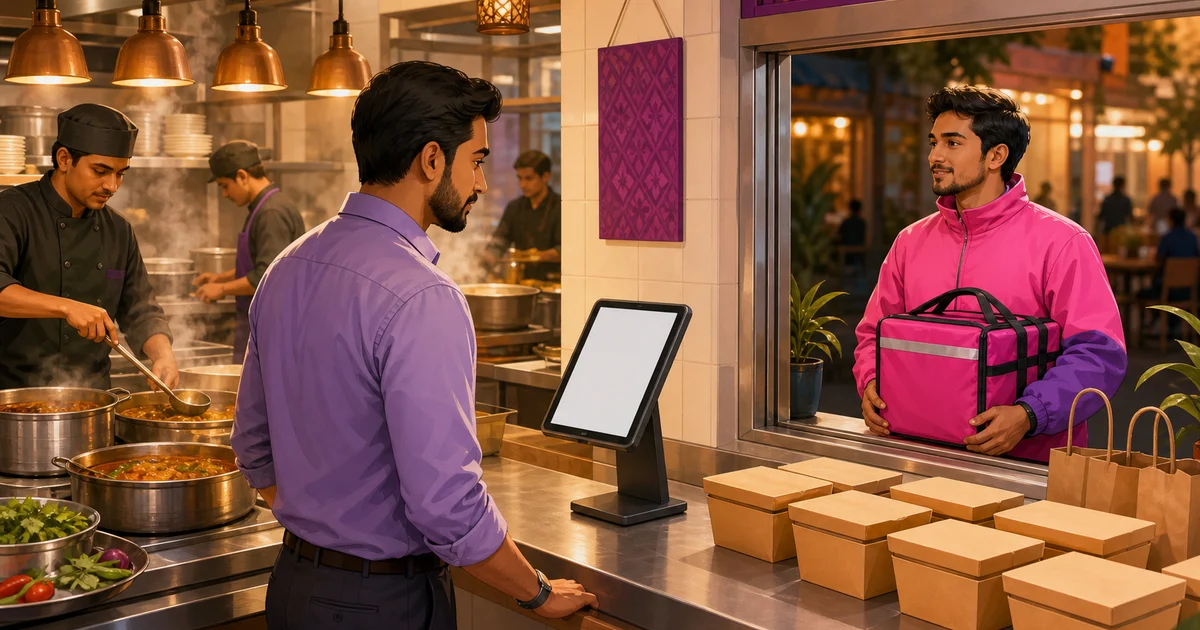
Most delivery kitchens in Dhaka run the same messy setup: a foodpanda tablet buzzing on one shelf, a Pathao phone on another, your own storefront orders somewhere else, and a cashier trying to keep all three from clashing during the dinner rush. To integrate foodpanda with restaurant operations properly, you do not need every channel feeding a single button. You need one place where each order lands, gets accepted, and flows to the kitchen with the channel clearly labelled, so nothing is missed and your reports tell you which platform actually pays. This guide walks through how to connect marketplace delivery channels, tag each order to its source, and manage the whole mix without three screens fighting each other.
Why integrate foodpanda with restaurant operations at all
Marketplaces bring reach you cannot match on your own. foodpanda and Pathao put your menu in front of hungry people who have never heard of your shop, and they handle the rider. That is real value, especially when you are new or in a competitive area. The cost is fragmentation. Each app has its own tablet, its own sound, its own way of showing an order, and its own payout schedule. Run three of them side by side and you get the problems every busy kitchen knows:
- A foodpanda order gets missed because the tablet was face-down during a rush.
- The kitchen prints the same item twice because two screens showed two orders that looked alike.
- At close, nobody can say cleanly how much came from foodpanda, how much from Pathao, and how much from your own storefront.
- Stock counts drift because marketplace sales never touched your inventory.
The fix is not to drop the marketplaces. It is to give every channel one home and a clear label, so a delivery order from foodpanda is handled the same disciplined way as a walk-in, and your day report adds up by source.
What "integration" really means here
Be honest with yourself about what you are buying. A full two-way API hook into foodpanda, where their order auto-injects into your POS and status flows back to them, depends on a partner agreement and access that foodpanda controls, and it is not something every small restaurant gets on day one. What every restaurant can do today is run a single system that recognises each marketplace as a channel, lets staff log a delivery order against the right platform in seconds, and keeps all of it in one order list with one set of reports. That is the practical win, and it removes most of the daily pain without waiting on anyone's developer queue.
Rosuii is built around that practical model. It ships with presets for the channels Bangladeshi restaurants actually use, so you are not typing platform names by hand or inventing your own codes that nobody else understands.
Step 1: Set up your marketplace presets in Rosuii
Rosuii includes ready-made marketplace presets for foodpanda, Pathao, Shohoz Food, and Steadfast. In your settings you turn on the ones you use and leave the rest off. Each preset is a proper record, not just a text label, with a name, an active or inactive status, and fields for an API key and secret so you are ready if and when a platform gives you credentials.
The point of presets is consistency. Once foodpanda and Pathao are switched on, every staff member tags orders against the same named channels, every time. There is no "FP" on one bill and "panda" on another. Your reports group cleanly because the underlying channel is one fixed thing, not free text that changes with whoever is on shift.
Which presets to switch on
| Preset | Typical use | Turn it on if |
|---|---|---|
| foodpanda | Food marketplace and delivery | You list your menu on foodpanda |
| Pathao | Food marketplace and delivery | You take orders through Pathao Food |
| Shohoz Food | Food marketplace | You are listed on Shohoz Food |
| Steadfast | Third-party courier and parcel delivery | You hand off deliveries to Steadfast |
Leave a preset inactive if you do not use it. A short, accurate list is easier to read at the till than a long one full of channels you never touch.
Step 2: Tag every delivery order to its marketplace
This is the habit that makes the whole thing work. When a delivery order comes in, the cashier rings it up on the POS like any other order and picks the channel from the marketplace dropdown: foodpanda, Pathao, Shohoz Food, Steadfast, or none for your own direct delivery. That single tap stamps the order with its source.
In Rosuii the order then carries that marketplace tag through its whole life. The kitchen ticket fires, the order moves through the normal status workflow, and the source stays attached. A direct order from your own storefront or a walk-in simply has no marketplace tag, which is exactly how you tell your own sales apart from platform sales later. Nothing about the kitchen flow changes between channels, so your team learns one process and applies it to everything.
Why this small step matters so much:
- Clean revenue split. At day-close you can see how much each platform brought in, which is the number you need to judge whether a marketplace is worth its commission.
- One kitchen process. A foodpanda order and a dine-in order both become a kitchen ticket, so the line never has to think about where it came from.
- Accurate stock. Because the sale runs through your system, the items leave your records, not just the marketplace's.
- Fewer misses. Logging the order in one place means it sits in one queue with everything else, instead of waiting on a tablet someone forgot to watch.
Step 3: Manage all delivery orders in one list
Once channels are tagged, your orders page becomes the single view your manager actually trusts. You can filter the order list, open any order to see its full breakdown of price, discount, service charge and VAT, and print a thermal receipt (58mm, 80mm or A4 with your logo and a QR). foodpanda, Pathao, your own storefront orders and walk-ins all sit in the same list, each labelled, each moving through the same statuses.
That single list is the difference between a calm pass and a chaotic one. Instead of a cashier glancing between three devices, there is one queue to clear. For the deeper day-to-day of running deliveries well, riders, timing and handoff, see our guide to restaurant delivery management.
Step 4: Read the reports and decide what each channel is worth
Reach is not free. Marketplaces charge commission on every order they bring, and the only way to know whether that trade is good is to measure it. With every delivery order tagged to its source, your sales reports show what foodpanda and Pathao each contributed, and a Day-Close (Z-report) breaks the day down so you can compare platform sales against your own storefront sales side by side.
That data usually points to one conclusion: keep the marketplaces for discovery, but push your regulars to order direct from your own storefront where you keep the whole bill. We cover the maths and the method in detail in how to reduce foodpanda commission, and the wider trade-off between renting reach and owning the relationship in online ordering system vs marketplace.
A simple workflow that holds up at peak
Put together, the daily routine is short and repeatable:
- Turn on the marketplace presets you use (foodpanda, Pathao, and any others), once, in settings.
- When a delivery order arrives on a platform, ring it into the POS and pick that platform from the marketplace dropdown.
- Send it to the kitchen the same way you send every order, and let it flow through the normal statuses.
- Work the single orders list, not three tablets, to track and complete deliveries.
- At close, read the report by channel and decide where to invest your marketing.
None of this requires offline tricks or special hardware. Rosuii runs in the browser as a PWA on the phone, tablet or laptop you already have, so the orders list lives on whatever screen is handy at the pass. To see how online ordering and channels sit alongside POS, inventory and reports, browse the Rosuii features.
Tired of juggling a foodpanda tablet, a Pathao phone, and your own orders? Create your free Rosuii account, switch on your marketplace presets, and start tagging every delivery order into one clean list today.
Last updated:
Frequently asked questions
Can I connect foodpanda and Pathao directly into my restaurant POS?
Which delivery marketplaces does Rosuii support presets for?
How do I tell my own orders apart from foodpanda orders in reports?
Does tagging a foodpanda order change how the kitchen handles it?
Should I keep using foodpanda if it charges commission?
Run your restaurant on Rosuii
POS, menu, inventory, payroll and more — built for Bangladeshi restaurants.
Start free

