
How to Manage Dine-In Takeaway and Delivery in One POS
Most restaurants juggle dine-in, takeaway and delivery at once. Here is how one POS handles all three order types on a single screen, from table assignment to marketplace delivery.
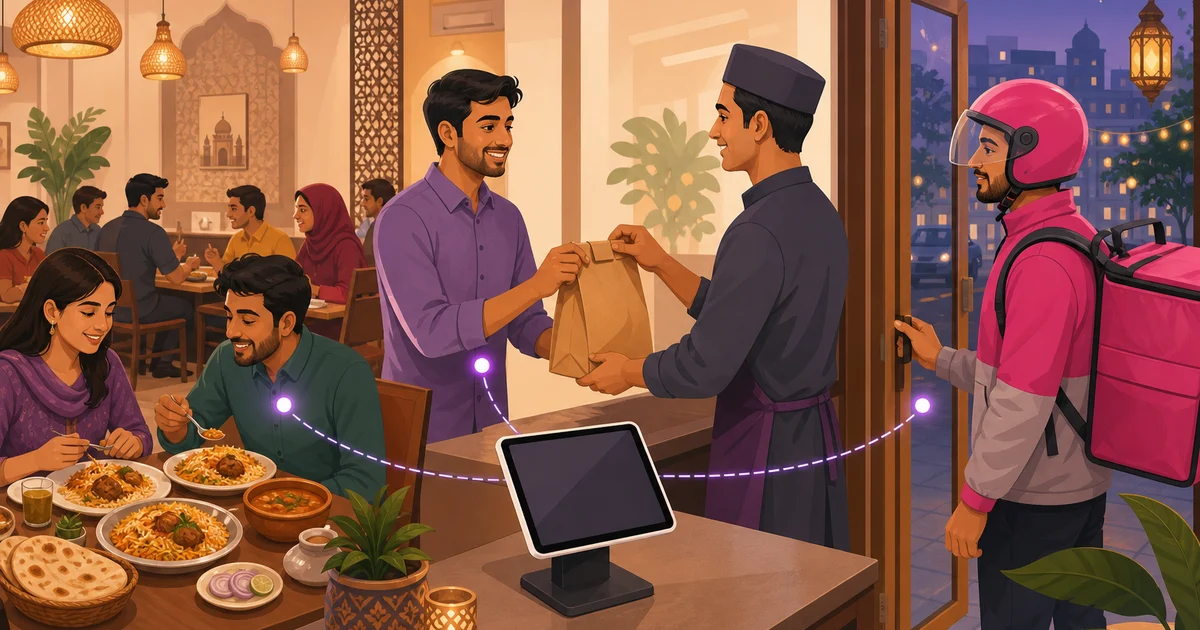
A busy restaurant in Dhaka is really three businesses running at the same counter. A family is seated at table six waiting for their kacchi, a customer is collecting a takeaway bag, and a foodpanda order just pinged for the same kitchen. Trying to manage dine-in takeaway and delivery with separate notebooks, a couple of tablets and a lot of shouting is how orders get lost and tempers fray. The fix is one POS that treats all three as the same flow with different endings.
This guide walks through how a single point-of-sale system handles each order type cleanly, using Rosuii as the example. If you want the broader picture first, our complete guide to restaurant POS systems sets the foundation. Here we focus on the three order types and how they share one screen, one kitchen and one set of reports.
Why one screen beats three apps
When each order type lives in its own tool, your staff pay the price. The cashier checks a tablet for foodpanda, a separate one for Pathao, scribbles phone orders on paper, and rings up walk-ins on the till. Nothing reconciles, the kitchen gets tickets from four directions, and at day close you cannot tell which channel actually made money. Putting dine-in, takeaway and delivery on one screen means one queue to watch, one kitchen flow, one customer record and one clean day total.
In Rosuii the cashier starts every order the same way, then chooses the type. From there the system knows what each order needs: a table and waiter for dine-in, a pickup name for takeaway, an address and channel for delivery. The pricing, kitchen routing and receipt all follow automatically.
Managing dine-in: tables and waiters
Dine-in is the most involved order type because it lives on a floor plan. When you manage dine-in well, guests get attentive service and you can see at a glance which tables are free, occupied or waiting on a bill.
- Assign the table. Start a dine-in order and attach it to a specific table from the floor or table board, which shows status by colour and the seats each table holds.
- Assign the waiter. Tag the order to the waiter serving it, so the kitchen knows who is running the food and your staff report later shows who sold what.
- Build the order over time. Diners order in rounds. Add starters, fire them to the kitchen, then add mains and drinks to the same table without closing it. Per-line notes capture things like less spicy or no onion.
- Bill when they are ready. Apply any discount, loyalty or coupon, add service charge and VAT automatically, and settle by cash, bKash or Nagad. The table frees up for the next guests.
For a deeper look at the floor side, including contactless QR ordering at the table, see our guide to restaurant table management and QR ordering.
Managing takeaway: fast and clean
Takeaway is dine-in stripped of the table. The customer orders at the counter or by phone and waits to carry it out, so speed and an accurate receipt matter most. In the POS you start a takeaway order, add items with any variations and add-ons, attach the customer by phone number if they are a regular so they still earn loyalty, and take payment up front. The order fires straight to the kitchen with a takeaway tag so the line knows to pack it rather than plate it. A clean printed receipt with the itemised order and totals goes in the bag.
Because takeaway skips the floor plan, it is the quickest order type to ring up, which keeps the counter moving during a rush. The same menu, the same pricing rules and the same kitchen handle it, so there is nothing extra to learn.
Managing delivery: own riders and marketplaces
Delivery is where most restaurants in Bangladesh feel the chaos, because orders arrive through more than one channel. You might run your own riders for customers who order from your website, and at the same time receive orders from foodpanda and Pathao. To manage delivery without losing your mind, the POS needs to hold all of these in one place.
Your own delivery
Orders from your own online ordering page, where you pay no marketplace commission, land directly in the same order list. You take the customer's address, the order goes to the kitchen, and you dispatch your rider. Keeping more of these orders is the cheapest way to protect your delivery margin. Our piece on commission-free online ordering explains why owning this channel matters.
Marketplace delivery
foodpanda, Pathao, Shohoz Food and Steadfast bring real volume, and Rosuii includes presets to connect them so marketplace orders sit in the same workflow as everything else. You can tag an order to the marketplace it came from, which means your reports can later show how much each channel contributes and what it costs you in commission. Instead of three tablets buzzing on the counter, delivery becomes one list you actually control.
For the full delivery picture, including dispatch and tracking, read our guide to restaurant delivery management.
One kitchen, routed correctly
Whatever the order type, the food is cooked in the same kitchen, and this is where a shared system pays off most. Every confirmed order, dine-in, takeaway or delivery, sends its items to the kitchen as tickets. Rosuii routes each item to the right station, so the grill sees grill items and the dessert station sees desserts, and shows them on a kitchen display with timers that turn amber and then red as orders wait. The cook does not care whether a biryani is for table six, a takeaway or a Pathao order; they just see what to make and how long it has been waiting. That single source of truth stops the classic failure where a delivery order is forgotten because it came in on a different device than the dine-in tickets.
Receipts and records that match
Each order type still ends in a record. Dine-in and takeaway print a customer receipt with your logo, the itemised order, service charge and VAT, on the thermal size you use, 58mm, 80mm or A4. Delivery orders carry the right details for the channel. Because all three flow through one system, your sales report, item-sales report and day close, the Z-report, cover every channel together. At the end of the night you see one honest total and can tell exactly how dine-in, takeaway and your own delivery compared with marketplace orders.
Manage dine-in takeaway and delivery in Rosuii
Rosuii is built so one cashier on one screen can take a dine-in order for table six, ring up a takeaway, and accept a foodpanda delivery in the same minute, with each order priced correctly, routed to the right kitchen station, and recorded in one set of reports. It runs in the browser on a phone, tablet or laptop you already own, supports real bKash and Nagad payments, and works fully in Bangla and English. There is a free plan to start, with paid plans from ৳500 a month and no setup fee. See everything it covers on our features page.
Tired of juggling notebooks and a stack of tablets? Create your free Rosuii account and run dine-in, takeaway and delivery from one screen today.
Last updated:
Frequently asked questions
Can one POS handle dine-in, takeaway and delivery at the same time?
How do I manage foodpanda and Pathao orders alongside my own?
How are dine-in orders assigned to tables and waiters?
Do takeaway and delivery orders go to the kitchen the same way as dine-in?
Why is owning my own delivery channel cheaper than only using marketplaces?
Run your restaurant on Rosuii
POS, menu, inventory, payroll and more — built for Bangladeshi restaurants.
Start free

