Menu Modifiers Add-ons, Variations and Combos: A Better POS Setup
Learn how to structure variations, add-ons, modifiers and combos for faster POS entry, clearer kitchen tickets and higher average order value.
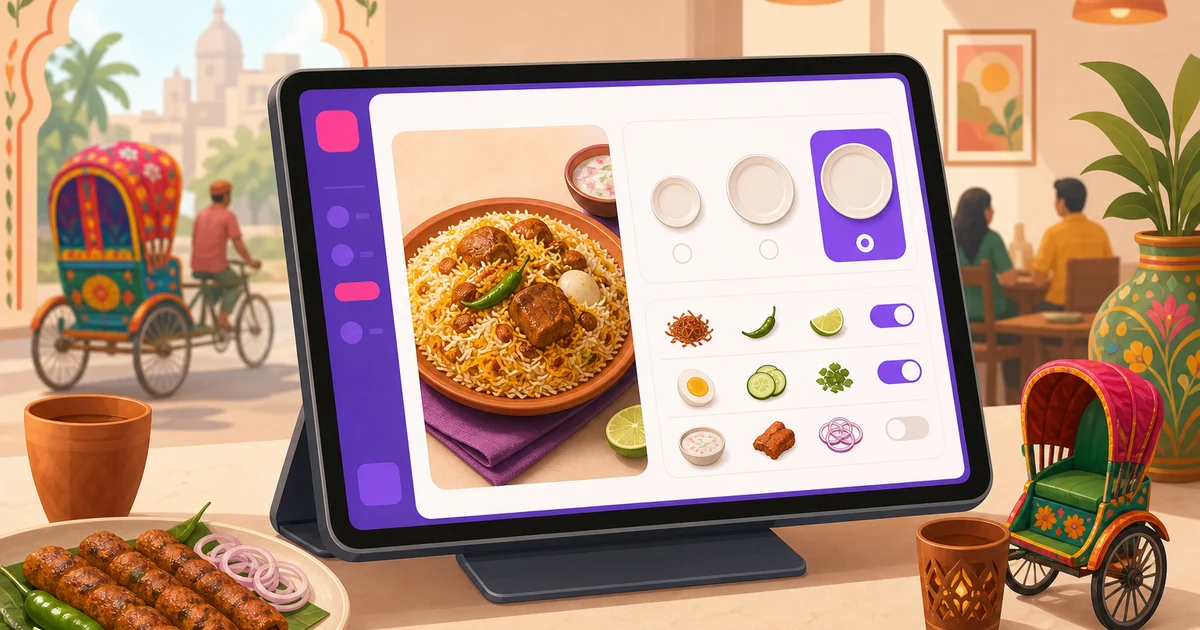
Well-planned menu modifiers add-ons, variations and combos make a restaurant POS much faster to use. Cashiers can enter orders with fewer taps, customers receive exactly what they requested, and the kitchen gets clear instructions instead of handwritten notes or shouted corrections.
These options also create practical opportunities to increase revenue. A customer ordering a burger may choose a larger size, extra cheese, a premium sauce or a complete meal. The key is to define each option correctly. If every choice is treated as an open note, service becomes slow and reporting becomes unreliable. If the menu is structured properly, order entry stays quick even during the Friday dinner rush.
What Are Variations, Modifiers, Add-ons and Combos?
The terms are sometimes used interchangeably, but they serve different purposes. Keeping the distinction clear helps staff understand the menu and gives the kitchen more consistent tickets.
Variations
A variation is an alternative version of the same menu item. It usually changes the item's size, quantity, flavour or format, and it may change the price.
- Pizza size: Small, Medium or Large
- Coffee size: Regular or Large
- Biryani portion: Half, Full or Family Pack
- Chicken quantity: 2 Pieces, 4 Pieces or 8 Pieces
- Drink flavour: Mango, Chocolate or Strawberry
Use a variation when the customer is choosing which version of the core product to buy. If a regular cold coffee costs ৳180 and a large one costs ৳230, those are two price variations of one item.
Modifiers
A modifier records how the customer wants the item prepared or served. It may be free because it often represents a preference rather than an extra product.
- Mild, Medium or Hot spice level
- Less sugar or no sugar
- No onion
- Sauce on the side
- Egg soft or well done
Modifiers should replace vague remarks wherever possible. A structured spice choice is faster to select and easier for the kitchen to notice than a long note typed by the cashier. Free-text notes can still be useful for unusual requests, but they should not be the main system for common preferences.
Add-ons
An add-on is an optional extra attached to an item, normally with its own price. The base item remains the same, but the customer receives something additional.
- Extra cheese for ৳40
- Fried egg for ৳30
- Extra chicken patty for ৳120
- Additional rice for ৳80
- Garlic sauce for ৳25
Add-ons are especially useful for burgers, pizzas, drinks, rice bowls and desserts. They give customers control while creating a natural upselling opportunity. Keep the list relevant. A cashier should not need to scroll through twenty unrelated extras to sell one burger.
Combos
A combo groups several products into one sellable offer. For example, a burger meal might contain one chicken burger, one portion of fries and one soft drink. A Bangladeshi lunch combo could include rice, chicken curry, dal and salad.
Combos are useful when the restaurant wants to offer convenience, a fixed meal or a better combined price. They also simplify ordering. Instead of adding four separate items, the cashier selects one clearly named combo and confirms any available choices.
Why Menu Modifiers Add-ons Matter During a Rush
A POS menu should reduce decisions for staff, not create more of them. When common choices are preconfigured, a cashier can tap Chicken Burger, choose Regular, select Medium Spicy and add Extra Cheese. The order is ready in seconds.
This structure produces three direct benefits:
- Faster order entry: Staff select familiar options instead of typing instructions or searching for separate items.
- Fewer kitchen mistakes: The kitchen order ticket shows the item and its selected options in a consistent format.
- Better sales data: Management can see which sizes, extras and combos customers actually buy.
Clear options also make staff training easier. A new cashier does not need to memorise every price or ask whether extra cheese is chargeable. The POS presents the approved choices and prices. For a wider view of how software supports this workflow, read the guide to choosing a restaurant POS system.
How These Options Increase Average Order Value
Add-ons, premium variations and combos can raise the amount customers spend without pressuring them into buying an unrelated item. The offer appears at the right point in the order.
Suppose a chicken burger costs ৳220. A customer chooses extra cheese for ৳40 and converts it to a fries-and-drink combo for another ৳150. The order value moves from ৳220 to ৳410 because the upgrades are relevant and easy to understand.
This should still be handled carefully. Too many prompts slow down the counter and can annoy customers. Focus on a few sensible choices with clear value. Track which extras sell, remove options that staff rarely use, and test whether the combo price remains profitable after food cost and packaging. Learn more in Rosuii's guide to average order value for restaurants.
Structure the POS Menu for Fast Staff Navigation
A good menu hierarchy begins before variations or add-ons are created. Staff must first be able to find the main item quickly.
- Use familiar categories. Categories such as Burgers, Pizza, Biryani, Chinese, Drinks and Desserts are easier to scan than vague labels.
- Keep popular categories visible. Put frequently ordered sections near the start rather than arranging everything alphabetically.
- Use short item names. Write “Chicken Cheese Burger” instead of a long marketing description on the POS button.
- Avoid duplicate items. If Small, Medium and Large are variations of one pizza, do not create three separate products unless operations genuinely require separate items.
- Group relevant add-ons. Burger extras should appear with burgers, while coffee extras should appear with coffee.
- Make required choices obvious. If every steak must have a doneness level or every pizza needs a size, configure the choice consistently.
Use sales reports and direct observation to improve the layout. Watch a cashier take ten orders during a busy period. If the same item is difficult to find every time, the category or name needs work. This practical approach complements broader menu engineering, where popularity and contribution are used to decide what to highlight, rename or remove.
Using Variations, Add-ons and Combos in Rosuii
Rosuii supports menu items, categories, variations, add-ons and combos in a bilingual restaurant management system. Restaurants can maintain customer-friendly English and Bangla names, which is useful when front-of-house staff, kitchen staff and customers prefer different languages.
For example, a restaurant could configure:
- Item: Chicken Pizza / চিকেন পিৎজা
- Variation: Large / বড়
- Modifier choice: Medium Spicy / মাঝারি ঝাল
- Add-on: Extra Cheese / অতিরিক্ত চিজ
- Combo: Burger Meal / বার্গার মিল
During POS entry, staff can handle dine-in, takeaway and delivery orders from one screen, select the appropriate table and waiter, and apply the configured choices. The selected information follows the order when it is sent to the kitchen. Rosuii's branded online ordering storefront and table QR ordering can also present structured menu choices to customers, reducing the need for a waiter to interpret every request.
Keep customer wording and kitchen wording aligned. If guests know a size as “Family,” do not label it “XL-3” on the ordering screen unless the kitchen also understands that code. Consistent bilingual naming is more useful than literal translation. Choose the Bangla term your team and customers naturally use.
Design Choices That Prevent Kitchen Mistakes
The kitchen needs short, actionable information. An order line such as “Beef Burger, Large, Extra Cheese, No Onion” is clearer than “make it bigger and customer says no onion please.”
Use these rules when setting up options:
- Give each choice one clear meaning.
- Do not create two labels for the same request, such as “No Chili” and “Without Chili.”
- Separate preparation preferences from chargeable extras.
- Limit choices to what the kitchen can deliver consistently.
- Confirm that the price shown at the counter matches the approved menu price.
Rosuii can send orders to its KDS workflow, where kitchen staff move tickets from New to Preparing and monitor order age. Clear item options make those tickets easier to act on. Real-time KDS updates require an internet connection. Rosuii's POS can continue billing during an outage after offline menu and customer data have been synced to the device, then queue and sync orders when the connection returns.
A Practical Menu Setup Checklist
Before going live, test the menu with the people who actually take and prepare orders.
- List the restaurant's twenty most frequently ordered items.
- Assign each item to one obvious category.
- Identify true variations such as size, portion or flavour.
- Turn repeated preparation requests into standard modifiers.
- Add only relevant, profitable extras.
- Create combos that are easy to explain and produce.
- Enter clear English and Bangla names.
- Place sample dine-in, takeaway and delivery orders.
- Check how every choice appears on the bill and kitchen ticket.
- Ask cashiers and kitchen staff what is confusing, then revise it.
Review the setup monthly at first. Prices change, slow items are removed and customers develop new preferences. A menu should be controlled, but it should not remain frozen when daily operations show a better way.
Build a Cleaner, Faster POS Menu
Variations, modifiers, add-ons and combos are small building blocks with a large operational effect. Used properly, they reduce typing, improve communication, support upselling and produce more useful sales records. The best setup is not the one with the most options. It is the one staff can use quickly and the kitchen can fulfil accurately.
Rosuii provides bilingual menu management, variations, add-ons, combos, POS billing, kitchen workflows and online ordering for Bangladeshi restaurants. Plans are free to start, with paid plans available as the restaurant needs more features and capacity. Register for Rosuii and start building your restaurant menu.
Last updated:
Frequently asked questions
What is the difference between a menu variation and an add-on?
Should spice level be a modifier or a variation?
How many add-ons should a restaurant offer for one item?
Can Rosuii show menu options in both English and Bangla?
Do menu add-ons automatically deduct ingredients from inventory in Rosuii?
Run your restaurant on Rosuii
POS, menu, inventory, payroll and more — built for Bangladeshi restaurants.
Start free