
How to Switch Restaurant Software Without Losing a Day of Service
A practical migration plan for Bangladeshi restaurants covering data export, parallel running, menu setup, staff training, printer tests and first-week checks.
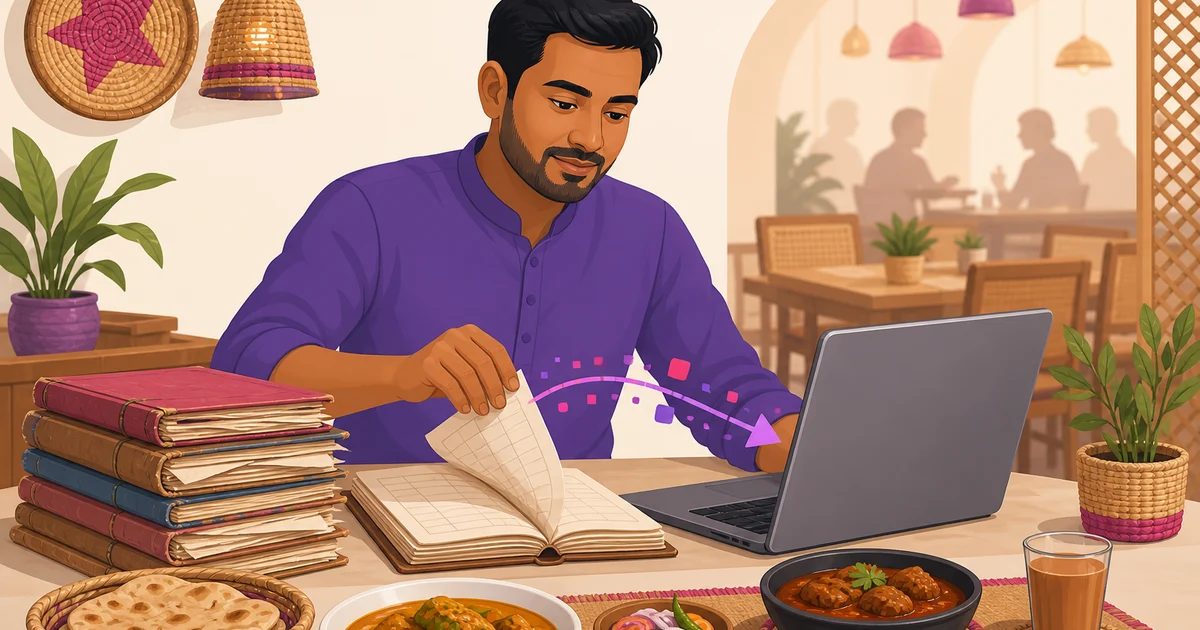
Deciding to switch restaurant software is easy. Doing it without delaying orders, confusing staff or losing business records takes planning. A restaurant cannot pause service while someone rebuilds the menu or searches for missing customer phone numbers. The safest approach is to treat the change as a short operational project: protect your data, configure the new system, run controlled tests and move live service on a carefully chosen date.
This playbook works whether you are replacing an old POS, moving from Excel or leaving a paper khata. It is written for Bangladeshi restaurants where Friday rushes, Ramadan trading patterns, VAT settings, kitchen printers and mobile payments all affect the migration.
Why restaurant software migrations go wrong
Most failed migrations are not caused by the new software itself. They happen because the restaurant cancels the old account too early, receives incomplete exports, enters the menu incorrectly or lets staff learn the system during a busy service.
Start by appointing one migration owner. This may be the manager, owner, accountant or an experienced cashier. That person should maintain a checklist, collect exports, approve menu prices and decide when the new platform becomes the official system of record.
If you are still comparing products, review features, pricing and support before committing. This restaurant POS comparison for Bangladesh can help you identify practical differences between platforms.
Export everything before you cancel anything
Do not close your old account when you sign up for a replacement. Export your information first, open the files and confirm that they contain usable data. Some vendors disable login access immediately after cancellation. Others retain records but charge for retrieval or provide only limited reports.
Ask for CSV or Excel files where possible. PDFs are useful as permanent records, but they are harder to clean and import into another platform. Save copies in at least two controlled locations, such as an office computer and a private cloud drive.
| Data to export | What to check | Why it matters |
|---|---|---|
| Menu | Item names, categories, prices, Bangla names, variations, add-ons and combos | Missing options or wrong prices immediately affect billing and kitchen preparation. |
| Customers | Names, phone numbers, addresses, loyalty balances and notes | Phone numbers support repeat-order recognition, delivery and loyalty service. |
| Historical orders | Dates, invoice numbers, items, discounts, VAT, service charge, payment method and refunds | You may need them for accounting, disputes, analysis and internal records even if they are not imported. |
| Suppliers and stock | Supplier contacts, item codes, units, purchase costs, outstanding purchase orders and current quantities | Opening stock cannot be trusted if units or costs are missing. |
| Staff and payroll | Employee details, roles, salary history, advances, shifts and attendance records | Payroll errors can damage staff trust and create avoidable disputes. |
| Reports and settings | Sales, expenses, profit and loss, VAT, service charge, discounts and day-close reports | These help you verify the new setup and preserve management records. |
Also download copies of receipts, purchase records and month-end summaries required by your accountant. Confirm record-retention expectations with your accountant or VAT circle rather than assuming the new vendor will store old records indefinitely.
Open and inspect every export
A file named customers.csv is not enough. Open it and check whether phone numbers are present, Bangla text displays correctly and each column has a clear heading. Look for truncated mobile numbers, duplicate rows, blank prices and dates that have changed format.
Count key records in both systems. If the old software shows 2,450 customers but the export contains 1,980 rows, stop and ask why. The same test applies to menu items, suppliers and staff.
Check what the vendor actually lets you export
Export rights should be investigated before buying restaurant software, not only when leaving it. Ask the vendor to demonstrate the export process. Do not rely on a promise that support can provide data later.
- Can you export the complete customer list with phone numbers?
- Can reports be downloaded by a custom date range?
- Do order exports include line items or only daily totals?
- Are loyalty balances, stock quantities and supplier records available?
- Does cancellation remove access immediately?
- Is export included in the subscription or charged separately?
A platform that collects customer data but cannot return your customer list in a usable format is effectively holding part of your business hostage. Your restaurant should control its operational records. Technical database ownership and practical export access are not identical, so ask about both.
Rosuii, for example, provisions an isolated MySQL database for each restaurant and supports CSV exports for reports, along with customer import and export. These are useful safeguards, but you should apply the same export test to any vendor you evaluate.
How to switch restaurant software with a parallel run
Run the old and new platforms in parallel for a few days. Parallel running does not mean printing every order twice or sending duplicate KOTs to the kitchen. Choose one live billing system for each service and use the other for comparison, training or summary entry.
A practical approach is to keep the old POS as the official live system while staff place test orders in the new one outside rush periods. Compare totals for representative dine-in, takeaway and delivery orders. Include discounts, coupons, add-ons, service charge and VAT.
Once the new setup passes testing, make it the live system while retaining read access to the old platform. During the first few days, compare daily sales and payment summaries. Record which system is the official source for stock and accounting so employees do not update both and create conflicting balances.
If you are moving from handwritten records, read this guide to khata versus restaurant software in Bangladesh. Restaurants using spreadsheets may also find the Excel versus restaurant POS software guide useful.
Pick a low-risk switch date
Choose the go-live date after a physical stock count. This gives you a clean opening balance and prevents old stock errors from entering the new platform. Complete the count after closing or before opening, then restrict purchases and wastage entries until the opening figures are recorded.
Go live before a predictable quiet period, not moments before a rush. A Sunday morning may be manageable for some restaurants, while others are quiet on a different day. Use your own hourly sales reports to decide.
- Do not switch on a Friday evening.
- Avoid public holidays, promotional campaigns and major catering days.
- Do not plan the migration during Ramadan, especially near iftar service.
- Avoid salary-processing day if payroll data is also moving.
- Make sure the owner, manager and vendor support contact are available.
Prepare a fallback process as well. Keep paper order pads, a printed menu and a calculator near the counter. If the new platform supports scoped offline billing, prepare its offline data in advance and understand the limits. Online payment confirmation and real-time communication with other devices still require an internet connection.
Rebuild the menu carefully, then test the full KOT flow
Do not treat menu migration as basic data entry. Rebuild the structure customers and kitchen staff actually use. Check categories, item names, Bangla translations, dine-in prices, variations, add-ons, combos, availability and tax treatment.
Test common and awkward orders. Examples include half versus full portions, extra cheese, no onion, a combo with a changed drink, a discounted takeaway and a delivery order with service charges. The total shown at checkout should match your approved price sheet.
Then test the physical journey of the order:
- Cashier selects the correct order type and table.
- Variations and notes appear correctly.
- The KOT reaches the intended kitchen station.
- Kitchen staff can read item names and quantities clearly.
- The customer receipt shows prices, discount, VAT, service charge and final total.
- Cash, bKash, Nagad and COD are recorded under the right payment types where applicable.
Test every printer separately, including 58mm or 80mm receipt printers and kitchen printers. Verify browser permissions, paper width, logo sizing, Bengali text and branch-specific printer settings. Reboot the router and devices once before launch to expose settings that work only temporarily.
Retrain staff in one focused shift
Most front-of-house teams do not need a long classroom course. They need one structured shift with realistic practice. Train by role rather than showing every feature to everyone.
- Cashiers: create orders, apply approved discounts, take payments, reprint receipts and close the day.
- Waiters: select tables, add modifiers, send KOTs and check order status.
- Kitchen staff: read tickets or KDS orders and update preparation status.
- Managers: correct mistakes, review reports, manage permissions and verify day-close totals.
- Store staff: enter purchases, wastage and opening stock using the correct units.
Give each employee a login with only the permissions required for the job. Use test orders for practice, mark them clearly and remove or exclude them before live reporting begins. Keep a one-page checklist beside the POS for the first week.
First-week checks that catch a bad migration
The migration is not finished when the first receipt prints. Review the following items every day for at least one week.
Order totals and payment reconciliation
Compare a sample of receipts against the approved menu. Confirm that the calculation order for discounts, coupons, loyalty, service charge and VAT matches your policy. At day close, reconcile cash, bKash, Nagad and other recorded methods with actual collections. Investigate differences immediately rather than carrying them forward.
VAT and service charge
Check whether rates apply to the intended items and order types. Confirm that receipts show a clear breakdown and that rounding is consistent. Software can calculate configured rates, but your restaurant remains responsible for using the correct VAT treatment. Confirm uncertain settings with your accountant or VAT circle.
Opening stock balances
Compare high-value and fast-moving items against the physical count. Check units carefully. One carton entered as one piece can make a stock report useless. Verify purchases, productions and wastages separately. Do not assume menu sales automatically deduct ingredients unless the chosen platform explicitly supports and configures that function.
Operations and access
Review failed prints, duplicate KOTs, missing modifiers, incorrect table assignments and excessive manager overrides. Confirm former employees cannot log in. Check that each branch sees its own stock, printers and reports.
Maintain an issue log with the time, order number, device and screenshot where possible. Patterns are easier to fix than vague reports that the POS was wrong.
Build an exit plan before choosing the next platform
A good migration should make the next one less painful. Schedule regular exports, document menu pricing rules and keep a current list of devices, printers and account administrators. Ask how data is isolated, backed up and returned if you leave.
Your goal is not merely to install new software. It is to protect service, records and staff confidence while gaining a system that fits the restaurant. If you want to evaluate a bilingual, Bangladesh-focused platform with isolated restaurant databases, report exports, POS, inventory and online ordering options, register for Rosuii. You can start free, prepare your data and test the workflow before choosing a paid plan.
Last updated:
Frequently asked questions
How long should a restaurant run the old and new software in parallel?
What should I do if my current vendor will not export customer phone numbers?
Do historical orders need to be imported into the new POS?
When is the safest time for a Bangladeshi restaurant to change POS software?
Which figures should be checked during the first week?
Run your restaurant on Rosuii
POS, menu, inventory, payroll and more — built for Bangladeshi restaurants.
Start free

