
Mushak 6.3 for Restaurants: The VAT Challan, Explained
What the Mushak 6.3 VAT challan is, the fields a restaurant tax invoice must show in Bangladesh, why each one matters, and how a POS prints a compliant, itemised receipt on every sale.
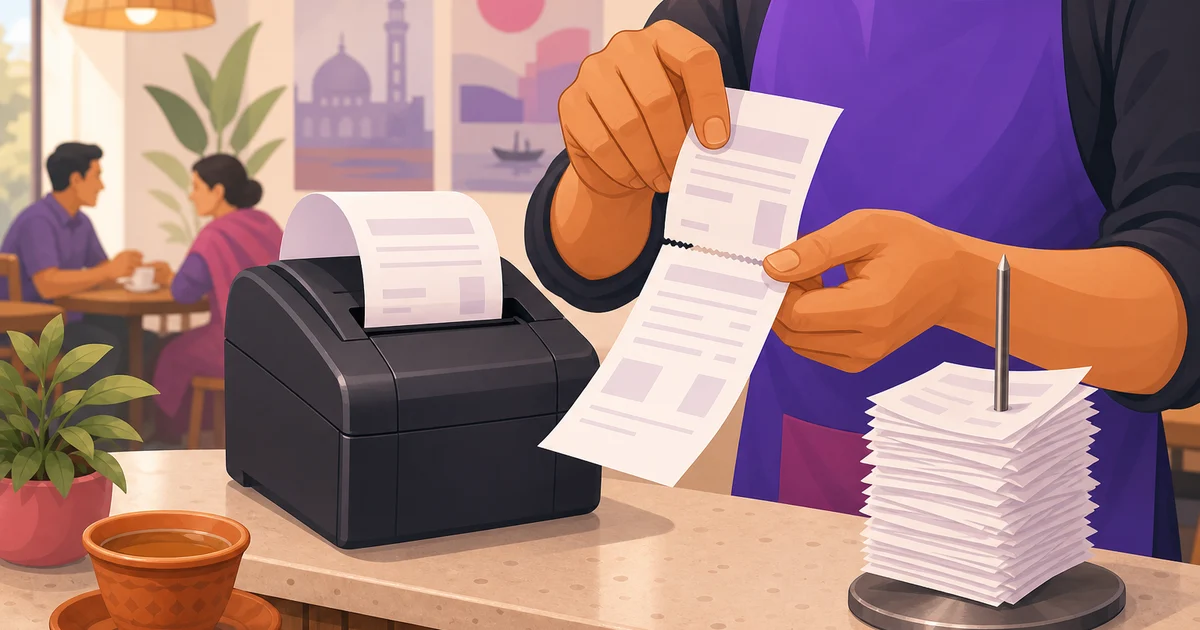
Every VAT-registered restaurant in Bangladesh has to issue a proper tax invoice, and the form that invoice takes is the Mushak 6.3 VAT challan. It is the document that proves a sale happened, what VAT was charged, and that you collected it for the National Board of Revenue (NBR). A plain handwritten slip with a total scrawled on it is not a Mushak 6.3. This guide explains what the Mushak 6.3 is, the fields it must show, why each field matters, and how a point-of-sale system prints a receipt that meets the requirement on every bill. It is general guidance, not legal advice; confirm the current format with the NBR (nbr.gov.bd) or a VAT consultant.
What is the Mushak 6.3?
The Mushak 6.3 (মূসক ৬.৩) is the VAT challan, the tax invoice prescribed under the VAT and Supplementary Duty Act, 2012. A registered business issues it when it makes a taxable supply. For a restaurant, the taxable supply is the food and drink you sell, so the Mushak 6.3 is, in practice, the bill you hand the customer, formatted to carry the information the NBR requires.
The point of the form is verification. It links a specific sale to a specific VAT amount and a specific registered seller, so the VAT you report on your return can be traced back to real invoices. That matters for you at audit time, and it matters for business customers who need a valid tax invoice for their own records.
Mushak 6.3 is not your VAT return
A common mix-up is treating the challan and the return as the same thing. They are not. The Mushak 6.3 is issued per sale, at the moment of the transaction. The VAT return is filed periodically and summarises many sales. The challans are the evidence underneath the return. Get the challans right on every bill and the return becomes a summary you can stand behind; get them wrong and the return rests on shaky ground. For how the return and reconciliation fit, see our guide to restaurant VAT and service charge.
What a Mushak 6.3 must show
The challan carries a defined set of fields. The exact layout is set by the NBR and can be updated, so treat this as a working list and confirm the current format, but the core elements are stable:
| Field | What it is |
|---|---|
| Seller details | Your business name, address and BIN (Business Identification Number). |
| Invoice number | A unique number for the invoice. |
| Date and time of issue | When the invoice was raised. |
| Buyer details | The customer's name and, where applicable, their BIN, plus the destination of supply. |
| Line items | Description of each good or service, unit of supply, quantity, unit price and total value. |
| VAT | The VAT charged on the taxable value, shown clearly. |
| Supplementary duty | Any SD, where it applies to the supply. |
| Total payable | The full amount the customer owes. |
| Authorisation | Signature or seal of the responsible person, as required. |
Two things stand out for a restaurant. First, your BIN must be on it; a receipt without a BIN is not a valid tax invoice. Second, VAT has to be visible as its own figure, calculated on the taxable value, not folded silently into menu prices. Hiding the tax inside the price might feel friendlier to the customer, but it breaks the challan and your reporting.
How long you keep them
Tax invoices are not disposable. Under the VAT rules, records like the Mushak 6.3 are generally required to be retained for several years (commonly cited as five). That alone is a strong argument against paper-only billing: a spike full of fading thermal slips is not a retrieval system, and a box of them is not something you want to be searching through during an audit.
Why getting the challan right matters
A correct Mushak 6.3 on every sale protects you in three ways. It keeps you compliant, so an inspection finds valid invoices rather than gaps. It keeps your numbers reconcilable, so the VAT on your return matches the VAT on your bills. And it serves your customers, because a business diner or a corporate account often needs a proper tax invoice with your BIN to claim or record their expense.
The opposite is where trouble starts. Inconsistent bills, missing BINs, VAT buried in prices, or totals that do not reconcile with the return are exactly the patterns an audit looks for. None of that is hard to avoid; it just has to be done the same way on every single bill, which is more than a busy human cashier can promise by hand.
Common mistakes on restaurant tax invoices
- No BIN on the receipt. The single most common gap, and it invalidates the invoice as a tax document.
- VAT hidden in the price. Folding VAT into the menu price removes the separate VAT line the challan needs and confuses reporting.
- Inconsistent calculation. When different staff apply discount, service charge and VAT in a different order, totals stop being reproducible. See the restaurant VAT rate in Bangladesh for where VAT sits in the order.
- Missing or unclear line items. A single lump-sum total with no itemisation is not a proper challan; each item needs its description, quantity and value.
- Paper-only records. Thermal slips fade and get lost, making the multi-year retention requirement hard to meet.
How a POS prints a compliant Mushak 6.3-style receipt
This is the practical fix. A point-of-sale system removes the human error by building the invoice the same way every time. You set your business name, BIN and VAT rate once, and the system assembles a structured, itemised bill on every sale. For the wider context of how billing software works, see our guide to restaurant billing software.
A POS-printed tax invoice typically gives you, in order:
- Your business name and BIN at the top, so it reads as a tax invoice.
- An invoice number, date and time, generated automatically.
- Each item with its quantity and price, so the line detail is always present.
- VAT shown as its own labelled line, calculated on the taxable value.
- The grand total the customer pays.
Because the same data is stored, the invoice is retrievable later instead of fading on a spike, and the VAT total flows into your reports. Note one boundary clearly: printing a compliant-format invoice is not the same as fiscalising it through an NBR device. Where a fiscal device is required, that is handled by the EFD or SDC, which we cover in our guide to the EFD machine for restaurants. The POS gives you the clean, itemised bill; the fiscal device, where required, handles the NBR reporting.
How Rosuii prints an itemised, BIN-stamped bill
Rosuii records every sale and prints an itemised receipt with the VAT broken out, which is what a Mushak 6.3-style tax invoice needs. It is not a tax filing service and does not submit returns to the NBR for you, and it is not itself an NBR-certified fiscal device. What it does, on every bill, is:
- Print your business name and BIN, set once in settings, so the receipt reads as a proper tax invoice.
- List each item with quantity and price, then apply discount, coupon, loyalty and service charge, and finally VAT, in a fixed order, with VAT shown as its own line.
- Store the same breakdown in your order records, so the invoice is retrievable and the VAT total carries into your reports and day-close Z-report.
That gives you a consistent, itemised, BIN-stamped bill on every order, whether it is dine-in, takeaway, delivery or an online storefront sale paid by bKash, Nagad or cash. When you register, you start from the right foundation; see NBR VAT registration for a restaurant for that step, and restaurant POS software for how the bill fits the wider system.
This article is general guidance, not legal or tax advice. The Mushak 6.3 format and VAT rules are set by the NBR and can change. Always confirm the current invoice requirements with the NBR (nbr.gov.bd) or a qualified VAT consultant.
Want a bill that prints with your BIN and VAT broken out, every time? Create your free Rosuii account and set your details once.
Last updated:
Frequently asked questions
What is the Mushak 6.3?
What must a Mushak 6.3 VAT challan show?
Is a handwritten receipt a valid tax invoice?
Does a POS make my receipt a valid VAT challan?
How does Rosuii help with the Mushak 6.3?
Run your restaurant on Rosuii
POS, menu, inventory, payroll and more — built for Bangladeshi restaurants.
Start free

