
What Is a POS System? A Plain Guide for Restaurants
A POS system is the software and hardware a business uses to take orders and payments and record every sale. This guide explains what a POS system is, what it does, and why a restaurant POS goes far beyond a cash register.
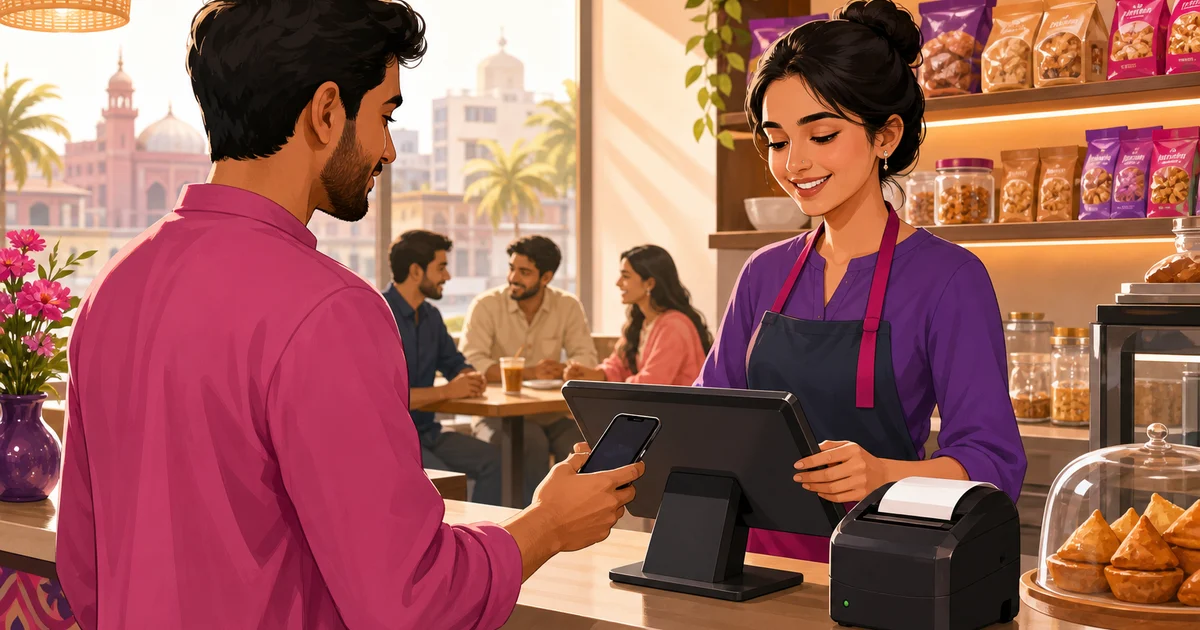
A POS system, short for point of sale system, is the software and hardware a business uses to take an order, accept payment, and record the sale. The point of sale is simply the moment and place a customer pays, the counter, the table, or a phone checkout. So when people ask what is a POS system, the plain answer is this: it is the tool that turns a sale into a clean record, prints or shows a receipt, and keeps a running account of what you sold and how you got paid.
That sounds like a fancy cash register, and the earliest versions almost were. A modern POS does much more. This guide explains what a POS system is, the parts it is made of, what it actually does during a sale, and why a restaurant needs a POS built for kitchens and tables rather than a generic shop till.
What is a POS system, exactly?
A POS system has two halves that work together. The software is the brain: it holds your products and prices, builds the order, does the maths, applies any discount or tax, and saves the sale. The hardware is the body: a screen to tap, sometimes a cash drawer, a receipt printer, and a way to take card or mobile payment. On older setups the hardware was a fixed terminal bolted to a counter. Today the software often runs in a web browser on a tablet, phone or laptop, so the same system works on whatever device you already own.
The job of a POS is to make the sale fast, accurate and recorded. Fast, so a queue moves. Accurate, so the price, change and tax are right every time. Recorded, so at the end of the day you know exactly what came in, item by item, instead of counting cash and guessing. A till gives you a drawer of money and a paper roll. A POS gives you a searchable history of every order. So the better way to ask what is a POS system is to ask what it remembers: a till remembers nothing, a POS remembers everything.
The main parts of a POS system
Most point of sale setups are built from a handful of pieces:
- POS software: the app where staff build orders, take payment and view sales. This is the part that matters most.
- A device to run it: a tablet, phone, laptop or a dedicated terminal. Browser-based systems are not fussy about which one.
- A receipt printer: usually a small thermal printer for the customer copy, and often a separate one for the kitchen.
- A cash drawer: still needed wherever cash is king, which in Bangladesh is most places.
- A payment method: cash and change handled in the app, plus mobile wallets like bKash and Nagad, and cash on delivery for orders that go out.
You do not need every piece on day one. A small cafe can run a POS on a single tablet with a thermal printer and a drawer, and add more as it grows.
What does a POS system actually do during a sale?
It helps to walk through a single transaction. A customer orders two coffees and a sandwich. Here is what the POS handles, step by step:
- Staff tap the items on screen. The POS pulls the right prices automatically, so nobody adds them up in their head.
- If there is a discount or a coupon, it is applied to the order, and any tax or service charge is calculated on top.
- The total appears. The staff member takes payment, cash, a mobile wallet, or cash on delivery, and the system works out the change if needed.
- A receipt prints or shows on screen with the line items and the breakdown.
- The sale is saved. It now sits in the day's sales, ready to appear in reports.
Every one of those steps used to be manual: a handwritten chit, a mental sum, a guess at change, a note in a copybook. A POS does them in seconds and leaves a record you can trust. That record is the real value. It is what lets you see your busiest hour, your best-selling item, and your true daily total without counting twice.
POS software vs POS hardware
People sometimes shop for a POS as if it were a single box. It helps to keep the two halves clear, because the software is where almost all the value lives.
| Aspect | POS software | POS hardware |
|---|---|---|
| What it is | The app that runs orders, payments and reports | Screen, printer, cash drawer, payment device |
| What it decides | Prices, tax, discounts, what gets recorded | How you physically tap, print and pay |
| How often it changes | Often, with updates and new features | Rarely, you buy it once |
| Where the data lives | In the software, searchable later | Nowhere lasting on its own |
| Can you switch it | Yes, this is the choice that matters | Reusable across many systems |
The lesson is simple. Buy the software for what it does, and pick hardware that the software supports. A browser-based POS like Rosuii runs on ordinary tablets, phones and laptops, so you are not locked into one vendor's machine. If you want the deeper version of this, our guide to POS software covers how the application itself is built.
Why a restaurant needs a restaurant POS, not a generic one
A shop selling shoes and a restaurant both make sales, so why not use the same POS? Because a restaurant sale is messier. A guest sits at a table, orders in rounds, changes their mind, asks for less chilli, and pays at the end, not the start. A retail till is built for scan, pay, done. It has no idea what a table is, what a kitchen ticket is, or how to handle a dish sent back.
A restaurant POS is built around the way food service actually works:
- Tables and channels. It handles dine-in, takeaway and delivery on one screen, with tables and waiters assigned to dine-in orders. To see how that side works, read about restaurant table management.
- Menu structure. Items come with variations (small, large), add-ons (extra cheese) and per-line notes (no onion), which a retail product list cannot express.
- Kitchen tickets. Orders go to the kitchen as a ticket, separate from the bill, so cooking starts before the guest pays. This is the kitchen order ticket (KOT).
- Pay at the end. The bill is built up over a visit and only finalised, with VAT and service charge, when the guest asks for it.
A generic POS forces a restaurant to bend its workflow to fit the software. A restaurant POS does the opposite. For the full picture of what that looks like, see our guide to the restaurant POS system.
How Rosuii works as a restaurant POS
Rosuii is a cloud restaurant POS that runs in a web browser, so the same point of sale opens on a phone, tablet, laptop or counter terminal without installing anything. Because it is cloud-based, your menu, prices and sales live in one place, and a manager can check the day's figures from another branch or from home. It leans on a connection to sync across devices and to confirm online payments, but it does not go dark when the line drops: it caches the menu in the browser and queues orders on the device during an outage, then syncs them automatically when you are back online, so staff keep taking orders right through it.
On the POS screen, staff pick items, set variations and add-ons, add notes, and attach a table and waiter or a walk-in customer. They can Save Draft to hold an order, Send to Kitchen to fire the kitchen ticket, or move to Bill and Pay. The price is worked out on the server in a fixed order, discount, then coupon, then loyalty, then service charge, then VAT, so the total is the same no matter who rings it up. Payment is taken as cash with automatic change, or a mobile wallet such as bKash, Nagad or Rocket, and the receipt prints on a thermal printer. Card is shown as an option but is a placeholder, since the real, working rails in Bangladesh are bKash, Nagad and cash on delivery.
Every sale flows into reports. You get sales by day, item sales, staff sales, and a day-close summary, with date ranges and CSV export. To understand what those reports tell you, our guide to restaurant POS software goes deeper on the application side, and restaurant day close and the Z-report covers how you close out a shift.
Choosing a POS system: what to look for
If you are weighing up a POS for the first time, a few questions cut through the noise. Does it handle the way you actually serve, tables, takeaway and delivery together? Does it take the payments your customers use, which in Bangladesh means bKash, Nagad and cash, not just card? Does it run on devices you already have, or does it force you to buy a fixed terminal? And does it turn your sales into reports you will actually read?
A POS is not a luxury for a busy restaurant. It is the difference between knowing your numbers and guessing them, between a queue that moves and one that stalls, between a kitchen that gets clean tickets and one that argues over handwriting. Start with the software that fits food service, and the rest follows. Create your free Rosuii account and set up your menu, tables and first sale today.
Updated:
Frequently asked questions
What is a POS system in simple terms?
What does POS stand for?
What is the difference between POS software and POS hardware?
Do I need a special POS for a restaurant?
Does Rosuii's POS work offline?
Run your restaurant on Rosuii
POS, menu, inventory, payroll and more — built for Bangladeshi restaurants.
Start free

