
What Is POS Software? A Restaurant Owner's Guide
POS software is the program that records a sale and everything around it: the order, the payment, the receipt and the report. This guide explains what POS software includes, cloud versus legacy, the features that matter for restaurants, and how to choose.
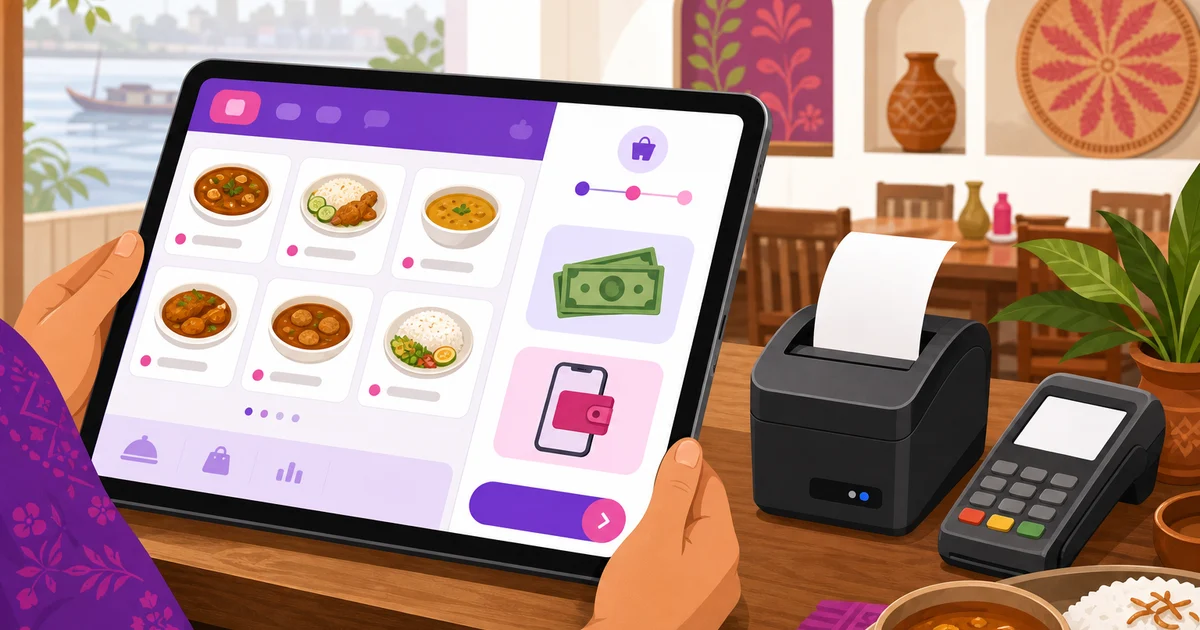
POS software is the program that records a sale and handles everything wrapped around it: building the order, taking the money, printing the receipt, and keeping a record you can read later. The term is short for point-of-sale software, and you have used it from the customer side a thousand times, every time a shop or restaurant tapped your order into a screen instead of a paper pad. This guide explains what POS software is, what it includes, how the cloud kind differs from the old installed kind, which features matter for a restaurant, and how to pick one without overpaying.
A note on scope. This is a hub guide written for restaurant owners in Bangladesh, with Rosuii as the running example, described honestly for what it does. If you want the concept of a point-of-sale system explained end to end, our companion piece on the restaurant POS system covers that ground; here we focus on the software itself, what it is and how to choose it.
What POS software is
At its simplest, POS software turns a screen into a till that understands your business. A cashier or waiter taps in what the customer wants, the software prices it correctly including any tax, takes the payment, and logs the sale. The difference between POS software and a plain calculator is everything that happens around the sale: it knows your menu, your prices, your tax rules, your discounts, and it remembers every transaction so you can see what sold.
For a restaurant, POS software reaches past the counter. It sends the order to the kitchen, assigns a dine-in order to a table, tags a delivery, applies VAT and service charge, and feeds your daily reports. The software is the brain; the screen, printer and any card reader are just the body it runs on.
What POS software includes
People often picture POS software as one screen, but a working setup has a few parts. Knowing them helps you tell a real product from a thin one.
The POS app
This is the screen staff actually use to build and ring up an order. For a restaurant it should handle dine-in, takeaway and delivery, let you pick items quickly, add sizes, modifiers and notes, and apply discounts in a controlled way so prices are never guesswork. Rosuii puts all three order types on one screen with variations, add-ons, per-line notes and server-side pricing, so the front counter moves fast and the totals are always right.
Payments
The software has to collect money, and the methods it supports decide whether it fits your customers. In Bangladesh that means more than card. Rosuii handles cash with automatic change, plus real, working bKash and Nagad, Rocket, and cash on delivery for online orders, with your own gateway keys so the fees stay yours. Card payment is a placeholder for now rather than live processing, so the rails customers reach for every day are the ones that genuinely work.
Printer and hardware
Most restaurants still hand over a printed receipt and route a ticket to the kitchen. Good POS software drives the thermal printer sizes restaurants use and lets each branch set its own. Rosuii supports 58mm, 80mm and A4 receipts with per-branch printer settings, and routes kitchen items to the right station. Because the software runs in a browser, the device itself can be a phone, tablet or laptop you already own, with no proprietary terminal to buy.
Reports and the back office
This is where POS software pays for itself. Instead of guessing, you get sales, item sales, staff performance and a day-close, plus the menu, customer and inventory tools that sit behind the counter. Rosuii gives you these reports with date-range presets and CSV export, alongside menu management, customers, loyalty and your own online ordering site, each restaurant on its own isolated database and branded subdomain.
Cloud POS software versus legacy POS software
The biggest choice is not the brand, it is the generation. Legacy POS software is installed on one machine behind the counter. It runs without internet, but your data lives on that single PC, updates are manual and often paid, a second branch usually needs a fresh licence, and a disk failure can wipe your records.
Cloud POS software runs through the internet and stores your data on secure servers. You log in from a phone, tablet or laptop, updates arrive automatically, adding a branch is a setting, and your data is backed up off-site. People used to worry that a cloud POS stops the moment the line drops, and that is the part Rosuii changed. Rosuii is cloud software delivered as a browser app, a PWA, so it installs like an app on your device, and it keeps taking orders when the internet goes down. It caches your menu on the device and queues each order locally, then syncs every sale automatically the moment the connection returns, mark-paid included. A dropped line no longer stops billing. What still needs a connection is online-payment confirmation through bKash or Nagad and live updates across other devices, so it is fair to say Rosuii keeps taking orders offline and catches up when you are back online, not that everything runs fully offline. We compare the two in detail in cloud POS versus traditional POS.
Key features to look for in restaurant POS software
Once you know it is cloud software you want, judge it on the features a restaurant actually leans on. A short checklist:
- Dine-in, takeaway and delivery on one screen, so staff never switch apps between a walk-in, a phone order and a marketplace ticket.
- Menu with sizes, modifiers and add-ons, priced cleanly, with per-line notes for special requests.
- Kitchen routing, ideally to a kitchen display, so orders hit the line the instant they are confirmed.
- bKash and Nagad as real methods, not just card, plus cash and cash on delivery.
- Built-in VAT and service charge, applied automatically and shown on the receipt.
- Controlled discounts, coupons and loyalty, so promotions do not quietly eat your margin.
- Reports and a day-close, so you know each day's number without adding up paper.
- Bangla and English, so every member of staff works in the language they are comfortable in.
- No hardware lock-in, so it runs on a device you already own.
For a deeper walk through the restaurant-specific category, see our guide to restaurant POS software, and for a ranked look at what is available locally, our roundup of the best restaurant POS software in Bangladesh.
How much POS software costs
Cloud POS software is usually billed monthly per branch, which keeps the upfront cost low and spreads it over time. Legacy software tends to charge a larger one-time licence and then again for updates and extra branches. For a restaurant in Bangladesh, cloud platforms generally run from a few hundred to a few thousand taka a month depending on size and features, and the best now start free.
Rosuii publishes Free, Starter, Growth and Pro in BDT, with monthly and annual choices. Starter includes online ordering, inventory, reservations and KDS/CDS; Growth adds payroll, loyalty and report export. Select the branch and order limits in the current pricing matrix.
Marketplace order tagging is on Starter and Pro, not Growth; it is manual entry, not automatic Foodpanda or Pathao import. Eligible bKash/Nagad gateway connectivity is on Pro and requires merchant approval and credentials. Hardware, provider fees and separately agreed services affect the total; see the POS cost guide.
How to choose POS software
Start from your own restaurant rather than a feature list. A single cafe wants fast billing, clean receipts, mobile money and a simple daily report, and should not pay for kitchen displays or deep inventory yet. A growing multi-branch operation wants kitchen routing, inventory, loyalty and one dashboard across locations. Match the plan to where you are, not where a salesperson imagines you should be.
Whatever the size, insist on the Bangladesh essentials: real bKash and Nagad, Bangla and English, taka pricing with built-in VAT and service charge, and no hardware lock-in. POS software that ticks those will help you run the restaurant rather than fight you. See the full set of what Rosuii does on the features page.
The short version
POS software is the program that records a sale and everything around it: the order, the payment, the receipt and the report. The modern, restaurant-friendly kind is cloud software you run in a browser, takes bKash and Nagad as well as cash, routes orders to the kitchen, and shows you a clean daily number, on a plan priced for a Bangladeshi restaurant's margins. Pick by your real needs, hold out for the local essentials, and the software earns its keep.
Want to see POS software built for Bangladesh in action? Create your free Rosuii account and set up your menu, POS and online ordering today.
Last updated:
Frequently asked questions
What is POS software?
What is the difference between a POS system and POS software?
Is cloud POS software better than installed POS software?
Can POS software accept bKash and Nagad?
How much does POS software cost in Bangladesh?
Run your restaurant on Rosuii
POS, menu, inventory, payroll and more — built for Bangladeshi restaurants.
Start free

