Nagad Merchant Account for a Restaurant: A Practical Guide
A clear walkthrough for Bangladeshi restaurants on getting a Nagad merchant account: the documents you need, how to register, how customers pay you, and how a POS records each Nagad payment against the right order.
A Nagad merchant account is the business version of Nagad that lets a restaurant collect payments under a proper merchant identity instead of a personal wallet. If your customers already pay you with Nagad by sending money to a personal number, you are leaving money and clean records on the table. This guide explains how a restaurant gets a Nagad merchant account, what it needs, how the money is collected at the counter, and how a point-of-sale system records each Nagad payment so your daily numbers add up.
We keep the real-world steps qualitative where the provider's terms change. Charges and limits get updated, so treat anything specific here as a prompt to confirm Nagad's current merchant terms, not a quoted figure.
Why a restaurant needs a Nagad merchant account
Plenty of small outlets in Bangladesh start by writing a personal Nagad number on a card and asking customers to send money. It works for a tea stall. For a restaurant taking dozens of payments an evening, it causes three problems. Your personal wallet has receiving limits that a busy night can hit. Business income mixes with personal money, which makes tax and accounting messy. And you get no proper sales statement, so you cannot prove what came in.
A Nagad merchant account fixes all three. It is built for business, so customers use the Merchant Pay or QR option rather than Send Money, your receiving capacity is far higher, and you get a merchant statement you can hand to an accountant. The money is clearly business income, which matters the moment you deal with VAT or a bank. For anything past a single street stall, register as a merchant.
Personal Nagad vs a Nagad merchant account
| Aspect | Personal Nagad (Send Money) | Nagad merchant account |
|---|---|---|
| Built for | Person-to-person transfers | Business payments |
| How the customer pays | Send Money to your number | Merchant Pay or scan your QR |
| Receiving capacity | Limited, can be hit at peak | Higher business limits |
| Sales record | None you can rely on | Proper merchant statement |
| Money is | Mixed with personal funds | Clear business income |
What you need to open a Nagad merchant account
Nagad onboards businesses as merchants, and the exact paperwork is updated from time to time, so confirm the current list with Nagad before you apply. According to Nagad's merchant guidance, you should generally be ready with:
- Your trade license, ideally an updated one, the same license you need to run the restaurant legally.
- The owner's or signatory's National ID (NID or Voter ID), with a photocopy.
- Two passport-size photos.
- Business and outlet contact details, and a bank account in the business name for settlement.
- Where Nagad asks, your TIN and, for VAT, your BIN.
If you want a Shariah-compliant option, Nagad also offers Islamic merchant accounts that you apply for separately, with the trade license and details verified before approval. Whichever route you take, the trade license is the document that does most of the work, so get it sorted first. We cover the license itself in our guide to the restaurant trade license in Bangladesh.
How to register for a Nagad merchant account
There are a few ways to start. The most common is through the Nagad app: download it, choose the option to create a merchant account, then photograph and upload your updated trade license and the other documents when prompted. You can also open a merchant account by visiting a nearby Nagad cash service point or by contacting a Nagad distributor, which suits owners who would rather hand the papers to a person. If you get stuck, Nagad support is reachable on 16167 inside Bangladesh.
After Nagad verifies your trade license and details, you receive merchant credentials. For everyday in-store use that means a merchant wallet and a merchant QR. If you also plan to take Nagad online on your own ordering site, you will deal with Nagad's online payment route, which is a separate setup we describe later.
How a restaurant uses a Nagad merchant account at the counter
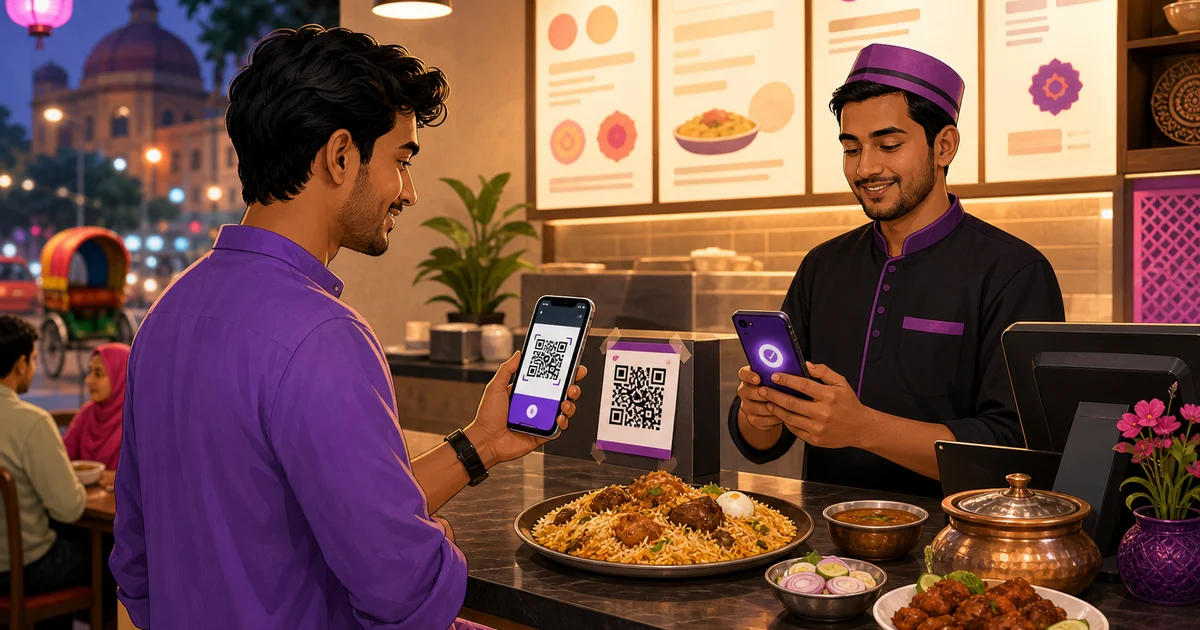
For dine-in and takeaway, a printed merchant QR at the till is the fastest way to collect. The flow is short:
- Ring up the order and tell the customer the total in taka.
- The customer opens Nagad, taps Merchant Pay or scans your QR, and enters the amount.
- You see the confirmation in your merchant app, then mark the order paid.
Keep the QR clean and well lit, and put it where a customer can reach it without leaning over hot food. Many counters now show a single Bangla QR that works across Nagad, bKash and bank apps at once, which saves printing a separate code for each wallet. We explain that shared code in our guide to Bangla QR payments for restaurants.
The one weak point of a standalone QR is the last step. A staff member has to read the confirmation and mark the order paid by hand, typing the right amount against the right table. On a busy evening that is exactly where a payment gets missed or matched to the wrong bill. That is the gap a POS closes.
How Rosuii records a Nagad payment
Rosuii is restaurant software, not a bank or a payment company. It does not replace your Nagad merchant account. What it does is record the method and amount of every payment against the order it belongs to, so your takings reconcile at the end of the day.
At the counter, when a cashier closes a bill in the Rosuii POS, the payment screen lets them tag how it was paid: cash, Nagad, bKash, Rocket or cash on delivery. Tag Nagad on the bill and that dine-in or takeaway payment is now on record against a specific order, with the price, any discount, service charge and VAT broken out. No more guessing from a wallet statement which transaction matched which table.
For online orders on your own storefront, Rosuii goes further. It has a real Nagad integration (using Nagad's Online Payment API) alongside bKash, so a customer paying on your ordering site is sent through Nagad's checkout and the payment is verified back against that order automatically. You add your own Nagad keys in the panel, which keeps your credentials private to your restaurant. Card payments in Rosuii are only a placeholder for now, so Nagad, bKash and cash on delivery are the real rails to lean on. To see the wider setup, read restaurant software with bKash and Nagad.
Where Nagad fits among your payment rails
Most Bangladeshi restaurants do not pick one rail. They run cash, Nagad and bKash at the counter, with cash on delivery and online wallet payment behind their delivery orders. A Nagad merchant account is one piece of that mix, and the value of recording it in a POS is that every rail lands in the same day report. For the full picture of what your customers reach for, see restaurant payment methods in Bangladesh, and for the in-store and online split read how to accept bKash and Nagad in a restaurant.
Charges, settlement and limits: confirm the current terms
Merchant payments usually carry a charge that the business absorbs, which is the trade-off for higher limits and a clean statement. Nagad has at times offered reduced rates for small and medium businesses under specific schemes, so the rate you pay can depend on your category. Settlement is the money moving from your merchant wallet to your linked bank account, and the timing and any fee depend on Nagad's current terms.
We are deliberately not quoting a fixed percentage or limit here, because these change. Check Nagad's current merchant tariff and limits before you commit, and ask specifically about your business type, settlement timing, and how refunds work. Then record those numbers in your own books so reconciliation stays honest.
Reconcile Nagad takings at day-close
The habit that makes a merchant account pay off is a nightly check. At close, compare the Nagad-tagged sales in your day report against your Nagad merchant statement, and your counted cash against cash sales. If a figure does not match, you have a short list to investigate that night, not a month-long mystery. A POS day-close, or Z-report, that splits takings by payment method turns this into a five-minute job. We walk through it in the restaurant day-close and Z-report guide.
Put it together
A Nagad merchant account gives your restaurant higher limits, a proper statement and clean business income, and registering is mostly a matter of your trade license, NID and a bank account. Take payments fast with a merchant QR at the counter, add your Nagad keys to take payment online, record every Nagad payment against its order, and reconcile each night. Get that loop right and Nagad becomes a reporting asset instead of a guessing game.
Want a POS that records every Nagad payment against the right order? Start your free Rosuii account and connect your Nagad keys in the panel.
Last updated:
Frequently asked questions
Do I need a Nagad merchant account for my restaurant?
What documents do I need to open a Nagad merchant account?
How do I register for a Nagad merchant account?
Can Rosuii record Nagad payments at the counter and online?
What does a Nagad merchant account charge a restaurant?
Run your restaurant on Rosuii
POS, menu, inventory, payroll and more — built for Bangladeshi restaurants.
Start free