
Bangla QR Payment for Restaurants: One Code for Every App
What Bangla QR payment is, how one interoperable code lets customers pay with any bank or wallet app, how QR-at-table works in a restaurant, its pros over cash, and how a POS records each payment.
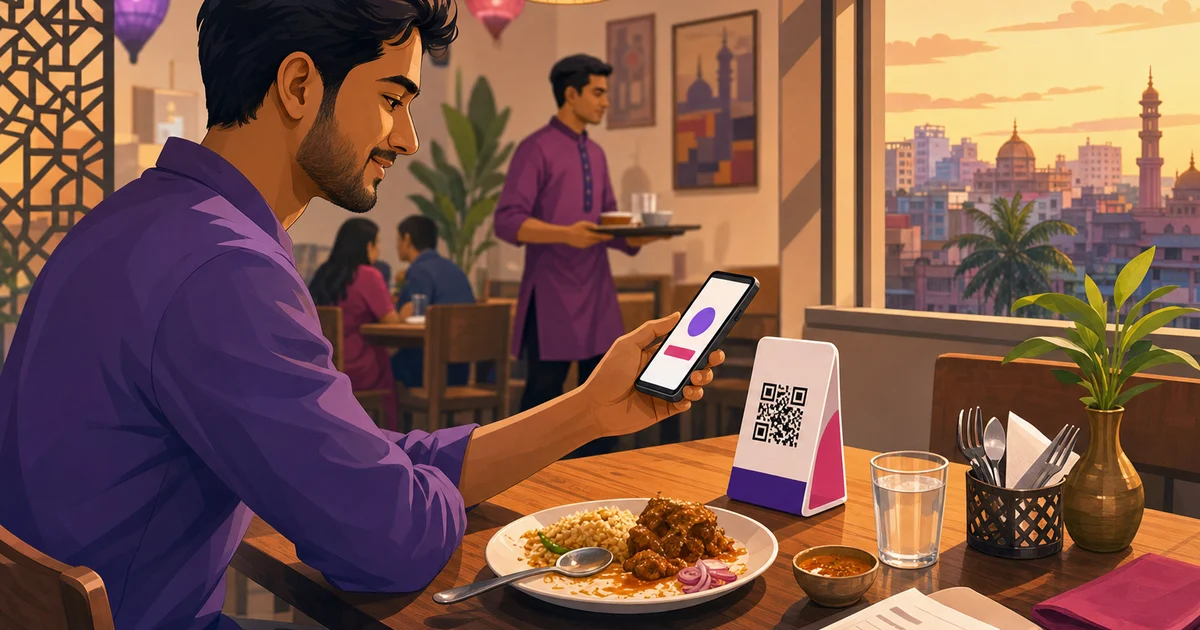
Bangla QR payment is Bangladesh Bank's national, interoperable QR standard: one QR code at your counter that customers can pay with using almost any bank or mobile wallet app. Before it, a restaurant had to stick up a separate code for bKash, another for Nagad, and maybe a bank's own one, and a customer could only pay if they had the matching app. Bangla QR replaces that mess with a single code that works across the lot. This guide explains what Bangla QR payment is, how a restaurant uses it at the counter and at the table, why it beats cash on several counts, and how Rosuii records each payment against the order.
Some details here, such as transaction thresholds, change over time. Treat them as a prompt to confirm the current rules with your bank or wallet provider, not as fixed values.
What is Bangla QR payment?
Bangla QR is an interoperable QR payment standard introduced by Bangladesh Bank. Interoperable is the key word. With a proprietary QR, your bKash code only worked for bKash users. With Bangla QR, one code at your till can be scanned and paid by a customer using bKash, Nagad, a bank app, or another participating provider, all reading the same standard. The customer scans, enters the amount, authorises with their PIN, and the money lands in your linked bank account.
This is not a niche option. Bangladesh Bank has been moving the whole market onto Bangla QR, directing banks, mobile financial service providers and payment service providers to phase out their own proprietary QR codes at merchant points in favour of the unified Bangla QR. Merchant points explicitly include restaurants. So over time, the single Bangla QR is becoming the standard code you display, rather than a stack of separate ones.
Bangla QR vs separate wallet QRs
| Aspect | Separate wallet QRs | Bangla QR |
|---|---|---|
| Codes at the counter | One per wallet (bKash, Nagad...) | One code for all |
| Which customers can pay | Only those with the matching app | Almost any bank or wallet app |
| Where money lands | Each wallet separately | Your linked bank account |
| Clutter at the till | Several stickers to manage | One to keep clean |
How a restaurant gets a Bangla QR code
You do not apply to Bangladesh Bank directly. You get your Bangla QR through a participating bank or mobile financial service provider as part of being onboarded as a merchant. In practice that means the same merchant relationship you set up for a bKash merchant account or a Nagad merchant account, or a merchant account with your bank, produces a Bangla QR you can print and display. The money settles to the bank account linked to that merchant setup.
One rule worth knowing: a Bangla QR is for receiving payments only. If a merchant tries to misuse it, for example to cash out rather than to collect from customers, the provider can cancel the code. Use it for what it is, a way for customers to pay you, and it is straightforward.
How QR payment at the counter and at the table works
At the counter, the flow is the same short loop as any merchant QR, just with one code that everyone can use:
- Ring up the order and tell the customer the total in taka.
- The customer opens their bank or wallet app, scans your Bangla QR, and enters the amount.
- They authorise with their PIN, you see it confirmed, and you mark the order paid.
QR really comes into its own at the table. Instead of a customer queuing at the till or waving for a card machine that does not exist, you can place a small QR stand on each table. A guest finishes their meal, scans, pays the bill from their seat, and leaves. No cashier bottleneck at the door, and your floor staff are freed from carrying cash back and forth. This pairs naturally with QR ordering, where the same table QR also lets guests browse the menu and order. We cover that side in our guide to QR code menu and contactless ordering and in restaurant table management with QR ordering.
How to roll out QR payments in your restaurant
Getting QR working well is mostly about placement and staff habit, not technology. A short rollout that tends to stick:
- Get your merchant code. Through your bank or wallet provider, get a Bangla QR tied to your business bank account, so settlement is clean.
- Place it where it is easy to use. A clear, well-lit code at the till for counter payments, and a small stand on each table for dine-in. A code a customer has to hunt for does not get used.
- Brief your staff. Cashiers and waiters should know to point a customer to the QR, watch for the confirmation, and tag the payment in the POS. The tagging step is what keeps your records straight.
- Decide your large-bill rule. Because per-transaction limits can apply, agree in advance what to do for a big group bill, whether that is QR, cash, or splitting the payment.
- Check it lands. For the first week, glance at your merchant statement against your QR-tagged sales at close, so you catch any habit gaps early.
None of this needs an engineer. The hardest part is the staff habit of tagging each payment, and a POS with clear payment tiles makes that quick.
Bangla QR vs cash: why it is worth it
Cash is not free, even though it feels like it. QR payment beats it on several practical counts for a restaurant:
- No change problems. The exact amount is paid, so no scrambling for ৳5 coins or rounding off and losing money over a day.
- Faster table turns. Paying from the seat means a table clears sooner, which matters at a packed Friday dinner.
- Less cash to handle. Less counting, fewer drawer errors, and less cash sitting in the till to worry about at close.
- A record of every payment. Each QR payment leaves a trace in your merchant statement, unlike a banknote that vanishes into a pocket.
- Hygiene. Contactless payment means no notes changing hands at the table, which guests have come to prefer.
Cash is not going away, and you will keep taking it. The point is that a chunk of your takings can shift to QR with real upside and almost no setup cost beyond getting a merchant code. For the full mix of rails your customers use, see restaurant payment methods in Bangladesh.
How Rosuii records a Bangla QR payment
Rosuii is restaurant software, not a bank or a payment company, and it does not issue or replace your Bangla QR. The QR itself comes from your bank or wallet provider. What Rosuii does is record the payment against the order, so a QR payment becomes part of your numbers instead of a notification you have to reconcile by hand.
When a customer pays a counter or table bill with Bangla QR, the cashier closing the bill in the Rosuii POS tags how it was paid. The payment tiles cover cash, bKash, Nagad, Rocket and cash on delivery, so you record the method that matches the wallet the customer used, with the price, discount, service charge and VAT all broken out on that specific order. If the same payment came through your own online storefront, Rosuii's real bKash and Nagad integrations verify it back against the order automatically. Either way, the money is tied to an order, which is what makes a five-minute day-close possible instead of a spreadsheet evening. We walk through that in the restaurant day-close and Z-report guide, and the POS itself in restaurant POS software.
Limits and charges: confirm the current rules
Per-transaction thresholds on QR payments have shifted over time and can depend on your provider and account, so check the current limits and any per-transaction caps with your bank or wallet before you rely on QR for large bills. Merchant payment charges, where they apply, also depend on the provider's current terms. We are not quoting figures here because they change. Confirm the current limits, charges and settlement timing with your provider, and record them in your books so reconciliation stays honest. For the wider context of how Bangladeshi customers pay, read how to accept bKash and Nagad in a restaurant.
Put it together
Bangla QR payment gives a restaurant one code that nearly every customer can pay with, money that settles to your bank account, and a real record of each transaction. Get your Bangla QR through your bank or wallet merchant account, display it at the counter and put a stand on each table, take a share of payments off cash, and use a POS that records each payment against its order. Confirm the current limits and charges with your provider, and QR becomes a faster, cleaner way to get paid.
Want every QR, bKash and Nagad payment recorded against the right order? Start your free Rosuii account and set up table QR ordering and payments today.
Updated:
Frequently asked questions
What is Bangla QR payment?
How does a restaurant get a Bangla QR code?
How does QR payment at the table work in a restaurant?
Is Bangla QR better than cash for a restaurant?
Can Rosuii record Bangla QR payments?
Run your restaurant on Rosuii
POS, menu, inventory, payroll and more — built for Bangladeshi restaurants.
Start free

