
Restaurant software with bKash and Nagad: the Bangladesh payments guide
Your customers reach for bKash and Nagad before they reach for cash. Here is why restaurant software with built-in MFS matters, how Rosuii does real bKash and Nagad, and how to set it up with your own merchant keys.
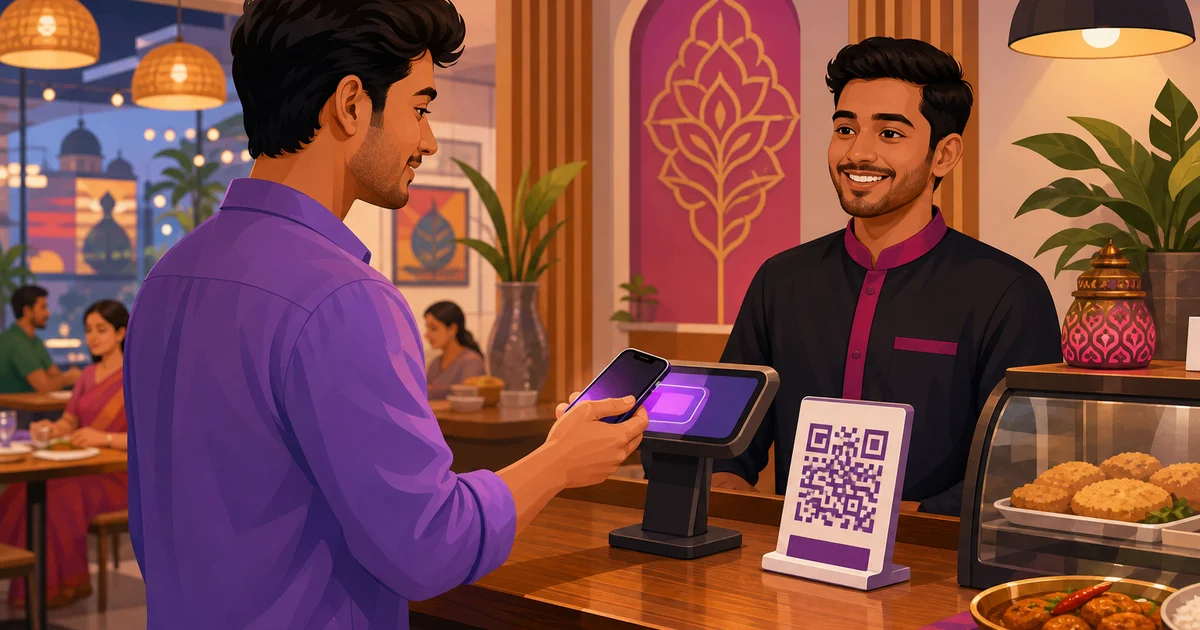
Walk up to almost any counter in Dhaka, Chattogram or Sylhet and the first question a customer asks is not "do you take card?" - it is "bKash ache?" Mobile financial services run daily life here, and a restaurant that cannot accept them on the spot is asking diners to do extra work. That is exactly why restaurant software with bKash and Nagad built in has stopped being a nice extra and become table stakes. This guide explains why it matters for a Bangladeshi restaurant, what Rosuii actually supports, and how you switch it on with your own merchant credentials.
The old way is familiar and it leaks money. A staff member rattles off a personal number, the customer does a Send Money, then holds up a phone so someone can squint at a screenshot and a transaction ID. At a quiet table that is mildly annoying. During a Friday dinner rush it is a queue, a payment that lands in the wrong personal wallet, and a reconciliation headache at close. Proper restaurant software with bKash and Nagad replaces that whole dance with a single tap inside the order.
Why built-in bKash and Nagad matters for a BD restaurant
The case is practical, not theoretical. A few things change the day you wire MFS into the point of sale itself.
- Customers expect it. MFS is the default wallet for a huge share of diners. Offer it at the counter and on your online storefront and you remove the most common reason an order stalls.
- Fewer abandoned online orders. On your own ordering page, a guest who has to leave the checkout, open a wallet app, copy a number and come back often just leaves. A built-in bKash or Nagad checkout keeps them inside the flow until the order is paid.
- Money lands in the right account. When the gateway is tied to your restaurant's own merchant account, every payment settles to the business, not to whichever staff phone happened to be near the till.
- Faster, cleaner settlement. Merchant payments settle to your account on the schedule set by your agreement with the provider, and each one carries a real transaction reference your software records against the order. No screenshots, no guesswork at close.
- No screenshot friction. The cashier never has to verify a photo. The payment status comes back from the gateway, the order is marked paid, the kitchen ticket fires. That is faster service and fewer disputes.
What restaurant software with bKash and Nagad supports in Rosuii
Here is the honest, method-by-method picture. Rosuii does not pretend a payment type is live when it is not, so use this table when you plan how you will take money.
| Method | Type | Status in Rosuii |
|---|---|---|
| bKash | Mobile financial service (MFS) | Real - Tokenized Checkout integration |
| Nagad | Mobile financial service (MFS) | Real - Online Payment API integration |
| Rocket | Mobile financial service (MFS) | Supported |
| Cash | In-person | Yes - fully supported |
| Cash on delivery (COD) | Delivery | Yes - fully supported |
| Card | Debit / credit | Simulation / placeholder only - not a live card processor |
The two big ones are real. bKash runs through bKash Tokenized Checkout, the same flow your customers already trust from other merchants. Nagad runs through the Nagad Online Payment API. Rocket is supported, and cash and cash on delivery work exactly as you would expect for dine-in, takeaway and delivery orders.
One point you must not gloss over to your team: card payments in Rosuii are a simulation / placeholder only. Rosuii is not a live card processor and does not move real money on a debit or credit card. If you need real card acceptance, that is a separate gateway relationship outside the current card option. Everything else above is built to take real payments once you plug in your keys. You can see how payments fit alongside the rest of the system on the Rosuii features page.
Per-tenant gateway keys: your money, your account
This is the part that protects your cash, so read it twice. Rosuii is not a payment aggregator and does not hold your funds. Instead, each restaurant - each tenant - enters its own bKash and Nagad merchant and app credentials into Rosuii's payment settings. The software uses your keys to talk to the gateway on your behalf, which means every bKash and Nagad payment settles straight into your restaurant's MFS merchant account.
Practically, that gives you three things. Your settlements never pass through a middleman wallet. Your reporting matches what the provider shows on their side, because it is literally your merchant account. And if you run more than one outlet, each branch's payments are governed by the credentials you set, with no money pooled where it should not be. Rosuii's job is to pass the request and record the result against the order; the funds relationship stays between you and bKash or Nagad.
Test in sandbox before you go live
You should never point a real customer at a payment flow you have not tried yourself. Rosuii supports sandbox mode for exactly this. Enter your test credentials, run bKash and Nagad payments end to end against the providers' sandbox, and confirm the order is created, the payment status comes back, and the receipt looks right. When you are happy, swap in your live keys and flip to live. Sandbox first, live second - that order keeps a typo in a key from costing you a real sale on opening night.
A short, honest setup overview
The full picture depends on your agreement with each provider, so treat this as the shape of the work rather than exact screen names. Approval steps and timelines vary, typically depending on the documents you submit and the package you sign up for with bKash and Nagad.
- 1. Apply for merchant and API access. Get a merchant account with bKash and with Nagad, then request the API or app credentials for online payments. This is a relationship you open directly with each provider as the business.
- 2. Collect your keys. You will end up with a set of credentials per provider - typically things like an app key, app secret, username and password for bKash Tokenized Checkout, and the merchant ID and keys Nagad issues for its Online Payment API. Keep them private.
- 3. Enter them in Rosuii. Open your payment settings in Rosuii and paste each provider's credentials into its section. These stay scoped to your restaurant.
- 4. Test in sandbox. Switch the gateway to sandbox mode and run real test transactions until bKash and Nagad both complete cleanly and the order is marked paid.
- 5. Switch to live. Replace the test credentials with your production keys, set the mode to live, and take a small real payment to confirm settlement before you announce it.
If you want a wider view of what diners pay with across the country, our guide to restaurant payment methods in Bangladesh covers the full mix, and the step-by-step on how to accept bKash and Nagad at your restaurant goes deeper on the day-to-day.
What it costs, stated plainly
There are two separate bills, and mixing them up causes a lot of confusion. bKash and Nagad set their own merchant transaction fees on the payments you take - those rates are between you and the provider, and you should confirm the current numbers with bKash and Nagad directly, since they depend on your merchant agreement. Rosuii's subscription is separate from that. Plans are Free ৳0, Starter ৳500, Growth ৳1,200 and Pro ৳2,500 per month, with no setup fee. Rosuii does not add its own per-transaction charge on top of your MFS payments - you are not double-charged by the software for taking a bKash or Nagad payment.
The bottom line
In Bangladesh, the wallet usually wins. Giving diners a clean bKash or Nagad tap at the counter and on your online storefront removes the most common friction in the whole transaction, sends the money to your own account, and gives you a real reference for every payment instead of a blurry screenshot. With per-tenant keys you stay in control of settlement, and with sandbox mode you prove it works before a single real taka moves. That is the practical case for restaurant software with bKash and Nagad - less friction, cleaner books, happier queues.
Ready to take real bKash and Nagad payments under your own merchant account? Create your Rosuii account and set up your payment gateways in sandbox today, then flip to live when you are ready.
Updated:
Frequently asked questions
Does Rosuii support real bKash and Nagad payments?
Do payments go to my own bKash and Nagad merchant account?
Can I test payments before going live?
Does Rosuii charge an extra fee per transaction?
Can Rosuii process real credit or debit cards?
Run your restaurant on Rosuii
POS, menu, inventory, payroll and more — built for Bangladeshi restaurants.
Start free

