
Online POS Software: Run Your Restaurant From Anywhere
Online POS software runs in the browser, so you can take orders and watch live sales from anywhere, across every branch. Here is how web-based POS works, what it gives you, and the honest fact that it needs internet.
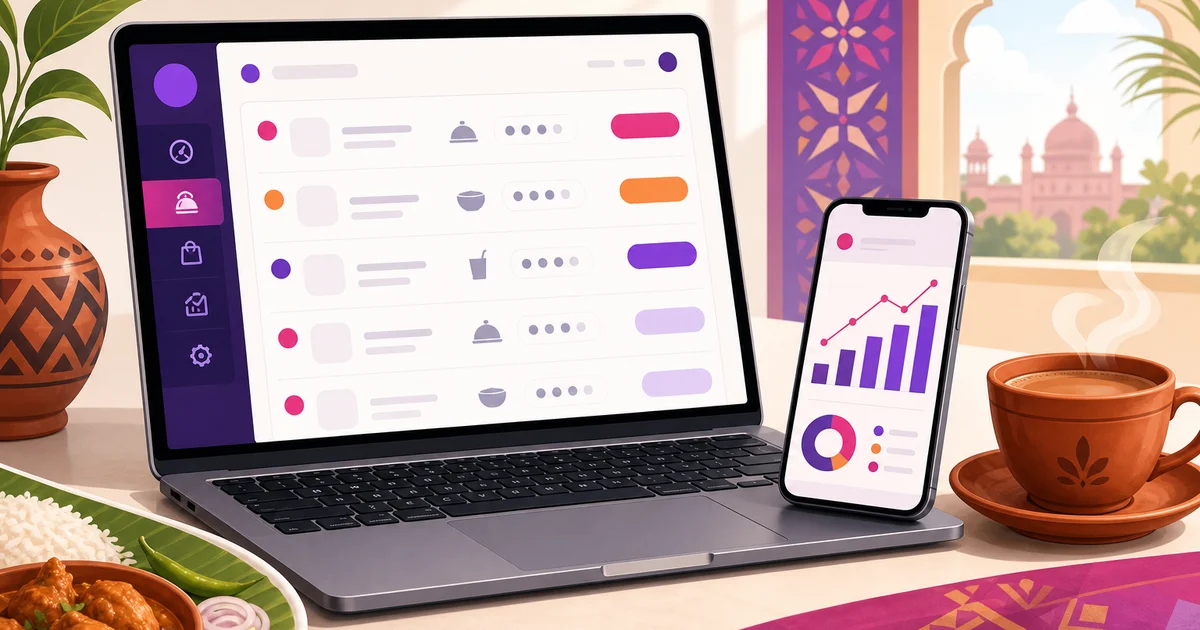
Online POS software changes one thing that sounds small but reshapes how you run a restaurant: your point of sale is no longer trapped on a single machine behind the counter. It lives on the web, so the till on the counter, the kitchen screen, and the sales report on your phone all read from the same live data. You can be at home, at a second branch, or stuck in traffic and still see exactly what is selling right now. For an owner trying to run a growing restaurant without living inside it, that reach is the whole appeal.
This guide explains what online POS software is, what it gives a restaurant, how it handles more than one branch, and the one honest fact every vendor should state plainly: it leans on an internet connection to sync and to confirm online payments, though Rosuii keeps taking orders through an outage and syncs them when the line returns. We use Rosuii as the running example, a web-based platform you open in any browser.
What online POS software is
An online POS, also called a web-based or cloud POS, runs through the internet instead of being installed on one local PC. You open a web address, log in, and the full point of sale loads on whatever device you are using. Your menu, orders, customers and reports live on secure servers, not on the machine in front of you, so any device with a browser becomes a window into the same system.
That is the core difference from old, installed POS software. A legacy system ties your data and your till to one computer. If you want to check sales, you walk to that machine. If the disk fails, your records can go with it. An online POS keeps the data central and the access open, which is why the same login works on a counter tablet, a kitchen screen and your phone at once. We compare the two generations in detail in cloud POS versus traditional POS.
What an online POS gives a restaurant
The web foundation unlocks a set of things an installed POS simply cannot do.
Take orders from any device
Because the POS is a web app, a cashier can ring orders on a tablet at the counter while a waiter takes table orders on a phone, both feeding the same kitchen. No machine to crowd around, no separate copy of the order to reconcile later. Rosuii handles dine-in, takeaway and delivery on one screen with table and waiter assignment, variations and add-ons, and per-line notes for the kitchen.
This flexibility matters most when the dining room fills up. On a busy night you can hand a second waiter a phone and add a third order point without buying a thing, then put it away when the rush passes. The number of tills scales with the crowd in front of you, not with the hardware you bought months ago, so you are never short of a screen at the moment you need one most.
See live orders and reports anywhere
This is where online POS earns its keep for owners. From your phone, anywhere with a connection, you can watch orders come in, see today's sales building, and open a day-close report without standing at the till. Rosuii gives you sales, item sales, staff and waiter performance, expenses and a profit-and-loss view, with date-range presets and CSV export, on a single dashboard. You stop calling the manager to ask how the night is going and just look.
Automatic updates and backups
An installed POS asks you to update it, often for a fee, and trusts your records to one hard disk. An online POS updates itself on the server, so every device runs the current version, and your data is held centrally and backed up off-site. A spilled drink on the counter tablet costs you a tablet, not your sales history.
One menu, one set of prices, everywhere
With an online POS, your menu and pricing live in one place and every device reads from it. Change a price, add a dish, or update VAT once, and the counter tablet, the waiter's phone and your online ordering page all show the new figure at the same moment. There is no walking from machine to machine to keep them in step, and no risk of one till charging an old price while another charges the new one. For a busy kitchen running specials, that single source of truth removes a steady trickle of small errors.
Your own online ordering, connected
Because the system already lives on the web, it can host your customer-facing ordering page on the same platform. Rosuii gives each restaurant a branded storefront on its own subdomain, where customers browse the menu, order for delivery or pickup, pay online or by cash on delivery, and even order at the table by scanning a QR. Counter sales and online orders land in the same place, so your kitchen and reports see one stream. See how the web side fits together in our guide to web-based restaurant management software.
Built for more than one branch
Online POS software shows its strength most clearly when you open a second location. With an installed system, each branch is an island: separate machines, separate data, and a manual job to add up the group. With an online POS, every branch logs into the same account, and you see them together.
Rosuii is built for this. You can run multiple branches under one account, each with its own floors, tables and printer settings, while head office sees a combined view across all of them. Pricing rules, the menu and loyalty stay consistent everywhere, and the reports roll up so you can compare branches side by side. Each restaurant also gets its own isolated database, so your data stays your own. Opening branch number two becomes a setting, not a second software purchase.
The honest part: it leans on internet
Here is the fact an online POS page should never bury. Because the system runs through the web, it uses an internet connection to sync across devices and to confirm online payments. Rosuii is a cloud platform delivered as a browser PWA that caches your menu in the browser and queues orders on the device during an outage, then syncs them automatically when the line returns, including marking them paid. So if your connection drops, billing keeps going and the orders catch up once you are back online. What a live line is still needed for is real-time sync between devices and confirming an online bKash or Nagad payment.
For most restaurants in Dhaka, Chattogram and other towns on a stable broadband line, this is a non-issue day to day. The sensible setup is still a primary broadband connection plus a mobile-data backup, a SIM in the tablet or a phone hotspot, so longer drops do not slow you down, while the on-device queue covers the brief ones. But you should know how it behaves before you choose, not discover it mid-shift. If you operate somewhere the connection fails for very long stretches, weigh that honestly and plan around it. We would rather set the expectation straight than promise something the software does not do.
Is online POS right for your restaurant?
Online POS software fits most restaurants well, and especially these:
- Owners who are not always on site. If you want to check sales from home or between branches, online access is the point.
- Growing or multi-branch restaurants. One account, one combined view, consistent menu and pricing across locations.
- Restaurants that want online ordering too. The same platform runs your counter and your storefront, so orders and reports stay unified.
- Anyone avoiding hardware lock-in. It runs in the browser on a phone, tablet or laptop you already own.
The one group that should look closely at the caveat is a restaurant in an area with a genuinely unreliable connection. Plan for backup data there, or weigh your options carefully. For everyone else, the freedom to run the business from your pocket is hard to give up once you have it.
Compare the plans on our pricing page and explore the full feature set on the features page. Ready to take orders and watch live sales from anywhere? Create your free Rosuii account and set up your menu, POS and online ordering today. No setup fee, cancel anytime.
Last updated:
Frequently asked questions
What is online POS software?
Does online POS software work without internet?
Can I see my restaurant sales from anywhere with online POS?
Does online POS software handle multiple branches?
How much does online POS software cost in Bangladesh?
Run your restaurant on Rosuii
POS, menu, inventory, payroll and more — built for Bangladeshi restaurants.
Start free

