
BRAC Bank POS Machine for Restaurants: Application Checklist
A preparation guide for the bank conversation—not an invented fee sheet. Confirm current eligibility, documents and commercial terms directly with BRAC Bank.
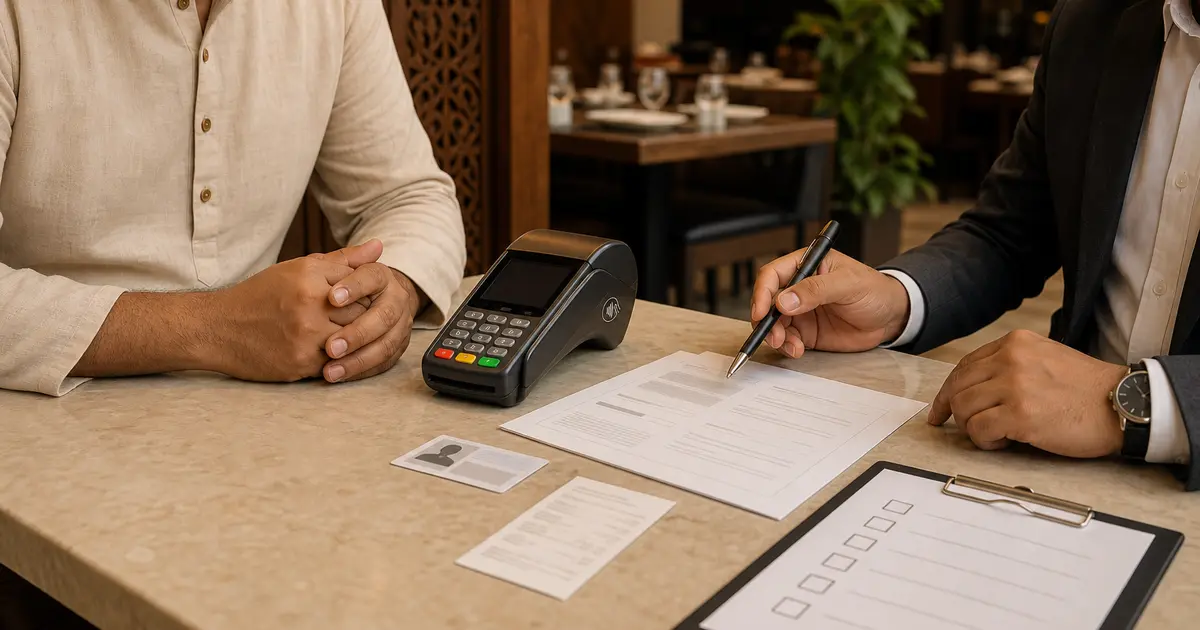
A BRAC Bank POS machine is a bank or acquiring payment terminal used by a merchant to accept approved card and contactless transactions. It is separate from restaurant POS software that manages menu, orders, kitchen and reports.
BRAC Bank's current public website confirms its 24/7 call centre at 16221 and publishes POS merchant information, but we did not find a current public page that states a universal restaurant onboarding document list, MDR, rental or settlement schedule. Those terms can vary and must be obtained directly from the bank. This article is a preparation checklist, not a representation by BRAC Bank.
Start with the official channel
Call BRAC Bank at 16221 or visit an official branch and ask for merchant acquiring or POS merchant onboarding. Use contact details from the official BRAC Bank website, not a number posted by an unknown agent.
State the legal business name, outlet address, restaurant type, expected monthly card sales, average ticket and whether you need countertop, portable or contactless acceptance. Ask for the current responsible team and written application process.
Documents to ask BRAC Bank to confirm
Do not treat an internet checklist as approval criteria. Ask the bank for the current list for your business form and merchant category.
- Trade licence and validity
- Owner/director national ID and photographs
- TIN and tax-return proof
- BIN/VAT documents where applicable
- Business bank-account and cheque or statement
- Partnership deed, incorporation or board authorisation if applicable
- Outlet address or tenancy evidence
- Food-business licences if requested
- Expected turnover or processing history
Commercial terms to get in writing
| Term | Question |
|---|---|
| MDR | What percentage or fee applies by card/network? |
| Settlement | When and into which account are funds credited? |
| Terminal cost | Rental, deposit, purchase or minimum volume? |
| Installation | Any setup, SIM or connectivity charge? |
| Refunds | Process, timing and fee? |
| Chargebacks | Evidence, deadline and contact? |
| Statements | Portal, email or downloadable report? |
| Support | 24/7 terminal help and replacement time? |
Terminal capability questions
Ask whether the offered terminal supports chip, PIN and contactless/NFC, which card networks are enabled and whether it uses SIM, Wi-Fi or Ethernet. Confirm paper roll size, replacement rolls, battery life for portable models and what happens during a network outage.
A Google Wallet or contactless-ready card can work only where the issued terminal and acquiring setup support the transaction. Do not assume every merchant terminal has identical capability.
Installation acceptance test
- Merchant name and outlet print correctly
- One chip-and-PIN transaction
- One contactless transaction if enabled
- Decline and cancel behaviour
- Receipt and duplicate receipt
- Same-day or stated settlement check
- Refund process with a small test if permitted
- Support call and terminal ID recorded
Connect the bank terminal to restaurant operations
Unless a certified integration is provided, the cashier enters the Rosuii order total on the bank terminal, waits for approval and records card as the payment method on the order. The restaurant receipt and terminal slip serve different records.
At day close, compare Rosuii card-tagged sales, terminal batch total and bank settlement. Investigate any order recorded paid without approval, any approved amount not recorded in the POS or any timing difference.
Security and staff rules
- Never store card numbers or PIN in Rosuii notes
- Let the customer enter PIN privately
- Do not accept a screenshot as terminal approval
- Restrict refunds and voids by role
- Keep terminal and charger assigned to a branch
- Report suspicious or lost devices through the bank's official channel
- Retain slips and reports according to bank and business policy
BRAC Bank terminal vs Rosuii
The BRAC Bank terminal handles approved card acceptance and acquiring settlement. Rosuii handles restaurant orders, receipts, kitchen flow, payment-method records and operational reports. One does not replace the other.
Rosuii currently has real bKash and Nagad integrations; card payment in the product should not be described as a live acquiring integration without an approved provider setup. Use the bank terminal and record the method accurately.
Build a dated merchant-request file
Record the restaurant legal name, outlet address, contact person, requested terminal location and the date you contacted the bank. Attach only documents requested through the official channel and keep a list of what was submitted. Do not upload cardholder data, PINs or terminal credentials to a general restaurant note.
Ask the bank to identify the current form, eligibility checks, expected process, support channel and the person or reference responsible for the request. Treat every commercial figure as unverified until it appears in the bank's written offer or agreement for your merchant.
Compare the written offer, not a remembered rate
Create a comparison sheet for setup or rental charge, transaction treatment, settlement timing, refund process, chargeback handling, paper or connectivity responsibility, replacement terms, support hours and exit conditions. Use the exact wording and effective date from the offer.
Do not copy a rate from another restaurant or an old social post. Merchant terms can depend on agreement and can change. Ask what taxes or other deductions apply and how each line will appear on the statement; have accounting and legal implications reviewed by qualified advisers.
Run an end-to-end acceptance test
Before staff rely on the device, make an authorised test following bank instructions. Confirm amount entry, customer confirmation, approval or decline response, printed or digital evidence, refund or reversal workflow, settlement reporting and the official support route. Record device identity without exposing secrets.
Then create the matching restaurant order and payment-method record. The terminal result and Rosuii order should share an internal reference or note that allows reconciliation, but Rosuii must never be used to store a full card number, PIN or authentication secret.
Reconcile terminal, order and settlement
At shift close, compare completed card orders in Rosuii with approved terminal transactions and exception slips. At settlement, compare the bank statement with the terminal batch and investigate missing, duplicated, reversed, refunded or delayed items. Never edit a sale merely to force totals to match.
Give every exception an owner, supporting reference and next review date. Keep access to terminal reports and refund actions role-based. Retention, dispute and accounting records should follow the bank agreement, applicable requirements and the restaurant's approved policy.
Prepare a failure and replacement procedure
Write what staff do when the terminal has no power, loses connectivity, declines, prints no evidence, is damaged or is lost. Staff should use the bank's official troubleshooting and reporting route, protect the device, avoid repeated uncertain charges and offer only approved alternative payment methods.
A screenshot or customer message is not terminal approval. Do not improvise an offline card process unless the bank explicitly supports it. Review incident references, support response, temporary control and restoration test before declaring the device operational again.
Use BRAC Bank's official 16221 channel to obtain current eligibility, documents, MDR, settlement and terminal terms. Arrive with the checklist, test the installed device and reconcile the bank terminal with restaurant sales every day.
Related guides
- Payment Terminal vs POS Software
- Restaurant Payment Methods in Bangladesh
- Accept bKash and Nagad in a Restaurant
See this workflow in Rosuii: Record restaurant payment methods in Rosuii
Sources checked
Last updated:
Frequently asked questions
How do I apply for a BRAC Bank POS machine?
What documents are required?
What is the BRAC Bank POS MDR?
Does a BRAC Bank POS machine manage restaurant orders?
Can BRAC Bank card payments be recorded in Rosuii?
Run your restaurant on Rosuii
POS, menu, inventory, payroll and more — built for Bangladeshi restaurants.
Start free

