Food Court Management Software in Bangladesh: Guide
One operator's counters can now share a menu, cook in their own kitchens and settle between outlets in Rosuii; a court of unrelated businesses still needs a multi-vendor platform.
Last verified: 2026-08-28
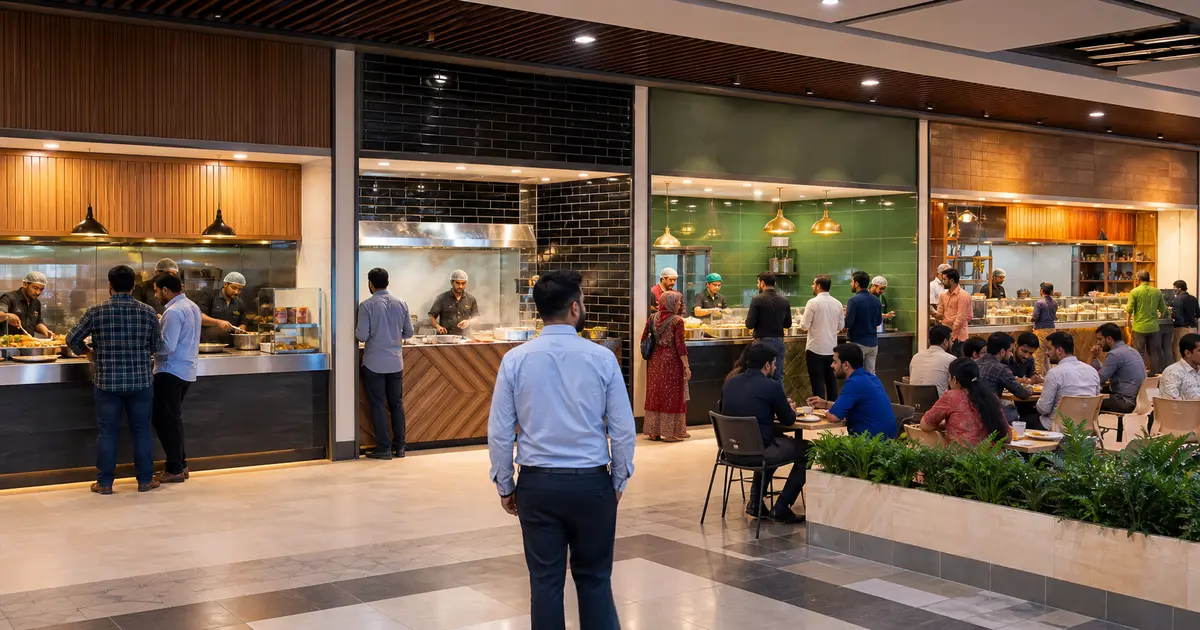
Food court management software coordinates ordering, billing, kitchen routing, token pickup, vendor sales and reporting across several food counters in one venue. The difficult part is not running one stall. It is keeping independent vendors separate while giving the customer a clear experience.
A food court owned by one restaurant group differs from a mall that leases stalls to separate businesses. Map ownership, merchant accounts and settlement before comparing software.
Choose the operating model
In a single-operator food hall, branches or counters may share ownership, finance and menu control. In a multi-vendor court, each stall may have its own prices, taxes, inventory, staff and bank settlement.
The software must preserve vendor-level data and permissions in both models. For independent vendors, one combined payment may also need automatic revenue allocation.
Design customer ordering and billing
Decide whether customers order at each counter, at one central cashier, from a kiosk or through a QR menu. Test an order containing items from two vendors and follow the payment and receipt.
A true multi-vendor platform may create one cart and then route each vendor's items separately. Rosuii now does this inside one account: switch outlets on and any counter can bill dishes cooked by another outlet on a single ticket, with each dish counted as the sales of the outlet that owns the kitchen. Between separate Rosuii accounts there is still no shared cart and no automatic split settlement, because outlets are branches of one business rather than independent merchants.
Route kitchen orders and tokens
Each stall should receive only its own KOT or KDS items. The token display must tell the customer where and when to collect the order without exposing another vendor's operations.
Rosuii provides station-based KDS and CDS within one restaurant account, and one operator's outlets now route each dish to the kitchen that owns it, with each station able to print its own ticket automatically on its own network printer while the Rosuii app or print agent runs at the venue. It is still not a shared screen that securely combines unrelated tenants, and the pickup token is the order number rather than a per-outlet counter.
Settle vendors transparently
Vendor reports should separate gross sales, discounts, refunds, tax, payment fees, court commission, rent or service charges and net payable. Approval and payout history matter.
Rosuii now reports what each outlet earned and collected, works out what each one owes the others, and lets you record a payout against that balance. It does not move money, does not touch bank or merchant accounts, and does not calculate landlord commission or rent; a recorded payout is not posted into payment-method balances either.
Split the takings between outlets
Outlets stay off until you switch them on in Settings → Outlets and map every kitchen to the outlet that owns it. After that each dish is counted as the sales of the outlet whose kitchen cooks it, whichever counter rang it up or took the money.
Say a guest orders coffee, a burger and biryani on one bill and hands ৳1,300 to the coffee counter. Only ৳200 of that is the coffee counter's own food, so the outlet revenue report credits the other ৳1,100 to the counters that cooked the rest, and the settlement report shows the coffee counter holding ৳1,100 it owes them until someone records the handover.
Outlet count follows the plan's branch limit, Starter two, Growth three and Pro unlimited, and the Free plan has a single branch so it cannot run this. Ingredient stock still comes out of one shared inventory rather than a store per outlet.
Where Rosuii fits
A single company running several counters is now a first-class fit. Switch outlets on, map each kitchen, and one till can take payment for any counter while the outlet revenue report credits every dish to the kitchen that cooked it and the outlet settlement report shows who owes whom.
An individual food-court stall can still run Rosuii on its own for POS, modifiers, KDS, token display, online ordering, stock, payroll and reports. A mall leasing stalls to unrelated companies, each holding its own account and its own bank settlement, still needs purpose-built multi-vendor software for shared cart, vendor onboarding and payouts, and Rosuii should not be presented as that layer.
Food court software demo
Test the most complicated multi-vendor order and the payout after it.
- Combine items from two vendors
- Cancel only one vendor's item
- Route tickets to separate kitchens
- Show pickup status clearly
- Split payment and fees correctly
- Restrict each vendor's data
- Generate settlement and audit history
Define platform, operator and vendor responsibilities
A food court may use independent vendor tills, a central cashier, shared ordering kiosks, table QR ordering or a hybrid. Document who owns the customer order, collects payment, fulfils each line, handles refunds, funds discounts, supports the customer and settles vendors. Software cannot resolve an undefined commercial model.
Keep vendor identity and branch scope on every item and transaction. A mixed basket must split production and settlement without losing the customer-level order reference.
Mixed-basket event model
Do not mark the whole customer order ready because one vendor finished. Define partial, complete, failed and substituted states and how the customer is informed.
| Event | Customer view | Vendor/operator record |
|---|---|---|
| Order placed | One clear basket and total | Lines assigned to correct vendor |
| Payment | Authoritative result | Collection owner/reference |
| Production | Per-vendor status | Station ticket and acknowledgment |
| Ready | Useful combined or split notice | Vendor line completion |
| Handover | Token/order verification | Which lines were released |
| Refund | Clear amount and status | Line responsibility and settlement adjustment |
| Close | Support route | Order-to-vendor reconciliation |
Vendor settlement controls
Start from immutable order lines and payment events, then apply the current signed commercial rules for commission, rent, shared promotion, refund, payment fee or other adjustments. Give every adjustment a type, amount basis, reason, evidence and approver. Do not hide unexplained differences in a net payout.
Allow vendors to inspect the orders and rule applications relevant to them without exposing another vendor's private sales. Lock an accepted settlement period and carry later corrections as visible adjustments.
Food-court system demo
Test the intended ordering channel, printers or displays and peak network. Record whether cross-vendor carts, token display and settlement are native, configured, custom or manual.
- Create two vendors and restricted users
- Build one mixed basket with modifiers
- Route each line to the correct station
- Handle one unavailable item before payment
- Complete vendors at different times
- Run pending and failed payment
- Refund one line with approval
- Calculate and inspect vendor settlement
- Export operator and vendor views
Daily operating review
Review stuck lines, wrong routing, unacknowledged tickets, token conflicts, customer support cases, refunds, unmatched payments and vendor close status. Resolve the customer first through the documented process, then assign the underlying operator, vendor or system action.
Monitor comparable data by vendor without assuming every cuisine has the same preparation time or basket. Preserve small-sample context and avoid public performance claims without approved methodology and evidence.
At period close, reconcile platform collections, refunds and adjustments to the sum of vendor-level settlement lines and the operator share. Investigate rounding, late payment events, cross-period refunds and manual entries. Give each vendor a reproducible statement with order references and a dispute route. Restrict vendors to their own data and preserve accepted statements. A later correction should appear as an approved adjustment rather than a silent edit to the closed period.
Choose food court management software according to ownership and settlement, not the number of counters. Multi-vendor finance is the dividing line.
Use Rosuii for a stall or for one operator running several outlets, and choose a dedicated multi-vendor layer when unrelated businesses need shared checkout and real vendor payouts.
Related guides
- Multi Chain Restaurant Software
- QSR Software in Bangladesh
- Restaurant Reporting Software
- Compare restaurant management software
See this workflow in Rosuii: See how Rosuii runs several outlets under one menu
Last updated:
Frequently asked questions
What is food court management software?
Can Rosuii run an individual food court stall?
Does Rosuii support a shared cart across vendors?
Can Rosuii settle money automatically to vendors?
Can one company manage several food counters in Rosuii?
What does food court management software do?
Can one order contain items from several vendors?
How should food court vendors be settled?
Who handles a mixed-basket customer problem?
Should every vendor see the full food-court sales database?
Run your restaurant on Rosuii
POS, menu, inventory, payroll and more — built for Bangladeshi restaurants.
Start free