Cloud Kitchen POS System Bangladesh: Control Costs in 2026
A practical cost-control framework for Bangladesh cloud kitchens, without an unsupported savings promise.
Last verified: 2026-09-02
A cloud kitchen can be busy and still lose money. Commission, packaging, remakes, delayed riders and unrecorded wastage can consume the margin before an owner sees the month-end report.
No POS can honestly promise the same percentage saving for every kitchen. The useful question is simpler: can the system show where avoidable cost enters the order, preparation and delivery workflow? This guide explains how to evaluate a cloud kitchen POS system in Bangladesh in 2026.
Map every order source before choosing software
List counter or phone orders, your direct website, foodpanda, Pathao Food and any corporate order channel. Note who accepts each order, whether staff re-enter it and how the kitchen sees its source. Re-entry creates a second chance for a wrong item, missed modifier or incorrect price.
Rosuii provides a direct restaurant storefront from Starter. Pro includes marketplace presets, but a preset should not be described as automatic marketplace order ingestion unless the current connector has been demonstrated. Ask every vendor to show the exact live workflow for the channels you use.
Measure channel cost without abandoning discovery
Marketplaces can bring new customers, while a direct channel can serve repeat customers under your own brand. Keep the channels that produce profitable demand. Compare gross sale, discount, platform charge, payment-provider fee, packaging, rider cost, refund and remake for each source.
Use one weekly channel report and the same accounting method each time. Do not assume a direct order is free: payment providers, promotion and delivery can still cost money. The objective is visibility, not a claim that one channel always wins.
Route confirmed orders to the right kitchen station
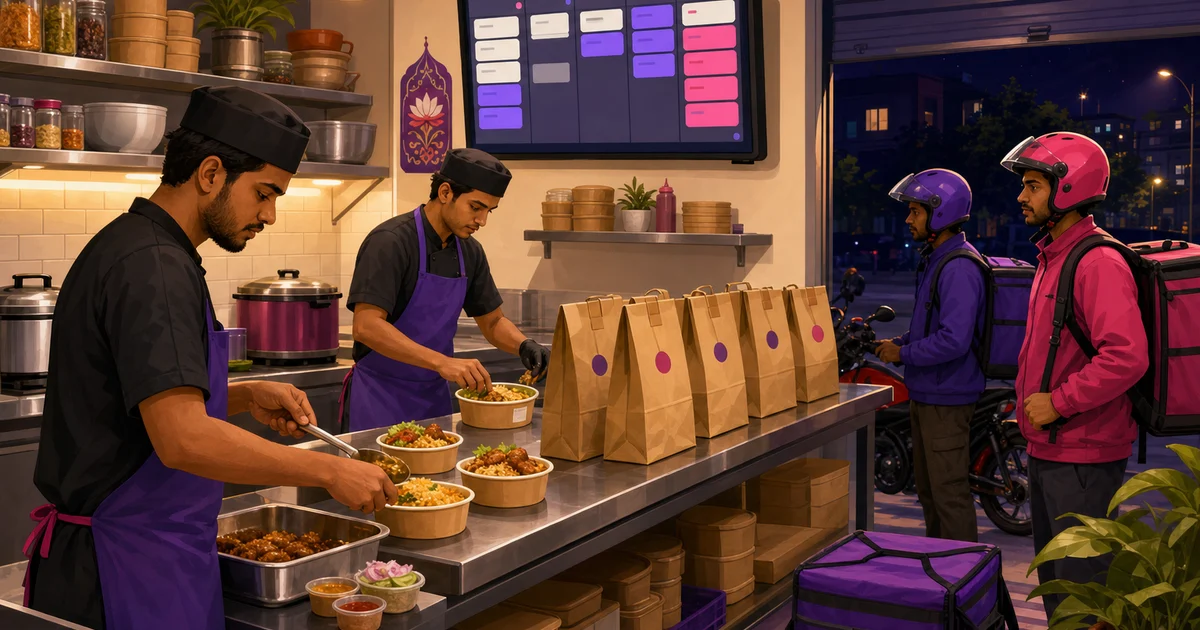
A delivery kitchen needs a clean handoff between order acceptance and preparation. A KOT or KDS should preserve the item, variation, add-on, note, order source and pickup context. Station filters help the grill, beverage or packing team focus on their own work.
Rosuii KDS is available on Starter and above. It provides New and Preparing stages, aging time and station views. Test the workflow with simultaneous orders and one edited item. Live KDS and multi-device updates require an internet connection.
Control stock, purchasing and wastage
Start with the ingredients and packaging that can stop service. Give each item a consistent unit, current purchase price, supplier and minimum level. Record purchase orders, received quantities, batch production and wastage reasons rather than correcting stock without an explanation.
Rosuii inventory and purchasing start on Starter. Production and wastage records support operational control, but Rosuii does not currently claim automatic ingredient deduction for every menu item sold. Schedule physical counts and investigate the difference between the record and the shelf.
Separate brand, branch and kitchen decisions
A multi-brand kitchen may share ingredients and staff while selling different menus. Decide whether each brand needs a separate order source, menu, report or branch. Then demonstrate how the software prevents an operator from editing the wrong location.
Rosuii supports branch-aware operations and uses restaurant-specific data isolation. Published plan limits still apply. A landlord-level settlement system for unrelated food-court vendors is a different requirement and should not be assumed from ordinary multi-branch support.
Plan rider pickup and delivery status
The kitchen timer is only half the journey. Define when an order becomes ready, who assigns the rider, how pickup is confirmed and what happens after a failed delivery. Keep the customer's phone and address visible only to staff who need them.
Rosuii has delivery and rider workflows on relevant plans. Marketplace fleets remain subject to their own processes. Test your own-rider order from checkout to completion, including a customer call and a status correction.
Be precise about bKash, Nagad and card payments
Recording a payment label is not the same as processing it through a gateway. Ask to see the payment request, confirmation, failed-payment state, refund path and reconciliation entry with your own merchant account.
Rosuii can record cash and card entries. Eligible bKash and Nagad gateway connectivity is a Pro capability. Rosuii does not currently claim a production card-gateway integration. Provider approval and transaction charges remain outside the software subscription.
Prepare for an internet outage
A synced Rosuii POS device can queue eligible cash orders when the connection drops and upload them later. That does not make every cloud function offline. New web orders, online payment confirmation, live KDS updates and cross-device synchronization need connectivity.
Keep a mobile-data backup, assign one person to reconcile queued orders and practice the outage routine before a busy night. Offline capability is useful only when the team understands its boundary.
A seven-day cost-control test
For one week, record the same operational measures before and after the test. Use your own numbers; do not borrow a percentage from another restaurant.
- Orders re-entered by hand and corrections caused by re-entry
- Minutes from acceptance to ready status for each channel
- Remakes, refunds and their recorded reasons
- Purchase quantity versus received quantity
- Wastage by item and reason
- Rider wait time after the order is ready
- Gross sale and known channel costs using one method
Which Rosuii plan fits a cloud kitchen?
Free supports a core single-branch POS test. Starter is ৳500 per month and adds direct online ordering, inventory and purchasing. KDS is available on Starter and above. Growth adds payroll, loyalty, rider management and report export; use the current pricing comparison for limits and exceptions. Pro is ৳2,500 per month and adds unlimited branches, marketplace presets and eligible bKash or Nagad gateway connectivity.
There is no setup fee in the published plan data. Hardware, internet, message, marketplace, logistics and payment-provider charges are separate. Check the pricing page before deciding because current plan data should be the source of truth.
A good cloud kitchen POS system does not create margin by itself. It makes order sources, kitchen timing, purchasing, wastage and delivery exceptions visible enough for your team to act.
Build a small test menu in Rosuii and run a complete direct order, a manually entered marketplace order, a kitchen handoff and an offline cash order before choosing a plan.
Related guides
See this workflow in Rosuii: See Rosuii for cloud kitchens
Last updated:
Frequently asked questions
What is a cloud kitchen POS system?
Does Rosuii automatically import foodpanda and Pathao orders?
Can a Rosuii cloud kitchen work offline?
Which plan includes direct online ordering?
Can Rosuii guarantee a 30% cost reduction?
Run your restaurant on Rosuii
POS, menu, inventory, payroll and more — built for Bangladeshi restaurants.
Start free