
Restaurant Management Software Features: The Must-Have Checklist
A practical checklist of the restaurant management software features that matter, from POS and kitchen display to bKash, Nagad, VAT and multi-branch reporting, with what each one actually does for your restaurant.
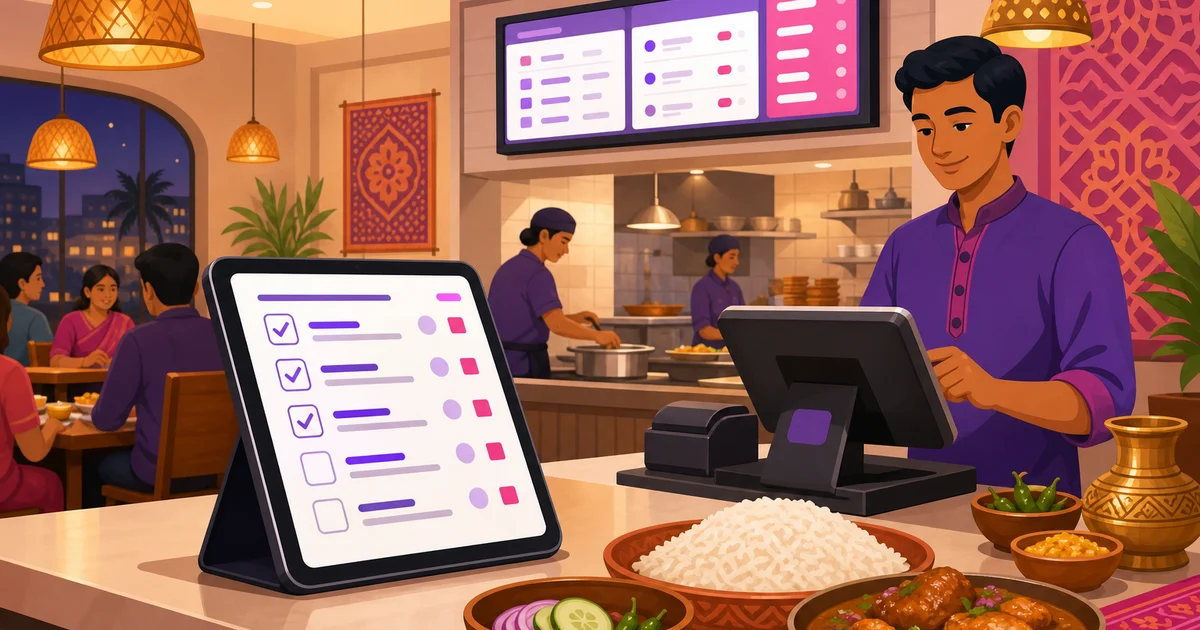
Every vendor's website lists fifty restaurant management software features, and most of them blur together. The question that matters for your restaurant is narrower: which features will you actually touch every day, and which ones quietly save you money at the end of the month? This checklist walks through the parts that count, what each one does, and why it earns its place on the screen. We use Rosuii as the running example, described honestly for what it is.
If you want the concept first, read our overview of restaurant management software and the roundup of the best restaurant management software in Bangladesh. This piece is the feature-by-feature companion to both.
The restaurant management software features that matter
Here is the short version before we go deep. Use it as a buying checklist when you compare tools.
| Feature | What it does | Why it matters |
|---|---|---|
| POS | Takes dine-in, takeaway and delivery orders on one screen | Faster service, fewer mistakes at the counter |
| Kitchen display (KDS) | Shows orders to cooks with timers, replaces paper tickets | Nothing gets lost; the line keeps pace |
| Table and QR ordering | Floor map, table status, customers scan to order | Frees staff, turns tables faster |
| Menu and modifiers | Items, sizes, add-ons, combos in Bangla and English | Right price every time, easy menu changes |
| Inventory | Stock levels, low-stock alerts, purchase orders | Less waste, no surprise stockouts |
| CRM and loyalty | Customer history, points, coupons | Brings regulars back and lifts repeat sales |
| Payments | Cash, bKash, Nagad and cash on delivery | Customers pay how they actually pay |
| VAT and service charge | Applies the right rates on every bill | Clean receipts, no manual maths or disputes |
| Reporting and P&L | Sales, item, staff, expenses, profit and loss, day close | You run on numbers, not guesswork |
| Multi-branch | One dashboard across locations | Compare branches without juggling files |
| Online ordering | Your own branded ordering page | Direct orders without marketplace commission |
Point of sale: the screen you live on
The POS is the feature your staff use most, so it sets the pace of the whole restaurant. A good one lets a cashier start a dine-in, takeaway or delivery order from the same place, assign a table and waiter, pick a walk-in or a saved customer, add variations and per-line notes, then save a draft, fire the order to the kitchen, and take payment. Rosuii prices every order on the server in a fixed order, discount, then coupon, then loyalty, then service charge, then VAT, so a busy cashier cannot misprice a bill by accident. We cover the engine in detail in our guide to the restaurant POS system.
Kitchen display: orders the cooks can trust
Paper tickets get lost, smudged and stacked in the wrong order. A kitchen display system, or KDS, shows each order on a screen with the items, notes and a timer that ages from amber to red as it waits. Rosuii routes each item to the right station, so the grill sees grill items and the drinks counter sees drinks. The line stops guessing what comes next, and orders go out in the order they came in.
Table and QR ordering: more covers, less running
A visual floor map shows which tables are free, seated or waiting on a bill, with capacity and a per-table QR code. Customers scan the code, see your menu in Bangla or English, and send their order straight to the kitchen. That cuts the walking your waiters do and turns tables faster on a busy night. The contactless side is genuinely useful for cafes and casual spots where staff are stretched thin.
Menu and modifiers: the right price, every time
Your menu is the spine of everything else. The software should hold items with prices, images, prep time, station, tags and allergens, plus variations for sizes, add-ons for extras, and combos. Rosuii keeps bilingual names and descriptions, so the same item reads correctly to a Bangla-speaking customer on the storefront and an English-speaking one. Change a price once and it updates across the POS, the kitchen and your online ordering page.
Inventory: stop the quiet leaks
Food cost is where margin disappears, and inventory is how you see it. Look for stock items with units, cost, supplier and per-branch levels, low-stock alerts, purchase orders with approval, and wastage logging so spoilage is recorded with a reason. Rosuii covers all of these, plus productions, which turn raw materials into finished goods. Our restaurant inventory management guide goes deeper on the day-to-day routine.
CRM and loyalty: bring the regulars back
It costs far less to keep a customer than to win a new one. A customer directory keyed to phone numbers, with order history and points, lets you reward regulars and run promotions that pay for themselves. Rosuii includes loyalty with earn and redeem rates and a maximum-discount cap, plus coupons with limits and expiry. Points follow the customer's phone number across every visit and every branch.
Payments: the methods Bangladesh actually uses
This is where many global tools fall down. A restaurant in Bangladesh needs cash with automatic change, bKash and Nagad, and cash on delivery for online orders. Rosuii has real, working bKash and Nagad integrations, not just a card field. Card sits there as a placeholder, so the rails your customers reach for every day are the ones that genuinely work. For the full picture, see restaurant software with bKash and Nagad.
VAT and service charge: clean bills, no arguments
Restaurants here apply VAT and often a service charge, and both must show correctly on the receipt. The software should build these into every order at the right rate and break them out on the bill and in reports. Doing it by hand invites errors and customer disputes; a built-in engine removes both. Our guide to VAT and service charge explains how the numbers should add up.
Reporting and P&L: run on numbers, not gut feel
This feature pays for the whole platform. Instead of guessing, you get sales reports, item sales, waiter and staff performance, expenses, a profit-and-loss view, and a day close, or Z-report, that totals the day cleanly. Rosuii gives you these with date-range presets and CSV export on both single-branch and multi-branch dashboards. You find your best sellers, your slow hours and your real margin without opening a single spreadsheet.
Multi-branch: one view across locations
If you have or plan more than one outlet, multi-branch is not a nice-to-have. You want one login that compares branches side by side, with stock, staff and sales separated per location but visible together. Rosuii gives each restaurant its own isolated database and branded subdomain, and the dashboard rolls branches up so you can spot which one is leaking and which one is winning.
Online ordering: direct orders you own
A branded online ordering page lets customers order from you directly, online payment or cash on delivery, without paying a marketplace 25 to 30 percent on every order. Rosuii gives every restaurant its own storefront on a branded subdomain, with cart, checkout, order tracking and table-QR ordering. The marketplaces still have their place, but a direct channel keeps more of each bill in your pocket.
How to use this checklist
You do not need every feature on day one. A small cafe starts with POS, menu, payments, receipts and basic reports, then adds inventory, loyalty and kitchen displays as it grows. The point is to choose a platform that already has the features you will grow into, so you are not migrating data again in a year. Rosuii bundles the whole list into one platform, free to start and ৳500 a month after that, and you turn on what you need as you go. See everything on the features page.
Ready to see these features working for your own menu? Create your free Rosuii account and set up your POS, kitchen display and online ordering today.
Last updated:
Frequently asked questions
What are the most important restaurant management software features?
Do I need every feature to start?
Which payment features matter for a Bangladeshi restaurant?
Does Rosuii handle VAT and service charge automatically?
How much does a platform with all these features cost?
Run your restaurant on Rosuii
POS, menu, inventory, payroll and more — built for Bangladeshi restaurants.
Start free

