USB vs Bluetooth vs LAN POS Printer: Restaurant Setup Guide
USB is simplest, Bluetooth is mobile and LAN is strongest for shared fixed stations. The room and workflow choose the interface.
Last verified: 2026-08-28
The printer interface determines who can print, from where and what fails during a rush. USB, Bluetooth, LAN and Wi-Fi can all work, but they solve different counter and kitchen layouts.
The interface name on a product listing is not enough. Check the exact rear ports, operating-system driver and whether your POS workflow supports local, network or Bluetooth printing.
Interface comparison
| Interface | Best use | Strength | Common failure |
|---|---|---|---|
| USB | One fixed PC or terminal | Simple and stable | Cable/port or driver |
| Bluetooth | Nearby phone/tablet | Portable, no router | Pairing, range, OS support |
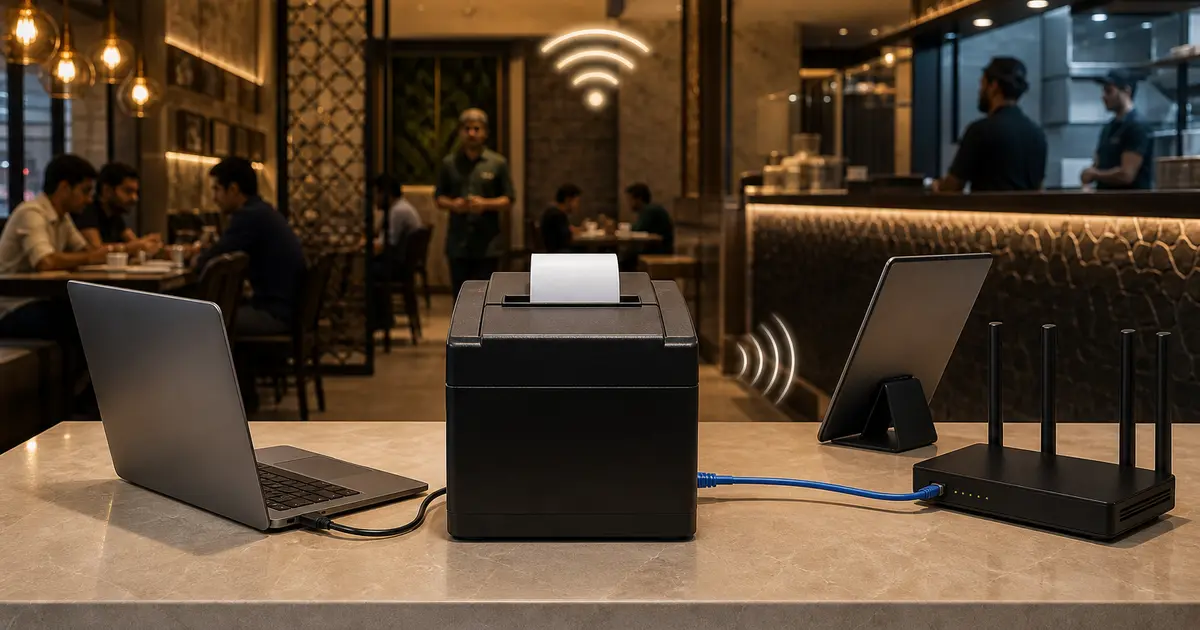
| LAN/Ethernet | Kitchen or shared fixed printer | Stable multi-device local network | IP address/router configuration |
| Wi-Fi | Cable-free fixed station | Flexible placement | Signal, password, network change |
Choose USB for one counter
USB is the easiest choice when one Windows laptop or terminal owns the printer. There is no pairing and no IP address. Use a short, good-quality cable and prevent staff from pulling it while changing paper.
USB becomes limiting when two devices need the same printer or the printer is far away in the kitchen. Sharing a USB printer through one computer makes that computer a failure point.
Choose Bluetooth for mobility
Bluetooth fits a tablet, handheld POS or food cart where printer and device remain close. It avoids a router and cable across the counter.
Test reconnection after the device sleeps, restarts or forgets the printer. Confirm the Android or iOS workflow and Bangla output. A Bluetooth logo does not guarantee support in every browser or POS app.
Choose LAN for a kitchen
Ethernet is usually the best fixed kitchen choice. The printer plugs into the router or switch, can receive a reserved local IP and is not dependent on one cashier's Bluetooth pairing.
Document the IP, subnet, driver port and router reservation. If the router is replaced, restore the same addressing or update every device. Keep the network cable and power away from heat and water.
When Wi-Fi is reasonable
Wi-Fi helps when a network cable cannot reach the station and the signal is strong. Use a dedicated business network, stable access point and documented credentials.
Do not put a critical kitchen printer on weak guest Wi-Fi. Password changes, band steering and signal congestion can turn a tidy cable-free setup into intermittent missing tickets.
Multi-device and offline reality
A LAN printer can still print on the local network only if the devices and software route support it. Internet and local network are different: an internet outage does not always break LAN, but a cloud workflow may still need connectivity for live multi-device updates.
Rosuii can queue synced-device cash orders during an outage and upload them later. Online payments, new online orders and live KDS updates require internet. Test the full print path during a controlled disconnect.
Decision rule
- One fixed terminal: USB
- One mobile device nearby: tested Bluetooth
- Several devices or kitchen: LAN
- No cabling but strong managed network: Wi-Fi
- Always buy the exact suffix and test the actual device
Connectivity choice follows printer ownership
Choose which device or station must print, who manages configuration and what happens when that device or network fails. USB commonly ties a printer to one host; LAN lets authorized devices reach a network printer; Bluetooth pairs over short-range radio but support and multi-device behaviour vary by model and app.
These are design tendencies. Verify exact printer, operating system, driver, browser/app and network support.
Connection comparison
Do not select on interface label alone; some models include combinations and different SKU variants.
| Factor | USB | Bluetooth | LAN |
|---|---|---|---|
| Primary link | Cable to host | Paired radio | Local network |
| Shared use | Through host if supported | Model/app dependent | Natural station sharing |
| Setup risk | Driver/cable | Pairing/permissions | IP/network |
| Mobility | Low | Higher | Device moves; printer fixed |
| Failure scope | Host/cable | Pairing/radio | Network/configuration |
| Security | Physical host access | Pairing ownership | Network segmentation/access |
| Best fit | One fixed till | Tested mobile counter | Kitchen/multi-device station |
USB deployment checks
USB can be simple for one fixed cashier, but the host becomes part of the printer's availability. Test reboot and user changes.
- Supported driver and operating system
- Cable length and strain relief
- Stable port assignment
- Host sleep and restart behaviour
- Browser/app print method
- Cash drawer pass-through if needed
- Backup host or manual route
- No customer cable hazard
Bluetooth and LAN deployment checks
For Bluetooth, test pairing ownership, reconnect after power loss, operating-system permissions, simultaneous device expectations and interference at the counter. Remove former devices and avoid discoverable default access where the model permits controls.
For LAN, use a managed address or reservation, document printer name and station, restrict unnecessary network access, test DHCP/router restart and monitor reachability. Do not expose a receipt printer directly to the public internet.
Restaurant decision test
Print the same cashier receipt and kitchen ticket from every intended device under normal and interrupted conditions. Test repeated tap, app restart, cable disconnect, Bluetooth re-pair or network restart, and confirm no duplicate or missing ticket.
Choose per station: USB may suit a fixed till, LAN a shared kitchen station, and Bluetooth a validated mobile need. Standardize only after real-device tests and document fallback, owner and spare accessories.
Document each printer as a station asset: connection type, host or network address, driver, paper, permitted users, fallback and last test. Avoid creating several anonymous printers with the same displayed name. When changing routers, tablets or operating systems, regression-test discovery, print, cutter, status and reconnect before peak service. Logs and test receipts should exclude real customer contact and payment information.
For most restaurants, use USB at a single counter and Ethernet at a shared kitchen station. Choose Bluetooth for true mobility, not merely to avoid one cable.
Related guides
- POS Printer Specification Guide
- POS Printer Troubleshooting
- Thermal Printer Setup
- Compare restaurant management software
See this workflow in Rosuii: Plan Rosuii printing by branch and device
Sources checked
Last updated:
Frequently asked questions
Is USB or Bluetooth better for a POS printer?
What is the best connection for a kitchen printer?
Does a LAN printer need internet?
Can several devices use one USB printer?
Is Wi-Fi better than LAN?
Is LAN better than USB for a restaurant printer?
Can several phones use one Bluetooth POS printer?
Should a network printer be public on the internet?
Can one restaurant use different printer connections?
Run your restaurant on Rosuii
POS, menu, inventory, payroll and more — built for Bangladeshi restaurants.
Start free