Android POS Machine Buying Guide for Restaurants in Bangladesh
A capable Android device is not automatically a compatible restaurant POS. Run the full order-to-receipt workflow before buying.
Last verified: 2026-08-28
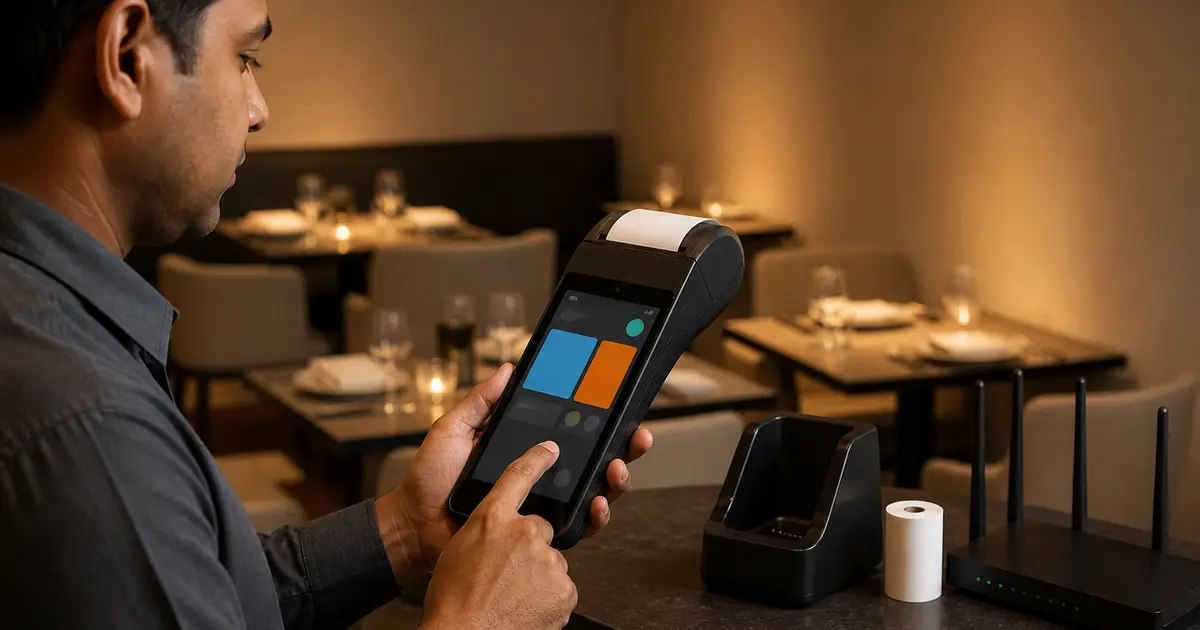
An Android POS machine combines a touch device with business-focused hardware such as an integrated thermal printer, scanner, NFC reader, SIM or charging dock. It can be excellent for tableside service, a food cart, delivery or a compact counter.
The risk is buying from a specification sheet. Android devices can restrict app installation, use a vendor browser, omit Google services, expose the printer only through an SDK or stop receiving useful updates. Test the exact production workflow.
Android POS requirements
| Area | Minimum question | Better evidence |
|---|---|---|
| Operating system | Which Android version? | Written update and security path |
| Memory | RAM and storage? | POS + browser + print test without reload |
| Display | Readable in the venue? | Real menu and sunlight test |
| Battery | Shift duration? | Full rush test and replacement availability |
| Printer | 58mm or 80mm? | Actual Bangla receipt and QR |
| Network | Wi-Fi, Bluetooth, SIM? | Disconnect/reconnect test |
| App policy | Can apps/browser be installed? | Install and update Rosuii path |
| Warranty | What is covered? | Screen, battery, printer and board in writing |
Handheld, tablet or counter
A handheld with built-in printer is convenient but has a small screen and roll. A normal tablet gives a larger interface and cheaper replacement, while a separate printer adds one more device. A large counter terminal looks permanent and can offer a customer display but is expensive and immobile.
Map the form factor to one job. Waiters benefit from mobility; a cashier benefits from screen size and stable power; a kitchen should usually use KDS or a network printer rather than a handheld.
Processor, RAM and storage
Model names rarely tell the full configuration. Check processor generation, RAM and usable storage after the operating system. Current Bangladesh V3H listings use 4GB/64GB as a useful modern reference, but performance must be measured with the actual browser, menu and printing service.
Open the POS, reports and print service, switch between them and return to the cart. If the browser reloads and loses unsaved state, more memory or a better-managed device may be needed.
Integrated printer reality
Confirm paper width, roll diameter, print speed, cutter or tear bar and how web content reaches the printer. Some devices expose printing through a vendor SDK rather than a standard Android print service.
Print Bangla and English, logo, QR and a long item list. Let the device sleep, wake it and print again. Check roll reload and whether the battery drops rapidly during repeated printing.
Do not confuse NFC with card acceptance
NFC hardware can scan tags or support a certified payment application, but its presence does not make an ordinary Android terminal a bank card POS machine. Card acceptance needs certified hardware/software and an acquiring relationship.
Ask the bank or payment provider which terminals and applications are approved. Keep restaurant order management and regulated payment acceptance as separate requirements even if they later integrate.
Rosuii compatibility test
- Sign in through the intended browser or PWA
- Sync menu and create a modifier-heavy order
- Print a 58mm or 80mm Bangla receipt
- Scan the receipt QR
- Let the device sleep and reconnect
- Queue a cash order during a controlled internet loss
- Confirm online payment and live KDS stop without internet as expected
- Run reports and close the shift
Lifecycle and support
Ask how firmware is updated, whether factory reset loses required services and whether the seller can reinstall the printer component. SUNMI documentation, for example, directs users to official system updates and warns against unofficial ROM modifications.
Record serial, firmware, driver/service version and purchase configuration. A replaceable generic tablet can reduce lock-in; a specialised handheld should earn its premium through mobility, printer integration or ruggedness.
Android POS is a device category, not compatibility proof
Android version, update policy, processor, memory, storage, display, battery, printer, ports, payment certification and device management differ. A device running Android does not automatically run the restaurant's POS or connect to its printer and payment provider.
Obtain the exact model and OS build, then test the software and peripherals. Avoid sideloading unknown APK files or disabling security controls for a demo.
Device specification matrix
Compare the complete SKU and bundle; integrated-printer variants can look nearly identical.
| Area | Verify | Test |
|---|---|---|
| OS | Version/update/support | App/browser requirement |
| Performance | CPU/RAM/storage | Real menu/order |
| Display/touch | Size/brightness/durability | Peak entry |
| Printer | Width/cutter/paper | Bangla receipt |
| Connectivity | Wi-Fi/SIM/Bluetooth/USB | Reconnect |
| Battery | Capacity/charging/replaceability | Shift plan |
| Payment | Provider certification/integration | Merchant test |
| Security | Lock, accounts and management | Lost-device response |
| Warranty | Seller/service/parts | Written route |
Restaurant acceptance test
Test on the intended branch network and accessories. Record unsupported functions before purchase.
- Named user login and deactivation
- Bilingual menu and long modifiers
- Receipt and cutter
- Cash/digital payment states
- Kitchen routing
- Wi-Fi to mobile-data transition
- Battery under representative use
- Restart and app recovery
- Offline supported actions
- Export and remote support privacy
Lifecycle and security
Register serial, assigned branch/user, OS and app version, warranty and recovery owner. Restrict installation and developer options, patch through a tested process and remove former accounts. A shared device still needs attributable application users.
For loss, revoke sessions, reassign open work and review protected actions. Plan battery, charger, paper, repair and replacement so the device is not a single point of failure.
Use a device acceptance form with SKU, serial, OS build, app version, merchant or printer configuration, permitted users, test results and rollback. Do not let a supplier retain unrestricted remote-control access without a defined support purpose and approval.
Review battery health, charging damage, paper feed, network, storage, updates and failed login or sync events on a schedule. Retire devices through a process that removes sessions and business data, records disposal or transfer, and preserves required transaction records elsewhere.
Choose the form factor from the job, then prove browser, printer, reconnect, offline queue and support. An Android logo is only the starting point.
Related guides
- Android POS Machine Prices
- Android POS Software
- Tablet POS for Restaurants
- Compare restaurant management software
See this workflow in Rosuii: Test Rosuii on your Android shortlist
Sources checked
Last updated:
Frequently asked questions
What is an Android POS machine?
Can Rosuii run on Android POS?
Is 4GB RAM enough?
Does NFC mean it accepts cards?
Should I buy a handheld or tablet?
What is an Android POS machine?
Can any Android POS run restaurant software?
What should be tested before buying?
How should an Android POS be retired?
Run your restaurant on Rosuii
POS, menu, inventory, payroll and more — built for Bangladeshi restaurants.
Start free