Kitchen Order Ticket System: How KOT Flow Works and How to Set It Up Digitally
Follow the full KOT workflow from order taking to billing, compare paper, printer and KDS setups, and learn how to control kitchen leakage digitally.
A kitchen order ticket system connects every customer order to the kitchen work and final bill. The waiter records the order, the kitchen receives a ticket, the cooks prepare against it, and the completed items remain tied to the same order until payment. This simple control loop matters because food should not leave the kitchen without an authorised ticket.
For a Bangladeshi restaurant, the system can be as basic as a handwritten KOT pad or as organised as a POS connected to thermal printers and kitchen display screens. The right choice depends on order volume, kitchen layout, budget and how much control the owner needs.
What is a kitchen order ticket system?
A kitchen order ticket, usually shortened to KOT, is the kitchen's instruction to prepare specific items. It is different from the customer bill. The KOT tells cooks what to make, while the bill records what the customer must pay.
A proper KOT normally includes the order number, table or order type, time, waiter, item quantities, variations, add-ons and preparation notes. A dine-in ticket might show “Table 8, Chicken Burger, extra cheese, no onion.” A delivery ticket may show the same preparation information without unnecessary customer payment details.
The system is the full process around that ticket: who creates it, how it reaches the kitchen, how additions and cancellations are handled, when it is marked complete, and how it is matched with the final bill. For a basic explanation of the document itself, read what is a KOT in a restaurant.
The complete KOT flow from table to payment
1. The waiter records the order
The process begins when a waiter selects the table and enters the requested items. For takeaway or delivery, the order type replaces the table number. Variations and add-ons must be recorded at this stage. “Large,” “less spicy,” “extra sauce” and “without ice” are operational instructions, not minor details.
With handwritten pads, the waiter writes these details manually. With a restaurant POS, the waiter selects items from the menu, so prices, variations and add-ons remain linked to the correct products. This reduces unclear handwriting and prevents staff from entering an improvised price.
2. The order is sent to the kitchen
Once the waiter confirms the order, a KOT goes to the relevant preparation area. A paper ticket may be handed over physically. A POS can send it to a thermal kitchen printer or place it on a kitchen display system.
The point of “Send to Kitchen” is commitment. A draft order can still be checked, but a sent order becomes a kitchen instruction. Restaurants should train staff not to ask cooks for unrecorded items verbally unless an approved emergency procedure is being followed.
3. The kitchen accepts and prepares the ticket
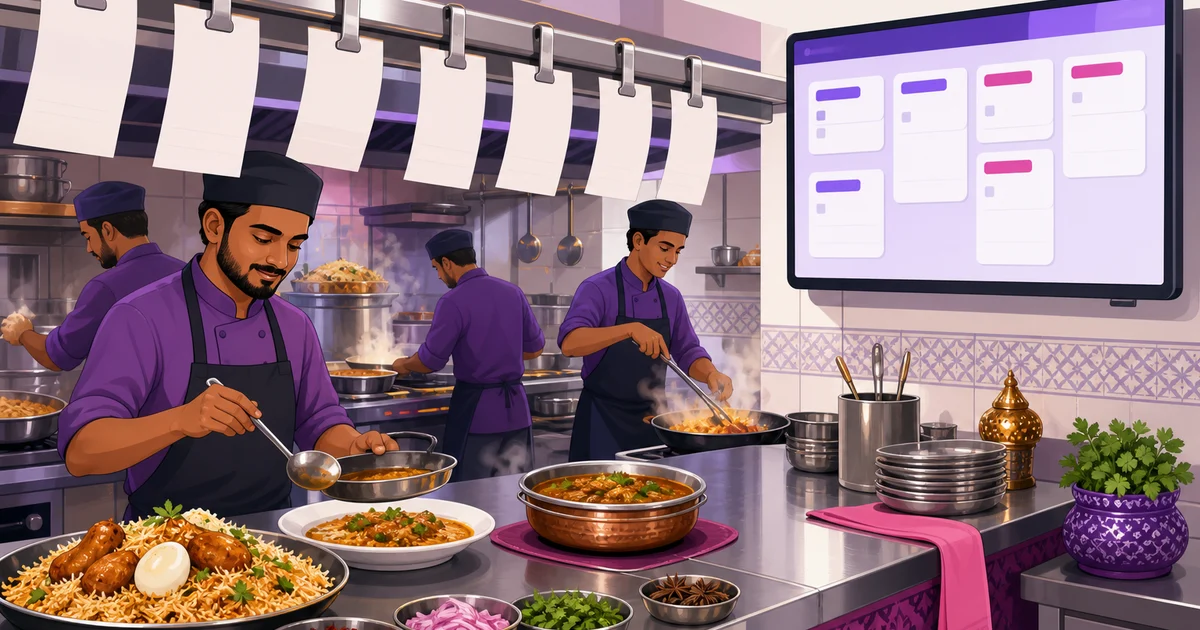
The cook reads the ticket and prepares the listed quantities and instructions. In a paper setup, tickets are commonly clipped in order. On a KDS, a new order appears in a New stage and can move to Preparing. An MM:SS aging timer shows how long each order has been waiting, helping the kitchen notice delays before customers complain.
A good system keeps the order number visible throughout preparation. That prevents one table's food from being mixed with another table, takeaway packet or delivery order.
4. The KOT is completed or cleared
When all listed items are ready, the kitchen clears the ticket according to the restaurant's process. Paper slips may move to a completed spike or tray. A digital KDS lets staff move the order to its completed state, removing it from the active queue while preserving the order record.
Clearing should happen only after the items are genuinely ready. Clearing tickets early makes kitchen timing reports unreliable and hides delayed dishes.
5. The same order becomes the final bill
The cashier settles the customer bill against the order that produced the KOT. VAT, service charge, discounts, coupons or loyalty redemptions should be calculated through the POS rather than on a separate handwritten bill. Payment can then be recorded through supported methods such as cash, COD, bKash or Nagad, depending on the order channel and restaurant configuration.
This connection is the main advantage of a digital KOT flow. The kitchen instruction and financial transaction refer to the same order, reducing the chance that prepared items are forgotten during billing.
How a KOT system controls food and billing leakage
Restaurant leakage often starts with an informal instruction: “Make one plate now, I will enter it later.” The food is prepared, served and then missed when the bill is created. It may also be given away without approval. Repeated across shifts, small unbilled items can become a serious monthly loss.
A strict KOT policy creates a control loop:
- The waiter must record the item before preparation.
- The kitchen prepares only against a valid ticket.
- The ticket stays connected to the table, takeaway or delivery order.
- The cashier settles that same order.
- Management can compare sales, item sales and day-close records.
Software does not replace staff discipline. Owners still need clear rules for cancellations, complimentary items, wastage and mistakes. However, a digital audit trail makes exceptions visible. If the kitchen follows the rule that nothing leaves without a KOT, “forgot to bill” leakage becomes much harder to hide.
Three KOT setups for restaurants in Bangladesh
Handwritten KOT pads
This is the cheapest setup. A waiter writes the table number and items on a numbered pad, then sends one copy to the kitchen. It can work for a tea stall, small cafe or low-volume restaurant with a short menu.
The weaknesses appear as volume grows. Handwriting may be unclear, slips can be lost, changes may not reach the cook, and management has little searchable history. It is also difficult to measure preparation time or verify that every kitchen ticket reached the bill.
Thermal-printer KOT from a POS
In this setup, the waiter enters the order in the POS and sends a formatted ticket to a kitchen printer. The print is readable, timestamped and linked to the POS order. Restaurants can use different printer settings by branch and place printers near practical preparation areas.
Thermal KOT printing is familiar to kitchen teams and does not require cooks to operate a screen. The trade-offs are paper use, printer maintenance, heat and grease exposure, and the risk of slips being misplaced. Changes also need a disciplined running-KOT process so the kitchen knows what was added after the first ticket.
Kitchen display system
A KDS replaces loose slips with an organised screen. Tickets arrive in a kanban-style queue, move from New to Preparing, show aging in MM:SS, and can be separated by station. Fullscreen operation and an audible chime help the team notice incoming orders.
This option suits busy restaurants, cloud kitchens and operations with several preparation stations. It provides better queue visibility and removes recurring paper use. It does require a suitable screen, staff training and a working connection for real-time POS-to-KDS updates. Learn more in this guide to a kitchen display system for restaurants.
Multi-kitchen routing for drinks, mains and other stations
A single restaurant may have a beverage counter, hot kitchen, grill and dessert station. Sending the entire order to every station creates noise. The drinks team does not need cooking instructions for biryani, and the hot kitchen does not need a ticket for bottled water.
Station routing divides the order by preparation responsibility. Drinks go to the beverage station, mains go to the relevant kitchen station, and each ticket retains the common order or table reference. This lets teams work in parallel while service staff can still identify which parts of the table's order are ready.
Before configuring stations, map the real kitchen workflow. Avoid creating too many stations simply because the software allows it. Each station should have a clear owner, a clear set of menu categories and a practical device or printer location.
How running KOTs handle added items
Customers often add items after the first KOT has reached the kitchen. Table 4 may order two more drinks or an extra naan ten minutes later. This should create a running KOT tied to the original order, not a disconnected order and not a verbal request.
The new ticket should clearly contain the added lines, order reference and time. Kitchen staff can then prepare only the additions without repeating the original items. At settlement, both the original items and later additions remain on the same customer bill.
Restaurants should also define how corrections are communicated. If an already-sent item must be changed or cancelled, the kitchen needs an explicit instruction and manager approval process. Silently editing the customer bill after food preparation weakens the control loop.
How to set up a digital kitchen order ticket system in Rosuii
Once the menu and kitchen workflow are known, the core setup in Rosuii can take minutes. More time may be needed for a large menu or several stations, so test before going live.
- Create the menu: Add categories, items, variations, add-ons and combos in English and Bangla where needed. Accurate options help the kitchen receive useful instructions.
- Set up branches and tables: Add floors, visual tables and branch details. This ensures dine-in KOTs show the correct service location.
- Choose the kitchen output: Configure per-branch printer settings for printed tickets or prepare the KDS screens and stations used by the kitchen.
- Assign menu groups to practical stations: Route drinks, mains or other categories according to who prepares them.
- Test real scenarios: Send dine-in, takeaway and delivery orders. Test variations, add-ons, table references and running additions.
- Train the service sequence: Staff should know when to Save Draft, when to Send to Kitchen, and when to proceed to Bill and Pay.
From Rosuii POS, Send to Kitchen sends the order into the configured kitchen workflow. It can produce a kitchen ticket or place the order on the KDS kanban. The KDS supports New to Preparing movement, aging timers, station views, a chime and fullscreen operation.
Rosuii runs as a browser PWA on phones, tablets and laptops, so restaurants are not locked to a single hardware brand. The POS can also cache menu and customer data through its offline-data sync. During an internet outage, billing can continue and queued orders sync automatically when the connection returns. Real-time multi-device and KDS updates still require connectivity, so every restaurant should maintain an outage procedure.
Checks to complete before going live
- Confirm every item appears under the correct kitchen category or station.
- Print or display a sample KOT and check font size, quantity and modifiers.
- Make sure table, waiter, order number and order type are easy to identify.
- Test added items after the initial KOT has been sent.
- Decide who may approve cancellations, complimentary items and wastage.
- Set a rule that cooks do not prepare unrecorded verbal orders.
- Review item sales, waiter reports and day-close reports regularly.
You can compare layouts before configuration by reviewing this restaurant KOT format sample. Keep the ticket focused. The kitchen needs clear preparation instructions, not every field stored in the customer or payment record.
Build a faster, more accountable kitchen flow
The best kitchen order ticket system is not necessarily the most expensive one. It is the setup that staff can follow on every shift. A small restaurant may start with POS-generated thermal tickets, while a busy multi-station operation may gain more from KDS screens and aging timers.
Rosuii lets you start with the POS and move to a KDS-based workflow as your operation grows. Each restaurant receives a branded subdomain and an isolated database, with bilingual English and Bangla support for Bangladeshi teams.
Ready to connect your orders, kitchen and billing? Register for Rosuii and set up your digital KOT workflow.
Updated:
Frequently asked questions
What is the difference between a KOT and a customer bill?
Can a small restaurant use a kitchen order ticket system without a KDS?
How should added items be sent after the first KOT?
Does a digital KOT system stop restaurant theft completely?
Will Rosuii KDS continue updating during an internet outage?
Run your restaurant on Rosuii
POS, menu, inventory, payroll and more — built for Bangladeshi restaurants.
Start free