KOT Format for Restaurants: 58mm, 80mm and Pad Samples
Use a field-by-field KOT template with 58mm and 80mm samples. Keep order references, modifiers, added items and duplicate copies clear.
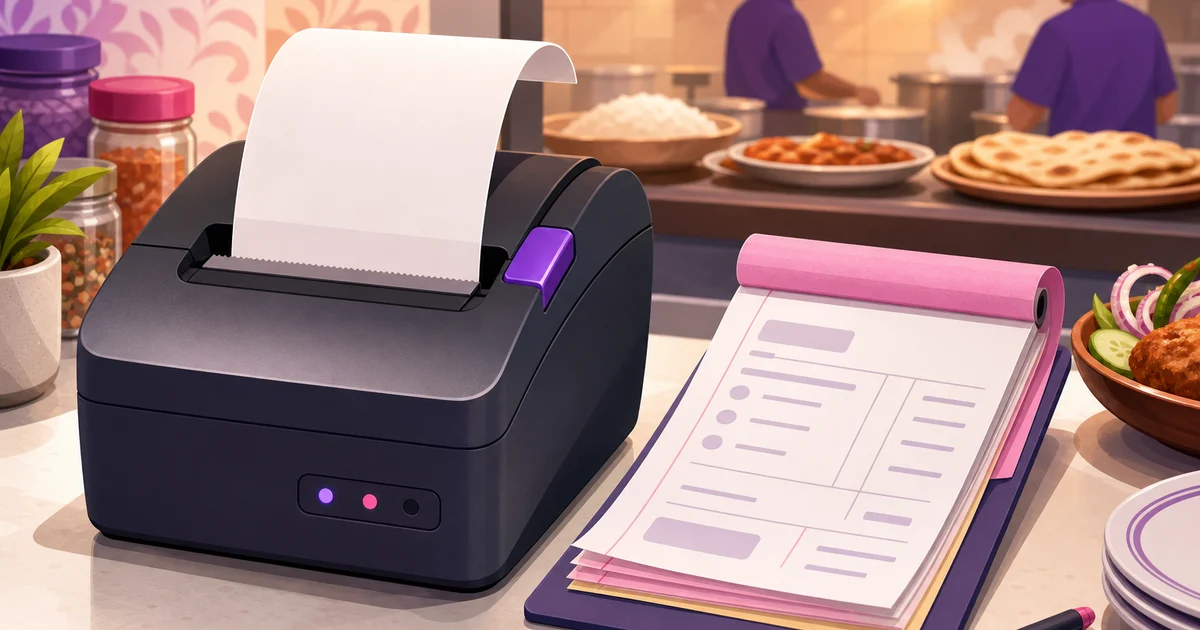
A useful restaurant KOT format puts the order reference, table or token, item quantities, modifiers and sending time where kitchen staff can read them quickly. The sample layouts below cover narrow thermal paper, wider paper and a handwritten pad. Adapt them to your printer and service process; they are templates rather than a universal POS specification.
This guide provides practical layouts for 58mm and 80mm thermal printers, plus a handwritten carbon-copy KOT pad. It also explains numbering, added items, duplicate tickets, voids, and how a digital POS can remove handwriting errors.
What should a KOT contain?
A kitchen order ticket is an operational instruction, not a customer invoice. It moves an order from the waiter or cashier to the kitchen. If you need a broader explanation first, read what a KOT is and how restaurants use it.
Every useful KOT should contain the following fields:
| Field | What to show | Why it matters |
|---|---|---|
| Restaurant or branch | Outlet name or short branch code | Prevents confusion when tickets or records are reviewed centrally. |
| KOT number | A unique sequential number, such as KOT-00418 | Creates a reference for the waiter, kitchen, cashier, and manager. |
| Order type | Dine-in, takeaway, or delivery | Tells staff how the food should be packed or served. |
| Table number | For example, T-07 or Floor 1, Table 7 | Connects a dine-in order to the correct guests. |
| Waiter or cashier | Name, initials, or employee code | Shows who entered the order if clarification is required. |
| Date and time | Order date and exact sending time | Helps the kitchen prioritise tickets and monitor delays. |
| Item and quantity | For example, 2 Chicken Biryani | States exactly what the kitchen must prepare. |
| Variation or size | Half, full, regular, large, or another selected variation | Stops staff from guessing which version was ordered. |
| Modifiers | Extra spicy, no onion, less oil, sauce separate | Records preparation instructions that can affect guest safety and satisfaction. |
| Notes | Short operational instruction | Covers information that does not fit a standard modifier. |
Prices, VAT, discounts, loyalty points, and payment details are normally left off the kitchen copy. The cook needs preparation information, not the customer's financial calculation.
KOT format for restaurant thermal printers
Most restaurant counters use either 58mm or 80mm thermal paper. A 58mm ticket is compact and economical, while an 80mm ticket gives more space for item names and modifiers. In both cases, the item quantity should be easy to notice at a glance.
Sample 58mm KOT layout
| ABC RESTAURANT |
| KOT #00418 |
| DINE-IN | TABLE: T-07 |
| Waiter: RAHIM |
| 14 Jun 2025 | 8:42 PM |
| ------------------------ |
| 2 x CHICKEN BIRYANI |
| Extra spicy |
| 1 x BEEF BURGER |
| No onion, sauce separate |
| 2 x BORHANI |
| ------------------------ |
| Items: 5 | NEW KOT |
Keep the 58mm version short. Use familiar item names, place modifiers directly below the relevant item, and avoid long promotional names from the customer menu. A kitchen-friendly short name such as Chk Burger may be easier to read, provided every employee understands it.
Sample 80mm KOT layout
| ABC RESTAURANT | KOT #00418 | ||
|---|---|---|
| Dine-in | Table T-07 | 8:42 PM |
| Waiter: Rahim | Guests: 4 | ||
| Qty | Item | Instruction |
| 2 | Chicken Biryani | Extra spicy |
| 1 | Beef Burger | No onion; sauce separate |
| 2 | Borhani | |
| NEW KOT | Total quantity: 5 | ||
The wider layout can separate quantity, item, and instruction into columns. Do not make the text too small just to fit more information. Kitchens are hot, busy environments, and a ticket must remain readable from a practical working distance. For printer selection and paper settings, see this restaurant thermal printer setup guide.
Handwritten KOT pad format for small restaurants
Carbon-copy KOT pads remain common in small Bangladeshi restaurants. They can work well if the format is printed clearly and employees follow a fixed process. Use pre-numbered pads rather than blank pieces of paper.
A handwritten pad should have these printed fields:
- KOT No: Pre-printed sequential number.
- Date and time: Include separate boxes so neither is forgotten.
- Table or order type: Table number, takeaway, or delivery.
- Waiter: Name, initials, or employee code.
- Quantity, item, and remarks: Three ruled columns with enough writing space.
- Status: Checkboxes for New, Add-on, Duplicate, or Void.
- Original KOT reference: Required for add-on and duplicate tickets.
- Authorisation: Manager initials for voids or corrected tickets.
The top copy normally goes to the kitchen, while the carbon copy remains at the counter or in the pad. Decide this rule once and train everyone to follow it. Staff should never tear out and discard a spoiled ticket without marking and retaining it.
Why sequential KOT numbering matters
Sequential KOT numbers are not decorative. They create a simple control trail. If KOT-00418 is followed by KOT-00420, the manager can ask what happened to KOT-00419. It may be a legitimate void, a spoiled handwritten ticket, or an unrecorded order that needs investigation.
This discipline reduces disputes between the kitchen and service team. The kitchen can confirm that it received KOT-00418, while the waiter can refer to the same number instead of saying, “the biryani order from a few minutes ago.” Numbering also makes it harder to serve food without recording the order.
Choose one numbering policy and document it. A restaurant may use continuous numbers, daily numbers with a date prefix, or separate sequences per branch. Avoid reusing a number during the same operating period. For handwritten pads, record the first and last number issued to each counter or waiter.
Running KOT and added-item format
Guests often add items after the first order reaches the kitchen. Do not rewrite the original KOT or quietly insert an item into the old ticket. Send a new add-on KOT linked to the original order.
For example, if the original is KOT-00418, the added ticket can display:
| ADD-ON KOT |
| KOT #00423 |
| Original KOT: #00418 |
| Table: T-07 | Waiter: Rahim |
| Time: 8:51 PM |
| 1 x CHICKEN FRY |
| 2 x MINERAL WATER |
This is sometimes called a running KOT because the table's order continues over multiple kitchen tickets. Printing only the newly added items prevents the kitchen from preparing the original items twice. The customer bill can still combine all valid items under one order.
How to handle duplicate and void KOTs
Duplicate KOT
If the kitchen loses or damages a ticket, issue a clearly marked duplicate. It should show the original KOT number and the words DUPLICATE: DO NOT PREPARE TWICE. A duplicate is a replacement copy, not a new food instruction. Managers should monitor frequent duplicate requests because they can indicate a printer, workflow, or control problem.
Void KOT
A void means all or part of an instruction is cancelled. Do not destroy the original ticket. Mark the cancellation against the same order, note the affected item and quantity, record a reason, and require manager approval according to your restaurant policy.
If cooking has already started, the item may also need to be recorded as wastage. A void and a wastage are not automatically the same event. The kitchen may cancel an item before preparation, while prepared food that cannot be served has a stock and cost impact.
KOT versus the customer bill
A KOT tells the kitchen what to prepare. A bill tells the customer what they must pay. Mixing the two creates clutter and can expose prices or discounts that kitchen staff do not need.
| KOT | Customer bill |
|---|---|
| Used by kitchen and service staff | Given to the customer |
| Shows items, quantities, modifiers, table, and time | Shows prices, discounts, VAT, service charge, and payable total |
| Created when food is sent for preparation | Finalised when billing and payment are handled |
| Can have add-on or duplicate copies | Consolidates valid chargeable items |
You can also compare KOT, BOT, and KDS workflows before deciding how paper tickets and screens should work in your restaurant.
How a digital KOT removes handwriting mistakes
With a restaurant POS, the waiter or cashier selects the table, items, quantities, variations, add-ons, and preparation notes on screen. The system automatically fills the order number, table, employee, date, and time. No one has to interpret hurried handwriting.
In Rosuii, staff can handle dine-in, takeaway, and delivery orders from the POS. When they select Send to Kitchen, the KOT can be printed for the kitchen or displayed on the Kitchen Display System. The KDS presents orders in a New-to-Preparing workflow, shows MM:SS ticket aging, supports kitchen stations, and provides a chime and fullscreen view.
The digital process also keeps added items tied to the same order. The kitchen receives the relevant new instruction instead of a waiter verbally calling out changes. Item variations and modifiers entered in the POS appear as structured order information, reducing missed requests such as extra spicy or no onion.
A digital KOT does not remove the need for staff discipline. Servers must still confirm the table, quantity, and modifier before sending. Managers should also define who may cancel items, request a duplicate, or edit an order after it has reached the kitchen.
A practical KOT checklist for your restaurant
- Use one sequential KOT numbering policy for each branch.
- Show the table or order type prominently at the top.
- Print or write quantities more boldly than descriptive text.
- Place every modifier directly below or beside its item.
- Use a separate linked KOT for items added later.
- Mark duplicate tickets clearly so food is not prepared twice.
- Retain voided handwritten tickets and require an approval reason.
- Keep customer prices and payment details on the bill, not the kitchen ticket.
- Test the layout with actual cooks during a busy service.
A good KOT format is short, readable, traceable, and difficult to misunderstand. Rosuii can replace handwritten tickets with a bilingual POS, printable KOTs, and a digital KDS while keeping tables, waiters, modifiers, and order times connected. Plans are free to start, with paid options from ৳500 to ৳2,500 per month and no setup fee. Register for Rosuii and set up your digital restaurant workflow.
Check the software separately from this example
The layouts and cancellation controls here are operational templates, not a promise that every POS automates every field or approval. Rosuii KDS starts on Starter; core POS and KOT printing are available on Free within limits. Automatic network printing needs a supported configured setup. Test Bangla text, added items, reprints and cancellations before service. Live kitchen updates need connectivity.
Editorial and product-source review: 2026-09-27
Continue with the right guide
- KOT meaning and full form
- Ticket format and samples
- Order-to-kitchen workflow
- KDS setup checklist
- Restaurant POS explained
Sources and limits
Try your own order in a free POS account. KDS, online ordering and inventory start on Starter; plan limits apply.
Updated:
Frequently asked questions
What is the ideal KOT format for a restaurant?
Should prices and VAT appear on a kitchen order ticket?
How should a restaurant record items added after the first KOT?
What should staff do if a KOT needs to be printed again?
Is a 58mm or 80mm printer better for KOT printing?
Run your restaurant on Rosuii
POS, menu, inventory, payroll and more — built for Bangladeshi restaurants.
Start free