
Cloud POS Software: What It Is and Why Restaurants Are Switching
Cloud POS software runs through the internet instead of one PC behind the counter. Here is what that buys you, access anywhere, auto-updates, backups and multi-device, and the honest catch.
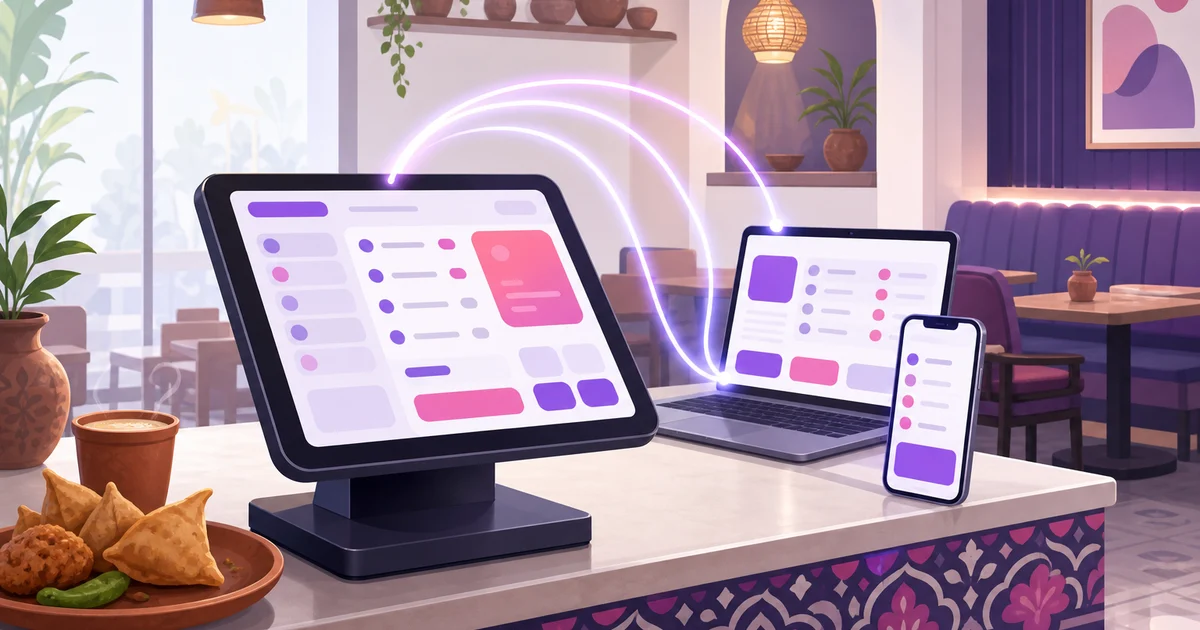
Cloud POS software is the reason a restaurant owner can check today's sales from home, add a dish from a phone on the bus, and open a second branch without buying a new licence. Instead of living on one PC behind the counter, the software runs through the internet and stores your data on secure servers. This post explains what cloud POS software actually is, what it buys you over the old installed kind, and the one honest catch you should plan around. We use Rosuii as the running example throughout.
What cloud POS software means
A point-of-sale tool is the screen where staff build and bill an order. The word "cloud" describes where the software and your data sit. With cloud POS software, you open a web address or an installed app, log in, and the order screen loads from servers run by the provider. Your menu, sales, customers and reports live there too, not on the device in your hand. That single shift, away from a fixed machine and toward a service you reach over the internet, changes almost everything about how the tool behaves day to day. If you want the broader picture of the category first, our POS software hub maps it out.
What cloud POS software gives a restaurant
The benefits are not abstract. Each one solves a real headache that owners on older systems know well.
Access from anywhere
Because the software runs over the internet, you are not tied to the till. Pull up live sales from home, approve an expense from your phone, or fix a menu price while you are out sourcing supplies. Your manager sees the same up-to-date numbers you do. With an installed system, that data is stuck on the one PC at the counter, and you have to be standing in front of it to see anything.
Automatic updates
New features and fixes arrive on their own. There is no technician to call, no disk to install, no version that quietly falls behind. With legacy POS, updates are often manual and sometimes a paid yearly add-on, so plenty of restaurants run software years out of date. Cloud POS software keeps everyone current without you lifting a finger.
Off-site backups
This is the one that saves a business. When your sales history lives on a single PC, a stolen machine, a power surge or a failed hard drive can erase years of records in a moment. Cloud POS software keeps your data on managed servers with backups, so a broken device at the counter is an inconvenience, not a disaster. You log in from another device and carry on.
Multi-device and multi-branch
The same account works across a phone, tablet, laptop or terminal at once, and across more than one branch. A waiter takes an order on a tablet, the cashier bills on a laptop, and the kitchen watches a display, all reading the same live data. Adding a second outlet is a setting, not a fresh installation. Rosuii reflects every order, payment and menu change across devices the moment it happens.
Security handled for you
Keeping a counter PC patched and safe is nobody's favourite job, and most small restaurants never do it. With cloud POS software, the provider runs the servers, applies security updates and manages access. Rosuii goes a step further with true multi-tenancy: each restaurant gets its own isolated database rather than sharing rows with every other customer, so your data sits on its own and behind your own logins and roles.
The honest catch: cloud POS software leans on internet
Here is the trade-off, stated plainly. Because the software runs over the internet, it uses a connection to sync across devices and to confirm online payments. Rosuii is a cloud platform delivered as a browser app, a PWA, so it installs like an app on your device. It caches your menu in the browser and queues orders on the device during an outage, then syncs them automatically when the connection returns, including marking them paid. So if your line drops mid-service, you keep ringing up sales and they catch up the moment you are back online. What a live line is still needed for is real-time sync between devices and confirming an online bKash or Nagad payment.
For most restaurants this makes the old internet worry a much smaller one, and it is easily managed. A basic broadband line with a mobile-data backup, a phone hotspot or a second SIM in the tablet, covers the longer drops, and the on-device queue carries you through the short ones. Weigh that against what you gain: no heavy upfront cost, automatic backups, access from anywhere, and freedom from a single fragile PC. For a fuller side-by-side of the two generations, including when an installed system still makes sense, read our cloud POS versus traditional POS comparison.
What it looks like during a real service
The benefits stop being abstract the moment the dining room fills. A waiter takes a table's order on a tablet and fires it to the kitchen, where it lands on a display in seconds. The cashier at the front bills a takeaway on a laptop, takes a bKash payment, and prints the slip. You, sitting in the office or at home, watch the day's total climb in real time and notice a dish selling out before the kitchen even tells you. None of that needs anyone standing at one fixed machine, and none of it is lost if a device dies, because the data never lived on the device. That is the everyday shape of cloud POS software: the whole team reading and writing to the same live record, wherever each person happens to be.
Moving from an old system is easier than you think
Owners often delay switching because they picture a painful migration. With cloud POS software there is far less to move, since there is no program to install on each machine and no server to set up. You sign up, your account is provisioned automatically, you enter your menu and settings in a browser, and you are taking orders the same day. Rosuii sets up each new restaurant on its own database and subdomain with no manual install, so the gap between deciding and going live is short. You can import your customer list and start fresh on sales, keeping your old records as a read-only archive for as long as you need them.
Cloud POS software versus on-premise, in short
- Where it runs. Cloud lives on secure servers you reach over the internet. On-premise lives on one PC at the counter.
- Cost shape. Cloud is a smaller monthly fee with hosting and support bundled. On-premise is a large one-time licence, with updates and extra branches often billed later.
- Updates. Cloud updates itself. On-premise updates are manual and sometimes paid.
- Backups. Cloud backs up off-site. On-premise backups are your responsibility, and often skipped.
- Internet. Cloud uses a connection to sync, but Rosuii keeps taking orders through an outage and syncs them when back online. On-premise runs fully standalone.
- Devices. Cloud works across phone, tablet and laptop and across branches. On-premise is tied to its machine.
Beyond billing: cloud restaurant management
The real win is not just a cloud till, but everything around it on the same cloud. When your POS, menu, inventory, payroll, customer loyalty and online ordering all run from one place, you stop copying figures between disconnected apps. Rosuii is built this way, so a sale at the counter, an order from your online storefront and a stock movement in the back all feed the same reports. For the wider scope of running the whole operation this way, see our guide to cloud restaurant management software.
Where Rosuii fits
Rosuii is cloud POS software built for Bangladesh. The POS handles dine-in, takeaway and delivery on one screen, sends tickets to a kitchen display, takes cash plus real bKash and Nagad, applies VAT and service charge, and prints receipts, all in Bangla and English. Because it is cloud, you log in from any device, updates arrive on their own, your data is backed up off-site, and each restaurant runs on its own isolated database and branded subdomain. It runs in the browser on hardware you already own, free to start and then ৳500 to ৳2,500 a month with no setup fee. Browse the full set on our features page.
Is cloud right for you?
If your restaurant has a reasonable internet line, or can add a cheap mobile-data backup, cloud POS software is the easier and cheaper way to run. You skip the big upfront licence, you never lose your records to a dead PC, and you can see your business from anywhere. The only restaurants that should pause are those in spots with genuinely unreliable connectivity and no backup option, and even they often find a hotspot solves it.
Want to see cloud POS software running on your own menu? Create your free Rosuii account and set up your POS, kitchen flow and online ordering in minutes.
Last updated:
Frequently asked questions
What is cloud POS software?
Does cloud POS software work without internet?
Is cloud POS software safe for my restaurant data?
Can cloud POS software run on multiple devices at once?
How much does cloud POS software cost in Bangladesh?
Run your restaurant on Rosuii
POS, menu, inventory, payroll and more — built for Bangladeshi restaurants.
Start free

