Kitchen Printer vs Receipt Printer: Restaurant Setup Guide
They can use similar thermal hardware, but they serve different readers, locations and failure risks.
Last verified: 2026-08-28
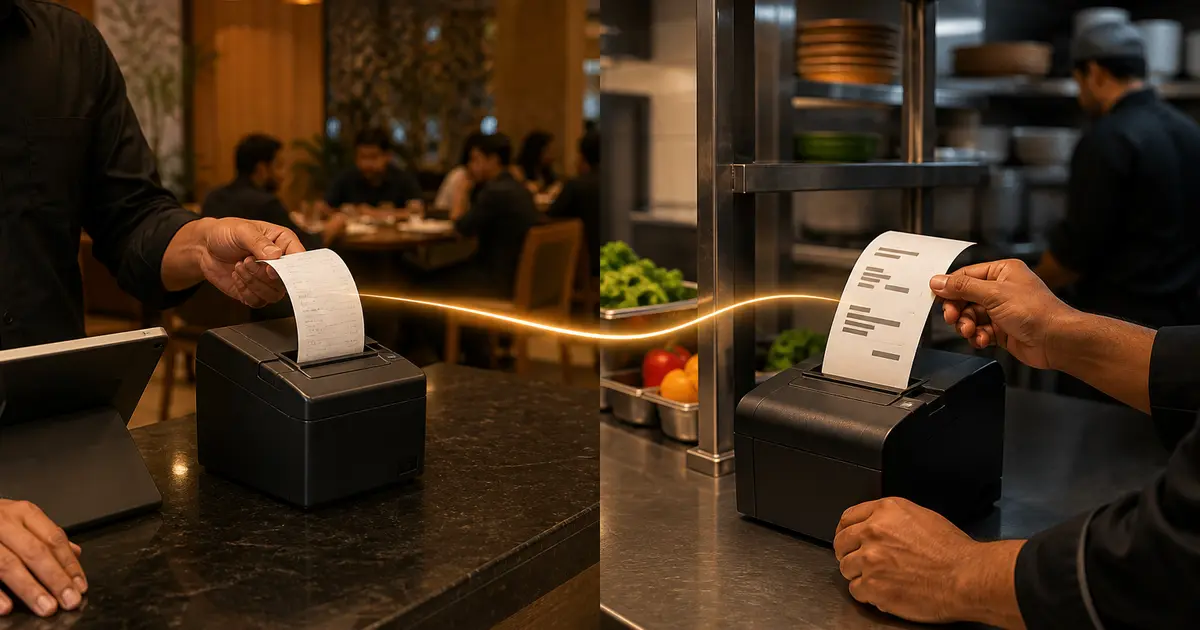
A kitchen printer and a receipt printer can be the same thermal model, but they do different jobs. The counter receipt is a financial document for the guest. The kitchen ticket is a production instruction for cooks.
Separating content and routing matters more than the logo on the printer. A customer should not receive a price-free KOT, and a cook should not search through payment details to find a modifier.
Kitchen vs receipt printing
| Factor | Receipt printer | Kitchen printer |
|---|---|---|
| Reader | Customer/cashier | Cook/pass staff |
| Content | Items, prices, discounts, VAT, payment | Items, quantities, modifiers, notes, table/token |
| Location | Clean front counter | Hotter production area or pass |
| Connection | USB often enough | LAN often preferred |
| Paper | 58mm or 80mm | 80mm usually clearer |
| Branding | Logo, QR, thank-you | Large legible production text |
| Alternative | Digital receipt | KDS screen |
What belongs on a receipt
A customer receipt should show the restaurant identity, order lines, prices, discount, service charge and VAT where applicable, total, payment method and reference details. A logo and QR can help branding or reordering if they remain readable.
The counter printer should be easy to reach, load and troubleshoot without blocking guests. USB suits one terminal; Ethernet helps a shared counter.
What belongs on a KOT
A kitchen order ticket needs the table or token, order time, quantities, item names, variants, add-ons and line notes. Prices and payment details usually distract from production.
Route items to the correct station so grill, drinks and dessert do not receive the entire order unnecessarily. Use large type and enough width for staff to scan during a rush.
Where to put the kitchen printer
Place it at the pass or a protected station, not beside open flame, steam, frying oil or a sink. The sound and paper movement should be noticeable without contaminating the device.
Use Ethernet where possible, reserve the IP and secure power and data cables. Keep one roll next to the station in a covered box, not on a greasy shelf.
One printer or two
One printer can work for a tiny takeaway if the cashier hands a ticket to the kitchen. It creates a queue and a single failure point as volume grows.
Two printers allow automatic routing: customer output at the front and KOT at the back. They also require separate configuration and possibly two paper stocks if widths differ.
When to replace the kitchen printer with KDS
A KDS removes paper, displays timers and station filters and lets staff move tickets from new to preparing. It is useful when lost slips, unread notes and order aging are bigger problems than screen cost.
Rosuii KDS provides live station views and timers on Growth and above. Live multi-device updates require internet, so keep a backup mobile connection and a documented outage workflow. Some restaurants retain a printer as fallback.
Deployment test
- Receipt shows correct financial breakdown
- KOT hides price and enlarges production details
- Each menu item reaches the correct station
- Long Bangla note remains readable
- Network restart does not change the printer unexpectedly
- Staff can reload paper and reprint with permission
- Outage fallback is written and rehearsed
The job determines the printer
A customer receipt printer prioritizes a readable bill, payment and merchant information at the counter. A kitchen printer prioritizes durable, legible production instructions in heat, noise and repeated handling. Some thermal printers can perform either role, but placement, paper, interface, sound, cutter and environmental suitability differ.
Do not label a model kitchen printer without checking its manufacturer specification and the restaurant's station conditions.
Station comparison
These are workflow tendencies; validate the exact printer and paper for the environment.
| Factor | Receipt station | Kitchen station |
|---|---|---|
| Content | Prices, totals, payment | Items, modifiers, timing |
| Environment | Customer counter | Heat, grease and noise |
| Paper | Thermal commonly used | Thermal or impact depending need |
| Sound | Quiet often preferred | Audible cue may help |
| Width | Bill layout | Modifier readability |
| Connection | Often fixed till | Shared network/station |
| Failure impact | Customer bill delay | Production instruction loss |
Kitchen ticket design
Test the longest bilingual names and urgent corrections. A narrow or faint ticket can turn a software-perfect order into a remake.
- Large order and table/token ID
- Station-specific items only
- Quantity and size
- Required modifiers and exclusions
- Course or channel context
- Occurrence and promised information where used
- Reprint/changed/cancelled marker
- No unnecessary customer data
Routing and failure test
Send one mixed order to every station, then change, cancel and reprint an item. Confirm station identity, duplicate prevention, offline or network recovery and a fallback when one printer fails. A successful print command is not the same as staff acknowledgment.
Keep printers on a controlled network, document address and driver, and do not expose them publicly. Review missing and duplicate tickets by order event.
Use clear reprint, changed and cancelled markers so the kitchen can distinguish a new instruction from a copy. Restrict who may cancel a sent item and record production or waste outcome. During an outage, assign one manual-ticket owner and reconcile every accepted order after restoration.
At shift start, test each station with a non-customer sample; at close, review stuck jobs and paper or cutter faults. Store configuration, spare paper and cable ownership. Re-run routing after menu stations, routers, drivers or POS versions change.
Use the receipt printer for proof of sale and the kitchen printer or KDS for production. Design each output for its reader, then route it automatically from one order.
Related guides
- Kitchen Display System Guide
- Thermal Printer Setup
- What Is a KOT?
- Compare restaurant management software
See this workflow in Rosuii: Compare Rosuii receipts, KOT and KDS
Sources checked
Last updated:
Frequently asked questions
Can I use the same printer model in the kitchen and counter?
What size is best for a kitchen printer?
Should prices appear on KOT?
Is KDS better than a kitchen printer?
Does Rosuii support both?
Can the same printer be used for kitchen and receipt?
Is thermal paper suitable for every kitchen?
What should a kitchen ticket show?
Should kitchen and receipt printers use the same paper?
How should a printer outage be reconciled?
Run your restaurant on Rosuii
POS, menu, inventory, payroll and more — built for Bangladeshi restaurants.
Start free