Restaurant Printer Paper Guide: 58mm, 80mm and Roll Quality
Width is only one measurement. Roll diameter, core, thickness, coating and storage determine capacity, print quality and head life.
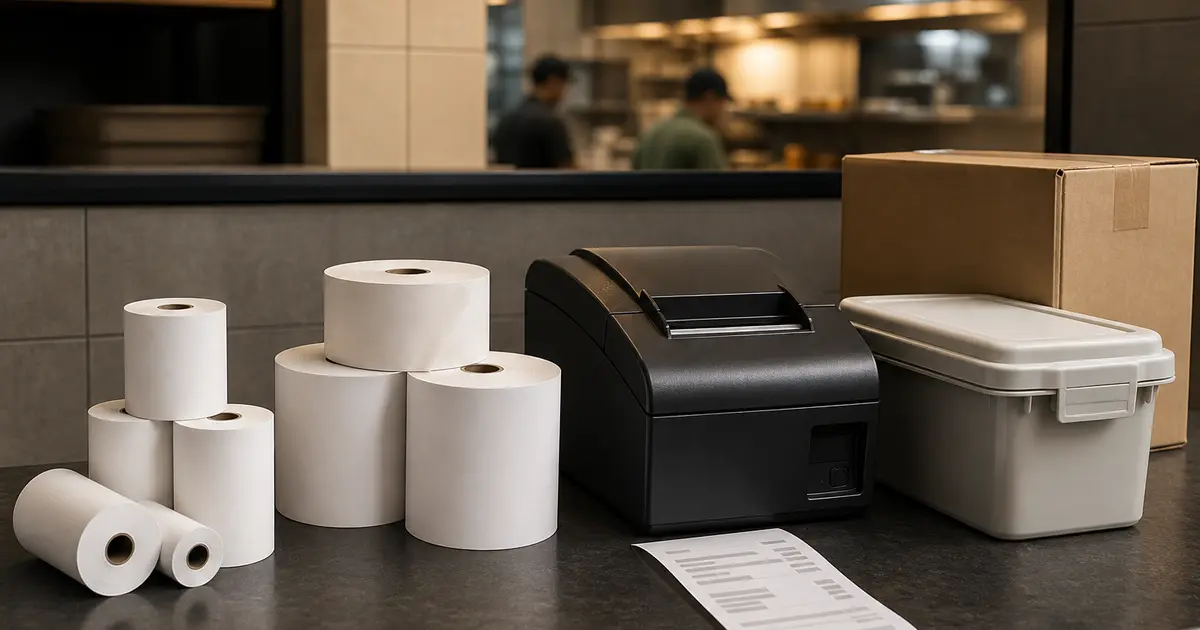
Restaurant printer paper is direct thermal paper, not ordinary calculator paper. Heat from the print head develops the image, so no ink or toner is used. The roll still must match the printer's width, outer diameter, core and allowed thickness.
Bangladesh sellers often describe rolls only as 57mm or 80mm. Check the full dimensions and test a sample carton before ordering in bulk; a cheap dusty or loosely wound roll can fade early, jam or increase head wear.
Measurements that matter
| Measurement | Common example | Why it matters |
|---|---|---|
| Paper width | 57.5mm or 79.5mm nominal | Must fit the guide and layout |
| Outer diameter | Up to about 80mm on many counter units | Controls roll capacity |
| Core inner diameter | Often around 12mm | Must sit and feed correctly |
| Core outer diameter | Often around 18mm | Affects wound length |
| Thickness | Often specified in micrometres | Changes roll length and feed |
| Coating side | Heat-sensitive face | Wrong orientation prints blank |
58mm and 80mm rolls
A 58mm roll suits narrow portable and compact counter printers. It costs less per roll and takes less storage, but a detailed restaurant bill uses more length because text wraps.
An 80mm roll is the usual dine-in choice. It holds clearer item, modifier, total and QR layouts. Some printers support both widths with a guide; do not allow a narrow roll to move freely inside a wide paper bay.
Do not buy by GSM alone
Thermal printer manuals commonly specify paper thickness in millimetres or micrometres, not one universal GSM. Coating and base paper mean two rolls with a similar weight can behave differently.
Use the exact manual range. The Rongta RP32X manual lists 0.06–0.08mm; Epson model limits vary and should be checked by product. Ask the supplier for a data sheet or sample rather than accepting a vague heavy-paper claim.
Normal vs high-preservation paper
Normal receipt paper is sufficient when the customer needs the bill briefly. High-preservation grades are intended to retain an image longer but can cost more and provide less length at the same roll diameter because the paper may be thicker.
A thermal receipt is not the safest long-term accounting archive. Keep digital order and payment records, and print A4 documents where formal retention requires it.
How to store thermal rolls
- Keep sealed rolls in a cool, dry cupboard
- Avoid direct sun, stove heat and hot delivery vehicles
- Keep away from oil, grease, alcohol, solvents and plasticiser
- Do not stack heavy boxes that deform cores
- Rotate cartons first-in, first-out
- Keep opened rolls in a clean covered bin near the printer
Faded, blank or grey receipts
A blank roll may be loaded with the coating facing away from the head. Scratch both sides with a fingernail; the side that darkens is heat-sensitive. Reload according to the diagram inside the printer.
Faint output can come from low density settings, poor media, a dirty head, low power or a worn head. A grey background can indicate excess heat or unsuitable paper. Power off and follow the manufacturer's safe cleaning instructions.
Bulk buying checklist
- Exact width, diameter, core and thickness
- Metres per roll or reliable roll weight
- BPA/BPS information if required by your policy
- Clean edge and tight winding
- Sample print and QR scan
- Carton quantity and moisture protection
- Replacement policy for defective rolls
Use less paper without hurting readability
Remove decorative blank lines, shorten the footer and avoid oversized logos. Keep item, quantity, total and required tax information readable. A QR can lead to a digital menu or feedback page, but it should not replace information that belongs on the bill.
Rosuii supports separate 58mm and 80mm layouts plus A4 output. Use the branch setting that matches the installed roll and print a test after any template change.
Start from the printer manual and bay
Record the exact printer model and consult its current manufacturer manual for supported paper width, outside diameter, core, loading direction and any media restrictions. Then inspect the installed unit and measure a known-good roll. A seller label such as ‘POS paper’ is not a complete specification.
Keep customer-counter and kitchen paper requirements separate. If two stations use different widths or preservation needs, label the shelves and purchase lines by station to prevent emergency substitutions.
Approve a roll with a controlled sample
Before a carton purchase, test a small sample using the longest receipt, modifier-heavy KOT, Bangla and English text, logo, QR, barcode if used and several cuts. Check feed, edge dust, curling, grey background, missing areas, smearing, readability and QR scan.
Record supplier, brand or batch, declared dimensions, sample date, printer, template version and result. Repeat on each critical printer model. A roll that works in one 58mm or 80mm unit is not automatically approved for every bay and cutter.
Calculate usable value, not roll count
Compare the documented length, dimensions, winding, print quality, defective-roll policy and delivered cost. If length is not reliably stated, weigh or measure a sample only as an internal comparison and label the method. Do not publish an exact metre claim from appearance alone.
Track receipts or service days per tested batch using comparable volume. Very cheap paper can create extra roll changes, cutter dust, unreadable records or waste; premium pricing alone does not prove better paper.
Receive, store and rotate cartons
At receiving, compare the purchase line with carton and roll labels, count damage, inspect moisture protection and quarantine visibly crushed, wet, loose or contaminated rolls. Store sealed cartons away from heat, sunlight, humidity, oil, chemicals and floor moisture, following manufacturer guidance.
Use batch or received-date rotation and open only the quantity needed at the station. Keep the roll surface clean and train staff on the correct thermal side and loading direction. Do not use sharp tools near the print head or cutter.
Trace paper-related incidents
When output fades, greys, slips, jams or scans poorly, keep the affected roll label and a sample. Run the printer self-test and compare with an approved roll before blaming the application. Record printer, batch, environment, symptom and corrective action.
If one batch fails across known-good printers, contact the supplier with evidence and use the written replacement process. If all paper fails in one device, follow the manufacturer maintenance and service path. Preserve receipts according to the record's legal and business need, not an assumed storage period.
Buy thermal paper by the complete dimension and sample performance, not only 58mm or 80mm. Good paper protects readability, staff time and the printer head; good storage protects the unused stock.
Related guides
See this workflow in Rosuii: Format Rosuii receipts for 58mm and 80mm paper
Sources checked
Last updated:
Frequently asked questions
What paper do restaurant printers use?
Does thermal printer paper need ink?
Why is my receipt blank?
How should thermal paper be stored?
Is 80mm paper better than 58mm?
Run your restaurant on Rosuii
POS, menu, inventory, payroll and more — built for Bangladeshi restaurants.
Start free