
Restaurant Software in Bangladesh: A 2026 Buyer's Guide
Restaurant software should connect orders, kitchen, stock, staff, payments and reports without making service harder. Use this practical buyer's guide to shortlist, test and price the right system for your restaurant.
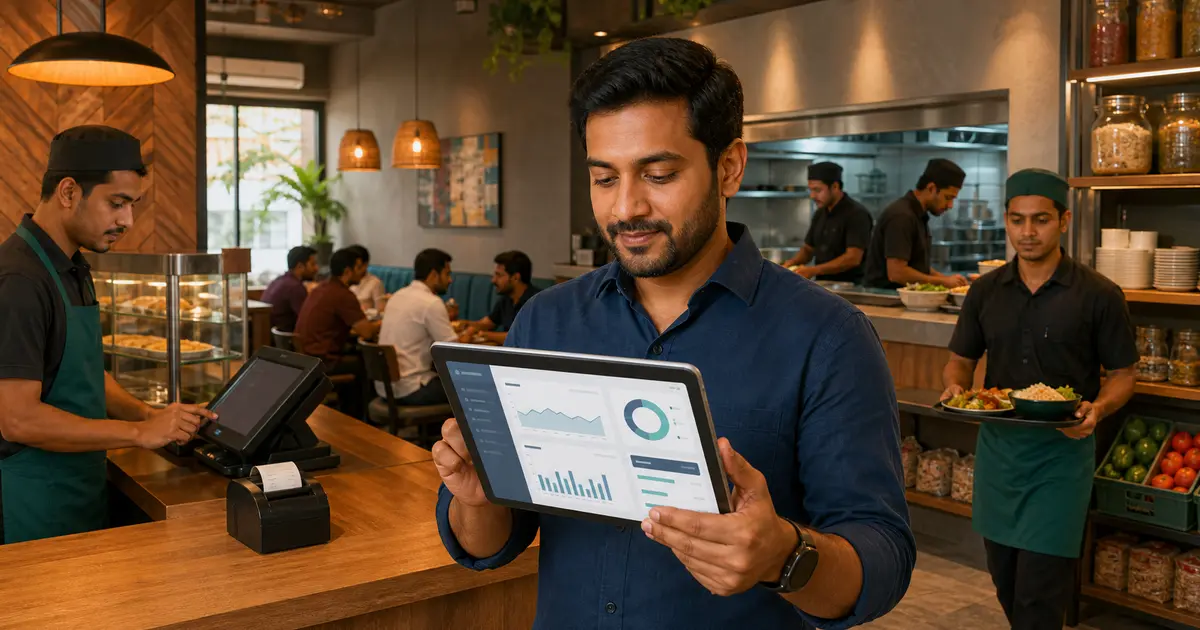
Restaurant software is the system that helps an owner run orders, billing, kitchen tickets, inventory, staff, payments and reports from one place. The right product removes repeated data entry and gives you a reliable view of the business. The wrong one becomes another screen your staff work around.
This is a buying guide, not a list of every feature vendors can put on a page. You will learn which type of software fits your restaurant, what to test in a live demo, what it should cost, and which Bangladesh-specific requirements matter. If you first want a module-by-module explanation, read our restaurant management software guide.
Start with the bill you need to trust
For a small Bangladesh restaurant, distinguish a billing problem from a wider operations problem. If the immediate need is a readable receipt and cash records, test the counter first. If ingredients, suppliers or salaries are the problem, include those workflows in the same demonstration and confirm their plan requirements.
- Bring one dine-in order, one takeaway order and a staff-entered delivery order; compare items, payments and the sales report.
- Ask which kitchen, stock and staff modules your chosen plan includes. A higher-priced plan does not necessarily retain every lower-plan exception.
- Use the first-year cost calculator with your own written quotation. Include devices, installation, training and support terms; do not treat a generic market price as your quote.
Restaurant software at a glance
| Your problem | Software capability to look for | Proof to ask for in a demo |
|---|---|---|
| Orders are slow or mispriced | Restaurant POS with table, waiter, modifiers, discounts, VAT and service charge | Build and bill a real order from your menu |
| Kitchen tickets go missing | KOT or kitchen display system (KDS) | Send one order to two kitchen stations |
| Stock figures are unreliable | Inventory, purchasing, production and wastage records | Receive a purchase and record a wastage entry and inspect recipe consumption |
| Online and counter orders are separate | Own ordering storefront and delivery-channel tagging | Place a test online order and find it in the POS |
| You cannot see daily profit | Sales, expenses, item reports, P&L and day-close report | Open yesterday's Z-report without a spreadsheet |
| A second branch feels impossible to control | Multi-branch access with separate branch data | Switch branches and compare sales from one login |
A basic billing app may solve the first row. An all-in-one platform connects every row so the same order moves from cashier to kitchen, reporting and customer history without being typed again.
Which type of restaurant software do you need?
POS or billing software
Choose POS-first software when your immediate problem is taking orders and printing accurate receipts. A restaurant POS should understand dine-in, takeaway and delivery, not treat every sale like a retail checkout. It should handle tables, waiters, menu variations, add-ons, discounts, coupons, VAT and service charge.
POS-only tools are easy to start with, but check what happens when you need inventory, payroll or a second branch. A cheap system becomes expensive if you later replace it and rebuild your menu and reports elsewhere. Our restaurant POS software guide explains this category in more detail.
All-in-one restaurant management software
This type includes the POS plus the kitchen, inventory, purchasing, staff, payroll, customers, loyalty, online ordering and reports. It suits restaurants that want one source of truth instead of several apps. The main benefit is not the number of modules. It is that one sale can update the order queue, customer record and sales report together.
Cloud or installed software
Installed software normally lives on one computer. It can work without internet, but backups, updates and access from another device depend on how the vendor configured it. Cloud restaurant software runs in a browser, stores data off-site, updates centrally and lets an owner check the business from a phone, tablet or laptop.
Internet reliability still matters. Rosuii caches the menu and customers on the device, queues cash orders during an outage and syncs them when the connection returns. Online bKash or Nagad confirmation and live multi-device or KDS updates still need a connection. Ask every cloud vendor to demonstrate its outage workflow rather than accepting the word “offline” on a feature list. See our offline POS guide for Bangladesh for the exact checks.
The seven capabilities that matter most
1. Fast restaurant POS
A cashier should be able to find an item, choose a variation, add a note, assign a table or customer, apply the allowed discount and take payment without hunting through menus. Test the system with your busiest order, not a cup of tea. If the demo takes too many taps, Friday dinner service will expose it.
2. Kitchen workflow
The order should reach the right kitchen station with item notes intact. A KDS adds clear New and Preparing stages, ticket-age timers and station filters. If you use paper, confirm that the software can print a clean kitchen order ticket and route it correctly.
3. Menu and stock control
Restaurant software should store categories, items, prices, sizes and add-ons. In Rosuii, the owner can enable recipe deduction in Settings → Cost of Goods and assign ingredients to a menu item or size. Placing an order then deducts the configured quantities. Stock is shared by default; separate outlet balances need an explicit setting and opening stock. Quantities must use each ingredient’s existing unit: there is no automatic kg-to-g conversion or yield calculation. See the inventory workflow and limitations.
4. Payments and accurate bills
Cash, payment records, discounts and configured taxes must reconcile to the bill. Rosuii connects eligible Pro accounts to bKash and Nagad using the restaurant’s approved merchant credentials. Cashiers can also record externally collected payments. Recording “card” does not charge a bank card: Rosuii has no live card-acquiring gateway. Test success, cancellation and delayed confirmation with the provider before accepting customer payments. See payment recording versus gateway connectivity.
5. Direct online ordering
Your own ordering page gives customers a direct route to your menu. Check the full journey: mobile menu, cart, checkout, payment or cash on delivery, order tracking and how the ticket reaches staff. Rosuii gives each restaurant a branded subdomain and keeps the storefront connected to the same menu and order flow.
6. Staff, customers and repeat business
Roles and permissions should control who can discount, refund or open sensitive reports. Payroll, shifts, rosters and advance salary help with the team. On the customer side, phone-based order history, loyalty points and limited coupons give regulars a reason to return without handing out uncontrolled discounts.
7. Reports an owner can act on
At minimum, ask for sales, item sales, expenses, waiter or staff performance, P&L and a day-close or Z-report. Open each report in the demo. Check whether totals match the order list and whether you can export the date range you need. A dashboard full of colourful charts is not useful if it cannot answer which item sold, what was spent and how much the day made.
Restaurant software checklist for Bangladesh
Global feature lists often miss the details a Bangladeshi restaurant uses every day. Put these requirements near the top of your shortlist:
- Bangla and English: check the POS, kitchen screen, customer menu and reports, not only the login page.
- BDT throughout: prices, receipts, plans and reports should use taka cleanly.
- bKash and Nagad: ask for an end-to-end test payment and refund or failure handling.
- VAT and service charge: confirm the calculation order and receipt breakdown with your own settings.
- Internet-outage plan: test cash billing, local order safety and later sync; do not assume online payments work offline.
- Foodpanda and Pathao workflow: distinguish live API integration from manual marketplace tagging.
- No hardware lock-in: check whether your existing phone, tablet, laptop and receipt printer can be used.
- Data ownership and isolation: ask how backups, exports, tenant separation and account closure are handled.
How much should restaurant software cost?
Prices vary by licensing model, branch count, order volume and included modules. Compare the total first-year cost, not only the monthly headline. Include setup, training, data entry, hardware, printer support, gateway fees, extra branches, extra users, updates and support.
The published Rosuii catalog was verified 2026-09-11. Free is ৳0, with one branch, 150 menu items and 20 orders/day. Starter is ৳500/month, up to two branches, 200 items and 150 orders/day; it includes online ordering, inventory, KDS and CDS. Growth is ৳1,200/month, up to five branches, 500 items and 500 orders/day; it adds payroll, loyalty and report export. Pro is ৳2,500/month with unlimited published branch, item and daily-order limits and eligible payment-gateway connectivity. Marketplace tagging is listed on Starter and Pro; do not assume Growth includes it. Check the current plan matrix before selecting a subscription.
Use the current Rosuii pricing page for plan details. For a wider explanation of licences, subscriptions and hidden charges, see restaurant POS pricing in Bangladesh.
A 20-minute demo scorecard
Do not let the vendor control the whole demo. Bring one real menu item, one difficult order and one report question. Score each task from 0 to 2: 0 means it cannot be done, 1 means it needs a workaround, and 2 means staff can do it comfortably.
- Create a dine-in order with a variation, add-on and note.
- Send it to the kitchen and change its status.
- Apply VAT, service charge and an allowed discount.
- Take cash and show the correct change.
- Show a real bKash or Nagad payment flow.
- Disconnect the internet and take a cash order.
- Receive stock, record wastage and view a low-stock alert.
- Open item sales, expenses and yesterday's day-close report.
- Switch the interface to Bangla.
- Add or view a second branch without buying another server.
A score below 15 out of 20 deserves more questions. More important, any zero on a task your restaurant performs daily should stop the purchase until the vendor shows a credible solution.
Plan the switch without disrupting service
Good software can still fail if the rollout happens at the counter during a rush. Use a short controlled setup:
- Choose an owner for the project and define the problems the software must fix.
- Clean the menu before import: names, prices, categories, sizes and add-ons.
- Set VAT, service charge, payment methods, branches, floors and tables.
- Create staff accounts with the minimum permissions each role needs.
- Connect and test the receipt printer and kitchen screen or KOT printer.
- Run sample dine-in, discount, takeaway and delivery orders; separately confirm how cancellations and refunds are handled instead of assuming the two are equivalent.
- Go live during a quieter shift, keep a written fallback plan and review the first day-close together.
Do not run two systems for months. A brief parallel check is useful, but a long overlap creates two versions of sales and stock. Our guide to switching restaurant software without losing service covers migration in detail.
Where Rosuii fits
Rosuii is an all-in-one restaurant platform built for Bangladesh. It combines dine-in, takeaway and delivery POS with menu, tables, KDS and CDS, inventory and purchasing, expenses, payroll, customers and loyalty, online ordering, bKash and Nagad, and sales and P&L reports. It runs as a browser PWA on common devices, supports Bangla and English, and gives each restaurant a branded subdomain and an isolated database.
Check the boundaries before buying: amount-based partial and mixed-method payments are supported, but Rosuii does not split a bill by item or seat. Card collection needs an external processor; online payment confirmation and live multi-device updates need connectivity. Recipe deduction needs configuration and accurate ingredient units. A demo must prove your essential workflow. Choose the relevant restaurant operating model, then use the Rosuii-published comparison checklists to question each vendor.
A first-year software budget you can check
For a restaurant that needs Starter features, twelve monthly subscriptions cost 12 × ৳500 = ৳6,000. The published annual Starter subscription is ৳3,500. These are alternative billing choices, not amounts to add together. Hardware, connectivity, payment-provider fees and your team’s setup time are separate. For example, choose Growth for payroll only after testing staff permissions and salary records; a cheaper plan that omits your required workflow is not a complete comparison.
Keep evidence from a trial
In a test account, use a burger with a size, a drink from another kitchen and one item note. Keep the order reference, the kitchen output, the payment record and the resulting sales report. Compare their quantities and totals. For a recipe test, record opening stock and the recipe unit before ordering, then compare the ledger. This is a proposed acceptance check, not a claim that a customer or our editorial team ran your exact configuration.
How we calculated and verified this
Rosuii publishes this guide as a software vendor. Product statements were checked against the current repository and public feature pages on 2026-10-01; this is not an independent vendor ranking or a customer field study. Pricing uses the published catalog verified 2026-09-11. Worked examples are hypothetical and exclude any costs not explicitly listed.
Related guides
- Restaurant Management Software: A Practical 2026 Guide
- Best Restaurant Software in Bangladesh: 7 Options Compared
- 12 Questions to Ask Before Buying Restaurant Software
See this workflow in Rosuii: Explore Rosuii restaurant software features
Last updated:
Frequently asked questions
What is restaurant software?
What is the difference between restaurant software and a POS?
How much does restaurant software cost in Bangladesh?
Can restaurant software work without internet?
What restaurant software is best for a small restaurant?
Run your restaurant on Rosuii
POS, menu, inventory, payroll and more — built for Bangladeshi restaurants.
Start free

