
Fast Food POS Software for Bangladesh: Speed at the Counter
Fast food POS software has one job above all: keep the counter moving. This guide covers combos, token numbers, kitchen tickets and the foodpanda, Pathao, bKash and Nagad pieces a busy QSR in Bangladesh actually needs.
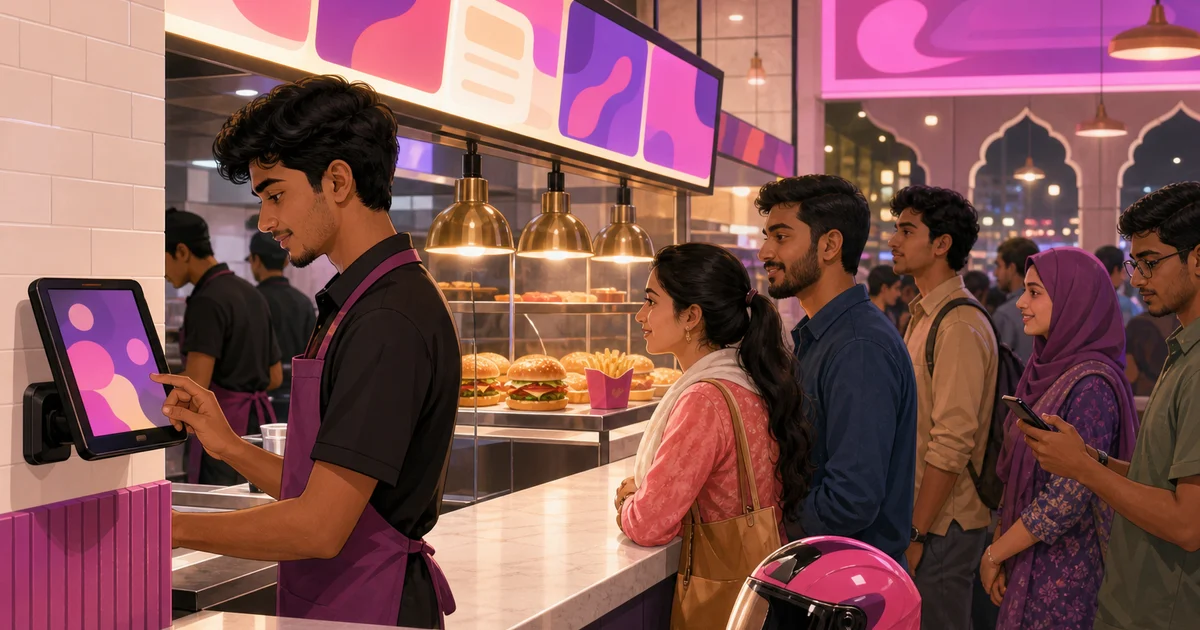
A fast food counter wins or loses on seconds. The customer wants to order, pay and step aside; the next person is already waiting. Fast food POS software is the tool that has to keep that line moving without errors, and the wrong one turns a busy evening into a queue that spills out the door. This guide is for fast-food and QSR owners in Bangladesh who want a counter system built for speed, not a slow general billing app dressed up for restaurants.
We will cover what makes fast food POS software different from a sit-down restaurant tool, the features that actually shave time off each order, and how combos, token numbers, kitchen tickets and delivery apps fit together. We use Rosuii as the running example, described honestly for what it does.
Why fast food POS software is its own thing
A fine-dining restaurant can take three minutes to seat, hand out menus and let a table decide. A burger joint or shawarma counter cannot. The order is short, the customer is standing, and the value of the system is how fast a cashier can ring it, fire it to the kitchen and take payment. So fast food POS software is judged on different things: tap speed, fewer screens, instant kitchen tickets, and a token the customer can wait on instead of a table number.
It also has to juggle channels. A modern QSR in Dhaka takes walk-ins at the counter, phone orders, and foodpanda and Pathao orders all at once, often from the same small kitchen. If those live in three separate places, the line falls apart. A good system pulls every channel into one queue so the kitchen works one list. For the wider picture of how a point-of-sale tool ties the counter, kitchen and reports together, see our restaurant POS system guide and the broader POS software hub.
The features that make a fast food counter fast
Not every restaurant feature matters here. These are the ones that decide whether your peak hour is smooth or painful.
One-tap items and a clean grid
Your best sellers should be one tap away, not buried in menus. A clear item grid with categories means a cashier rings a regular burger-and-fries in two taps, not ten. Rosuii lays the menu out as a touch grid with categories, so the items you sell most are always in reach on a phone, tablet or counter screen.
Combos, variations and add-ons
Fast food lives on combos and quick upsells. A meal deal, a size choice, an extra patty, a sauce on the side: the system has to handle these in a tap without the cashier doing mental maths. In Rosuii you build combos, variations (sizes) and add-ons once in the menu, so a single tap rings the right items at the right price, and the upsell is a button rather than a guess.
Token numbers and an order-ready screen
A fast food customer does not sit at a table; they wait for a number. The system should give each order a token and call it when the food is ready. Rosuii prints token numbers on the receipt and can show a customer-facing order-ready board (CDS) on a TV or screen, so customers watch for their number instead of crowding the counter. That alone clears the bottleneck right in front of the till.
Instant kitchen tickets
Speed at the till is wasted if the kitchen is slow to start. The moment an order is confirmed, the line should see it. Rosuii sends each order straight to a kitchen display (KDS) with items, add-ons, notes and a counting timer, ageing tickets from amber to red so nothing waits too long. The cashier never walks a slip to the back, and the cook never decodes handwriting. For the concept itself, our kitchen order ticket guide explains how the ticket flows.
Fast, real payments
Counting cash and giving change is part of the speed equation, and so is mobile money. Rosuii calculates change automatically on cash, and takes real bKash and Nagad payments plus cash on delivery for delivery orders. Card on the counter is a placeholder for now, so the rails your customers actually use, cash, bKash and Nagad, are the ones that work. For the mobile-money setup, see accepting bKash and Nagad.
Walk-in, phone and delivery in one queue
The hardest part of running a fast food spot in Bangladesh is not the counter; it is that the same kitchen also serves foodpanda, Pathao and your own online orders. If a rider is waiting while three walk-ins get served first, you lose the rider and the rating.
Rosuii treats every order type from one screen. A walk-in, a takeaway, a delivery to your own rider and a marketplace order all become tickets on the same kitchen display. You can tag an order to foodpanda or Pathao, and your own branded online ordering page feeds the same queue, commission-free. To see how that compares with renting reach from a platform, read online ordering system vs marketplace and integrating foodpanda and Pathao.
| Need | Generic billing app | Fast food POS software (Rosuii) |
|---|---|---|
| Speed per order | Many screens, slow | One-tap grid, combos in a tap |
| Combos and add-ons | Manual price entry | Built once, ring in one tap |
| Customer waiting | Crowds the counter | Token number + order-ready screen |
| Kitchen | Paper slip or shouting | Instant tickets on a kitchen display |
| Delivery apps | Separate tablets | foodpanda, Pathao and own orders in one queue |
| Payments | Cash only or card-first | Cash, bKash, Nagad, COD |
What fast food POS software should also give the owner
Speed is the headline, but the owner needs more than a fast till. A fast food business runs on tight margins and high volume, so the numbers matter. Rosuii records every sale and gives you sales, item-sales, staff and profit-and-loss reports plus a clean day-close, so you can see which combo sells best, which hour is busiest, and whether your delivery channel is actually profitable after the platform cut. For the full reporting picture, see restaurant sales reports and the Z-report.
Stock control matters too, even for a small menu. Buns, patties, cheese and oil run out fast at volume. Rosuii tracks stock items with low-stock alerts, suppliers and purchase orders, so you reorder before a Friday rush catches you short. It does not auto-deduct ingredients per burger sold, so think of it as solid stock, supplier and purchase tracking rather than recipe-level depletion. Our inventory management guide explains the honest scope.
What happens when the line drops at peak
Rosuii is a cloud system delivered as a browser app, so it installs like an app on a phone, tablet or counter terminal. Here is what matters at a fast food counter: when the line drops mid-rush, the till keeps moving. The menu is cached on the device, every order is queued locally, and the whole queue syncs automatically the moment the connection is back, marking paid orders as it goes. A flaky line during the lunch rush no longer freezes the counter or loses a single ticket. Confirming a bKash or Nagad payment and live sync to the kitchen screen still need a connection, so a broadband line with mobile-data backup is still smart, but order-taking does not stop. On top of that you get automatic backups, instant updates and the same counter, kitchen and online orders in one place.
Where Rosuii fits for a QSR
Rosuii is cloud fast food POS software built for Bangladesh. It rings orders fast on a touch grid, handles combos, variations and add-ons in a tap, prints token numbers and shows an order-ready screen, fires instant tickets to the kitchen display, and takes cash, bKash and Nagad. Walk-in, phone, your own online orders and foodpanda or Pathao all flow into one kitchen queue. Around the counter sit menu management, inventory, payroll, customer loyalty and your own commission-free ordering page, with each restaurant on its own isolated database and branded subdomain. It runs in the browser on hardware you already own. You can start free on a single branch, and the paid plans run ৳500 to ৳2,500 a month with no setup fee. For a head-to-head with local options, see our restaurant POS software overview and POS software for restaurants buyer's guide.
A QSR also lives and dies on consistency, and that is where a single system quietly helps. When the same menu, prices and combos sit behind the counter, the storefront and every branch, a customer pays the same for the same burger whether they walk in, order online or buy through foodpanda. Staff train faster because there is one screen to learn, not three. And when you open a second outlet, you clone the setup rather than rebuild it, which is the difference between a chain that scales cleanly and one that drifts into a different menu and a different price at every location. For multi-outlet operators, our multi-branch management guide goes deeper.
Want a counter that keeps the line moving on a busy night? Create your free Rosuii account and set up your menu, combos, token screen and kitchen display today.
Last updated:
Frequently asked questions
What makes fast food POS software different from a regular restaurant POS?
Can fast food POS software handle combos and meal deals?
Does fast food POS software support token numbers and an order-ready screen?
Can I take foodpanda, Pathao and my own online orders in one place?
Does fast food POS software work offline?
Run your restaurant on Rosuii
POS, menu, inventory, payroll and more — built for Bangladeshi restaurants.
Start free

